
Vibe Coding Prompts: Ten With the Distribution Step Built In, and the Runs Behind Them
Vibe coding is describing an app and letting the model write it. The prompts that circulate for it describe features and stop. These ten add the step that decides whether the app is ever used: the channel its first users will come from, and the surface that channel needs, written into the first prompt. Two of them are the short form of prompts we ran and measured; the rest follow the same skeleton, and the page says which is which.
Updated
What is vibe coding, and what makes a prompt for it work?
The term is eighteen months old and has a source. Wikipedia, read on 26 September 2026, credits Andrej Karpathy with coining it in February 2025 as a way of building where you “fully give in to the vibes, embrace exponentials, and forget that the code even exists”; Merriam-Webster listed it as slang and trending the next month and Collins made it Word of the Year for 2025. The same article carries the caveat that belongs next to the definition: a December 2025 analysis found AI co-authored code had “approximately 1.7 times more major issues than human-written code”, with security vulnerabilities at 2.74 times.
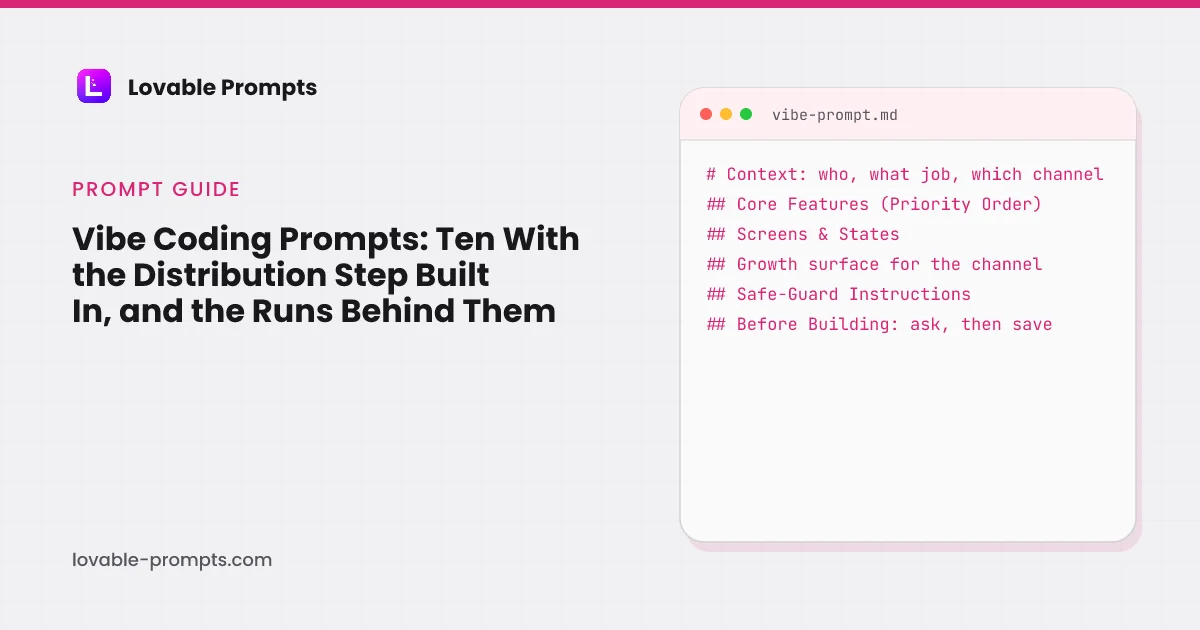
So a vibe coding prompt that works does two things the vibe does not. It carries the decisions the model would otherwise guess, and it carries the safeguard the model would otherwise skip. Lovable's prompting guide puts the first as a rule, “say what to change and what to leave alone”, and its product guide the working rhythm: “one change per prompt, verify in the preview, then move on”. This page adds a third thing, which is the reason the library on this site exists: the channel.
- Who and what: the audience and the job
- Features in order: three to five
- Screens and states: empty, loading, error
- Channel surface: pages, invite, card, capture
- Safeguard, then ask: data rules; questions first
The section order of the prompts in this library, with the channel surface added between states and safeguards.
Which channel is each prompt built for?
The ten prompts below cover eight of the ten growth channels this library uses. Every prompt in the library is tagged the same way, and the site counts the tags at build time:
| Category | prompts |
|---|---|
| Product-led Growth | 73 |
| Email Marketing | 47 |
| Organic SEO / AI Search | 39 |
| B2B Sales / LinkedIn | 38 |
| Community-led Growth | 25 |
| Organic Socials | 22 |
| Paid Search | 7 |
| Paid Socials | 2 |
| Short-Form Video | 2 |
| X (Twitter) | 2 |
Counted from the library on 26 September 2026; one prompt can serve more than one channel. Data from src/lib/channelIndex.ts.
Pick one channel per app. The product-channel fit guide explains why one beats three at the start, and the first 100 users guide has the playbook for each.
Ten vibe coding prompts with the distribution step
Paste into Lovable, Bolt, v0 or a builder of your choice; replace the brackets; keep the safeguard line.
Build a one-page site for [product] for [who it is for]. One offer in plain words, one email form above the fold, an inline success state, no redirect.
Distribution: the page must render fully without JavaScript, carry a unique title, meta description and a self-canonical, and include a sitemap and robots file. Add a second public page that answers "[the question these people search]" in 300 words with a definition first.
Safeguard: the leads table is insert-only from the client; never a public read policy.
Before building, ask me anything you need about the audience and the offer, then save the answers to the project knowledge.Build a workspace app where a user signs up, gets a workspace, and invites teammates by link into the same workspace with a role (owner, admin, member).
Distribution: the invite is the loop. Show who invited whom, confirm to the inviter when an invite is accepted, and offer the link again after the invitee's first successful action.
Safeguard: roles are enforced in the database with row-level security, not only hidden in the UI; never accept a role or workspace id from the client.
Build order: auth and the role check first, then the invite, then screens. Ask me your questions first, then save the decisions to the project knowledge.Build a directory of [entities] for [audience]: one server-rendered page per entity with its own URL, title, description, an H1 naming it, a definition in the first 100 words, and a Related section linking eight siblings.
Distribution: generate the sitemap from the data with the actual updated dates; add JSON-LD per page; no page ships without unique text.
Safeguard: never generate body text from the slug alone.
Ask me which entities have search demand before building, then save the answers.Build [a small tool that produces a result the user is proud of: a score, a plan, a card].
Distribution: after the result, one share action that posts a server-generated image card with the result and a link back; the shared link opens the same result read-only with a call to make your own.
Safeguard: the share URL is unguessable and the card never contains personal data.
Ask me who shares this and where, then save the answers.Build a newsletter site: a subscribe form with double opt-in, an issue archive where each issue is a public page, and a send flow from server code with a log of every send.
Distribution: every issue page has its own title and description and links the two neighbouring issues; unsubscribe is one click and honoured everywhere.
Safeguard: no send to any address without the opt-in flag; the log is written before the send.
Ask me about the provider and the sending domain first, then save the answers.Build a landing page per [offer] that a paid search ad sends traffic to: headline containing the ad group's phrase, one action, a form that stores the UTM parameters with the lead.
Distribution: one page per ad group from one data file, shared components; a server-side conversion event fires on form success with the stored click id.
Safeguard: message match is a test, not a hope: the headline must contain the phrase from the data file.
Ask me for the ad groups and offers first, then save them.Build a feedback board where signed-in users post and vote once per item, and a public changelog page with one dated entry per release and an RSS feed.
Distribution: a shipped item links to its changelog entry; the author and voters are notified when status changes; a monthly digest page collects the month's shipped items.
Safeguard: one vote per user enforced in the database; feedback bodies escaped, never rendered as HTML.
Ask me who moderates and how releases are named, then save the answers.Build a page that turns [a video's topic] into a saveable artifact: the checklist, template or calculator the video promises, behind an email or without one (tell me which).
Distribution: the page URL is short enough to say out loud, renders the artifact server-side, and shows a "from the video" strip with the next step.
Safeguard: no fake counts of downloads or users.
Ask me which videos send traffic and what each promises, then save the answers.Build [an internal tool] for a team, with a read-only summary page an admin can share with a decision maker: seats in use, activity in 30 days, what the paid tier would change.
Distribution: the summary is aggregate only, revocable, and carries a "request a demo for your team" action that writes a lead.
Safeguard: no member emails on the shared page; the plan card never blocks reading data.
Ask me what a decision maker needs to see, then save the answers.I want to build [one sentence]. Before writing code, ask me: who the first users are, which one channel they will come from (search, invite, social, email, paid, community, sales), what the first successful action is, and what must never happen with their data. Then write the build prompt in this order: context, core features in priority order, screens and states, the surface that channel needs, safeguards, and a closing line that asks for questions before building. Show me that prompt and wait.Which of these have been run, and what did they cost?
Prompts 1 and 2 are the short form of two library prompts we ran in a personal Lovable workspace, reading the credits page before and after. The third run, a states system, is the pattern behind the screens-and- states line in every prompt above.
| Date | Questions asked first | Credits | What came back | |
|---|---|---|---|---|
| Landing page + email opt-in | 2026-07-31 | 0 | 1.8 | One round, all five priority features, inline success state, Cloud enabled |
| Empty states and skeletons | 2026-09-26 | 2 | 9.5 | Asked 2 questions, built a /states gallery and a task list, verified slow load, failure and retry |
| SaaS MVP with user auth | 2026-09-26 | 4 | 10.4 | Asked 4 questions, enabled Cloud, self-tested sign-up and invites, roles checked in the database |
The prompt examples page has the screenshots and the long form of each; the idea-to-app guide puts the runs in the path from brief to first users. The other eight prompts here follow the same skeleton and have not been run as a set, so this page claims their structure, not their output.
Sources
All checked on 26 September 2026. Run data in src/data/runs.ts; channel counts computed from the library at build time.
Frequently asked
What is a vibe coding prompt?↓
Why does every prompt here name a channel?↓
How many words should a vibe coding prompt be?↓
Do vibe coding prompts produce insecure apps?↓
Which of these have been run?↓
Can I use these in Cursor or Claude Code instead of a builder?↓
Related reading
- vibe coding tips from our own git log
Twelve mistakes, the commits that fixed them.
- three prompts and what they built
The long form of prompts 1 and 2, with screenshots.
- how to write prompts for Lovable
The skeleton, section by section.
- product-channel fit
Why one channel beats three at the start.
- getting the first 100 users
The playbook for each channel.
- idea to app
Where the first prompt sits in the whole path.
- the prompt library
121 prompts, each tied to a channel.
- coding prompts
The same five parts for ChatGPT, Claude and Copilot.
- common Lovable mistakes
What the safeguard line prevents.
Written by

Marco Kohns
Founder of ProtoBites - Venture Growth Studio
Growth PM at a Silicon Valley scale-up (a16z and General Catalyst backed), ex-Techstars where he consulted 13 early-stage startups, Reforge-trained. Every prompt on this site comes out of shipping ProtoBites' own portfolio products.