
Lovable Prompts: 151 Free Prompt Templates and Examples
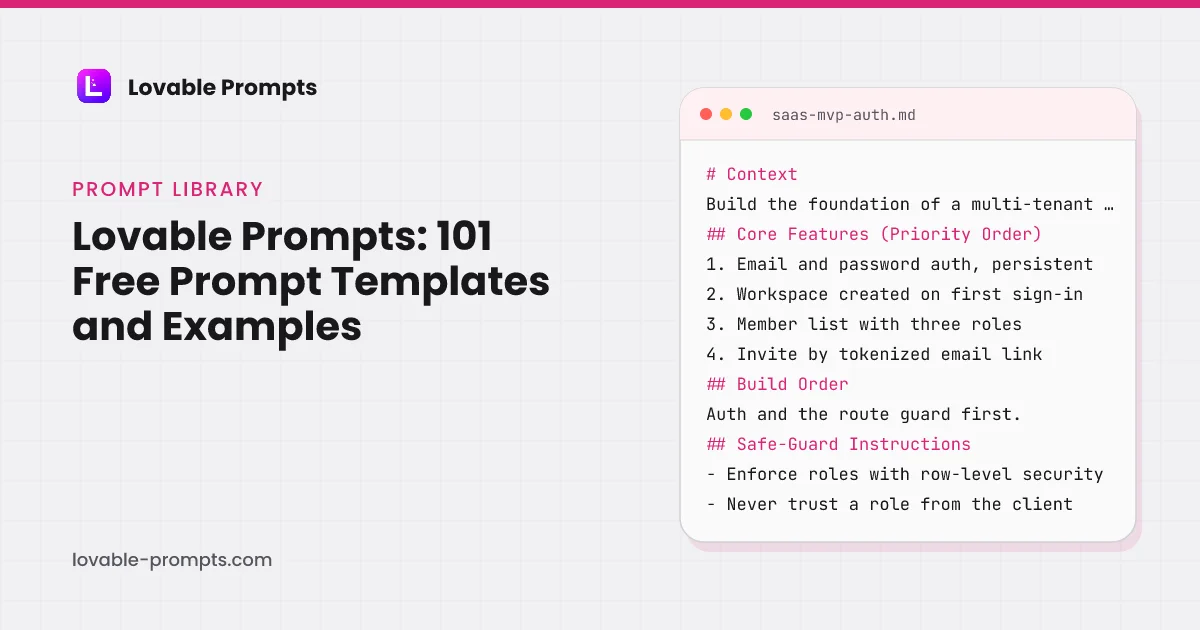
Every one of the 151 Lovable prompts in this library is free to copy, with no account and no sign-up. They are grouped into 11 categories, and each prompt states what it builds, why it is shaped that way, and the growth channel it feeds once the app is live.
These are whole briefs, not prompt fragments. On 31 July 2026 we pasted the email opt-in prompt from this library, unedited, into a fresh Lovable project on the free plan. One round, no follow-ups: it returned a working page with an inline success state and Lovable's own Cloud backend enabled, and it consumed 1.8 credits of the free plan's 5 daily. The credit panel from that session is in how Lovable credits work, and the generated page is in the prompt examples guide.
Start with a category below, or take the whole set with its paid variants in the bundle.
SaaS MVP with User Auth
What this prompt is for
A multi-tenant SaaS starting point: auth that survives refresh, three working roles, and an invite flow that actually adds teammates.
When to use it
Starting any SaaS where users belong to a workspace. Run this before building screens, because retrofitting roles touches every one of them.
How to Use This Prompt
This prompt covers one step of a multi-step build.
For best results, consider building your app in layers:
- Foundation
- Features
- Distribution
The base version of this app is built: auth, workspaces, three roles, and a working invite. This prompt adds the growth mechanics, because a team tool that spreads by invite is its own acquisition channel.

## Growth Features (Required for Distribution)
- **Product-led Growth:** make the invite the loop. Show who invited whom on the member list, confirm to the inviter when an invite is accepted, a
Like what you see?
This is a free preview of a Pro prompt. All 93 channel-optimized variants are in the bundle.
Internal Metrics Dashboard
What this prompt is for
An internal metrics dashboard that reads from defined queries, not vibes: each metric has one owner, one definition, and one truth source, with daily values and week-over-week deltas.
When to use it
When the team answers 'how many signups this week' three different ways. Wrong if you need customer-facing analytics; this is the internal single source of truth.
# Context
Build an internal metrics dashboard for a small product team: a fixed set of company metrics, each computed by one saved query against the production database replica, displayed with current value, trend, and week-over-week delta.

## Core Features (Priority Order)
1. Metric cards: current value, 7-day sparkline, week-over-week delta with direction
2. One saved query per metric, stored w
Channel-Optimized Pro Version
This prompt has a Pro version optimized for Product-led Growth. Unlock to get product-channel fit guidance and distribution-ready features.
Landing Page + Email Opt-In
What this prompt is for
A landing page whose only job is the email: one offer, one form, duplicate-safe capture, and a copy body that can actually rank.
When to use it
Collecting interest before a launch, or converting a traffic source you already have. If the page has two goals, it has none; split them.
# Context
Build a single-purpose landing page: capture an email address before a product launches. The visitor arrives from one known traffic source, so the page carries one offer and one action, and nothing that competes with them.

## Core Features (Priority Order)
1. Hero: the offer in one sentence, the form visible without scrolling
2. Email capture writing to Supabase with UTM parameters stor
Channel-Optimized Pro Version
This prompt has a Pro version optimized for Organic SEO. Unlock to get product-channel fit guidance and distribution-ready features.
Internal Prompt Library Browser
What this prompt is for
An internal prompt library for teams running on AI tools: prompts stored with variables, versions and usage notes, one-click copy with variables filled, so the good prompt stops living in someone's notes app.
When to use it
When the team reuses AI prompts and the best ones keep getting lost or forked. Wrong for a public library; this is the internal knowledge base pattern.
# Context
Build an internal prompt library: team members store prompts with named variables, copy them with variables filled from a form, track versions as prompts improve, and see which prompts the team actually uses.

## Core Features (Priority Order)
1. Prompt entries: title, body with {variable} placeholders, category, usage notes, owner
2. Copy flow: clicking copy opens a variable form, outpuChannel-Optimized Pro Version
This prompt has a Pro version optimized for Product-led Growth. Unlock to get product-channel fit guidance and distribution-ready features.
File Upload + Tagging UI
What this prompt is for
Upload UI that survives reality: drag-drop with previews, progress per file, tag management, and every failure state a network can produce.
When to use it
Any feature where users bring their own files. Uploads are the interaction most likely to fail mid-way, so the states matter more than the styling.
# Context
Build file upload with tagging: users drag files in, watch true per-file progress, and organize with tags that are managed values rather than free text. The unhappy paths are the feature; a demo-quality uploader breaks on the first flaky connection.

## Core Features (Priority Order)
1. Drag-drop zone with click-to-browse fallback and visible file-type and size rules
2. Per-file progress
Channel-Optimized Pro Version
This prompt has a Pro version optimized for Product-led Growth. Unlock to get product-channel fit guidance and distribution-ready features.
API Request Explorer
What this prompt is for
An in-app API request explorer: compose requests against your API with saved auth, inspect responses with timing, and save named examples the whole team can rerun.
When to use it
When 'try the API' means copying curl from docs into a terminal. Wrong as a general HTTP client; this is your API's guided cockpit.
# Context
Build a request explorer for your own API: users compose requests from your actual endpoint catalog, send them with their own credentials, inspect responses, and save named examples for reuse.

## Core Features (Priority Order)
1. Endpoint picker from your API catalog: method, path, described parameters
2. Request composer: path params, query params, headers, JSON body with validation ag
Channel-Optimized Pro Version
This prompt has a Pro version optimized for Product-led Growth. Unlock to get product-channel fit guidance and distribution-ready features.
Repository Bootstrap for Claude Code
What this prompt is for
A CLAUDE.md under 200 lines, path-scoped rules, a PreToolUse hook and a verify script, so every later prompt starts from the same facts and the same gates.
When to use it
The first session in any repository Claude Code will work on regularly, including a fresh Lovable export. Run it before any feature prompt, because every later prompt assumes the gates exist.
# Context
Set up this repository for repeated Claude Code sessions. The goal is that a session started tomorrow by someone else, or by you after a week, holds the same facts and runs the same checks without re-explaining anything. Read the repository first; do not guess the stack.

## Core Features (Priority Order)
1. A CLAUDE.md at the root, under 200 lines: stack with versions, the commands to b
Channel-Optimized Pro Version
This prompt has a Pro version optimized for Organic SEO / AI Search. Unlock to get product-channel fit guidance and distribution-ready features.
Cursor Rules Bootstrap
What this prompt is for
Three .cursor/rules files (always-on project rule, glob-scoped database rule, description-attached marketing rule), an AGENTS.md both tools read, and a verify script Agent runs before it says done.
When to use it
The first Agent session in any repository, including a fresh Lovable export. Run it before any feature brief, because every later brief assumes the rules and the verify script exist.
# Context
Set up this repository for repeated Cursor Agent sessions. Read the repository first: package manifests, config, existing rules or AGENTS.md. The goal is that any later chat starts with the same conventions attached and ends by running the same checks.

## Core Features (Priority Order)
1. .cursor/rules/project.mdc with alwaysApply: true, under 60 lines: stack with versions, build and te
Channel-Optimized Pro Version
This prompt has a Pro version optimized for Organic SEO / AI Search. Unlock to get product-channel fit guidance and distribution-ready features.
Public Landing Page with a Waitlist Entity
What this prompt is for
A public one-page site with an email waitlist stored as an entity nobody but admins can read, UTM fields captured, and a success state that stays on the page.
When to use it
Before any traffic is sent to a Base44 app that has no public page yet. The app stays Public in visibility; only the entity is locked down.
# Context
Build the public landing page for [product], for [who it is for]. One offer in plain words, one primary action: join the waitlist. The app's visibility is Public; the waitlist data is not.

## Entities
- Lead: email (required, email format), created_at, source, utm_source, utm_medium, utm_campaign, consent (boolean, default false)
- Rules: anyone may create a Lead; only admins may read,
Channel-Optimized Pro Version
This prompt has a Pro version optimized for Email Marketing. Unlock to get product-channel fit guidance and distribution-ready features.
Contacts and Companies with Dedupe
What this prompt is for
The CRM's foundation: companies and contacts with dedupe on entry, an owner set by the database, shared team reads and owner-only writes.
When to use it
First, on an empty project, after running the Lightweight CRM kit's schema.sql. Every other CRM brief assumes these two tables and their policies exist.
# Context
Build the contact and company layer of a lightweight CRM for [a founder or a team of up to ten doing their own sales]. Speed of entry matters more than field completeness: a contact should take ten seconds to add. The database already exists: companies, contacts and notes tables with row-level security, from the Lightweight CRM kit. Do not recreate them.

## Data Rules
- owner_id is set
Channel-Optimized Pro Version
This prompt has a Pro version optimized for B2B Sales. Unlock to get product-channel fit guidance and distribution-ready features.
Roles Table and the Admin Route Gate
What this prompt is for
The dashboard's foundation: roles in their own table, read per request from the database, an admin route that redirects members, and a first admin granted from SQL rather than a button.
When to use it
First, on an empty project, after running the Internal Admin Dashboard kit's schema.sql. Every other dashboard brief assumes the role check exists.
# Context
Build the access layer of an internal admin dashboard for [the team running the product]. The database already exists from the Internal Admin Dashboard kit: a user_roles table with admin and member roles and no insert policy, and an append-only events table. Do not recreate them. The rule of the whole dashboard: the role is read from the database on every request, never from client state
Channel-Optimized Pro Version
This prompt has a Pro version optimized for Product-led Growth. Unlock to get product-channel fit guidance and distribution-ready features.
Subscription Checkout Flow
What this prompt is for
A Stripe subscription flow whose states all exist: checkout, success, failure, cancel, and the webhook that keeps the app honest.
When to use it
Adding paid plans to an app whose entitlements are already defined. If plans do not gate anything yet, define that first or the checkout sells nothing.
# Context
Add paid subscriptions to an existing app using Stripe Checkout. Entitlements per plan are already defined in the app; this prompt wires purchase, verification and lifecycle. Trust the webhook, not the redirect.

## Core Features (Priority Order)
1. Plan selection UI reading plan definitions from one config object
2. Stripe Checkout session creation on the server, never exposing the secr
Channel-Optimized Pro Version
This prompt has a Pro version optimized for Organic SEO. Unlock to get product-channel fit guidance and distribution-ready features.
User Management Admin Dashboard
What this prompt is for
An admin dashboard for managing users: search, plan and status at a glance, safe account actions with confirmation and audit, built for the support person, not the developer.
When to use it
The first time someone asks you to change a user's plan and you do it in SQL. Wrong as a customer-facing surface; this is internal tooling with genuine account power.
# Context
Build an internal user management dashboard: support and admins find any account in seconds, see its state, and take the five common actions safely, with every action logged.

## Core Features (Priority Order)
1. Search by email, name, or account id, with results in under a second
2. User detail: plan, status, signup date, last active, recent key events
3. Actions: change plan, suspend,
Channel-Optimized Pro Version
This prompt has a Pro version optimized for B2B Sales. Unlock to get product-channel fit guidance and distribution-ready features.
Event Countdown Landing Page
What this prompt is for
An event page with a countdown that means something: time-zone-correct, capture before, and an honest state change when the moment passes.
When to use it
A launch, webinar or drop with a fixed date. If the date can slip, use a waitlist page instead; a countdown that resets destroys trust instantly.
# Context
Build a landing page for a dated event: a countdown to one canonical moment, email capture for reminders, and a defined transformation of the page when the countdown reaches zero.

## Core Features (Priority Order)
1. Countdown from a single UTC timestamp, rendered in the visitor's local time zone with the zone named
2. Email capture: 'remind me', storing the address with UTM parameters
Channel-Optimized Pro Version
This prompt has a Pro version optimized for Organic Socials. Unlock to get product-channel fit guidance and distribution-ready features.
CRM Lite with Contact Management
What this prompt is for
A lightweight CRM: contacts with dedup, a pipeline you define, activity logging that takes seconds, and follow-up reminders that surface before deals go quiet.
When to use it
When deals live in a spreadsheet and follow-ups depend on memory. Wrong if you need marketing automation and territories; this is the focused version that gets used.
# Context
Build a lightweight CRM: contacts and companies with duplicate prevention, a definable pipeline, fast activity logging, and a today view that surfaces due follow-ups before deals cool.

## Core Features (Priority Order)
1. Contacts: name, email, company, tags, owner, with company pages aggregating their contacts
2. Pipeline: definable stages, deals with value and expected close, drag bet
Channel-Optimized Pro Version
This prompt has a Pro version optimized for Product-led Growth. Unlock to get product-channel fit guidance and distribution-ready features.
Analytics Dashboard UI
What this prompt is for
A dashboard that answers questions instead of displaying charts: every metric with a window, zero distinguished from unknown, and density with hierarchy.
When to use it
When users need to read state at a glance and act. If nobody makes decisions from it, it is decoration; instrument the decisions first.
# Context
Build an analytics dashboard for operators: headline metrics, one trend, one breakdown table, readable in five seconds and honest under failure. Every number answers 'compared to what, over when'.

## Core Features (Priority Order)
1. Four metric tiles, each stating its time window on the tile, with delta versus previous period
2. One time-series chart with range selector (7, 30, 90 days
Channel-Optimized Pro Version
This prompt has a Pro version optimized for Product-led Growth. Unlock to get product-channel fit guidance and distribution-ready features.
API-Driven Weather Dashboard
What this prompt is for
A weather dashboard built properly against a third-party API: cached responses, explicit refresh, request budget tracking, and graceful degradation when the provider stumbles.
When to use it
As the reference pattern for any external-API dashboard: the weather is the example, the caching and budget discipline are the lesson.
# Context
Build a weather dashboard consuming a third-party weather API: current conditions and forecast for saved locations, with response caching, a visible data age, request budget tracking and honest failure states.

## Core Features (Priority Order)
1. Saved locations: add by search, reorder, remove, with current conditions per card
2. Detail view: hourly next 24h, daily next 7 days, sensible
Channel-Optimized Pro Version
This prompt has a Pro version optimized for Product-led Growth. Unlock to get product-channel fit guidance and distribution-ready features.
Lovable Export Handover to Claude Code
What this prompt is for
Take a Lovable export as it comes from GitHub sync and make it safe to edit with an agent: generated files protected, the synced branch never rewritten, secrets out of the client.
When to use it
The day a Lovable project is cloned locally for the first time. Run it once, before any feature work, so the Lovable sync survives the agent.
# Context
This repository is a Lovable export synced two ways with GitHub. Lovable keeps its own copy of the synced branch and will overwrite or lose edits if that branch's history is rewritten. Your job is to make the repository safe for agent edits without breaking the sync.

## Core Features (Priority Order)
1. Identify the generated files (the Supabase client and types under src/integrations,
Channel-Optimized Pro Version
This prompt has a Pro version optimized for Organic SEO / AI Search. Unlock to get product-channel fit guidance and distribution-ready features.
Lovable Export Handover to Cursor
What this prompt is for
Make a Lovable export safe to edit with Cursor's Agent: generated files named as never-edit in a rule, the synced branch protected, secrets moved out of the client, and the prompt to send Lovable after each merge.
When to use it
The day a Lovable project is cloned locally and opened in Cursor. Run it once before feature work, so the two-way sync survives the agent.
# Context
This repository is a Lovable export synced two ways with GitHub. Lovable keeps its own copy of the synced branch and can lose edits if that branch's history is rewritten. Make the repository safe for Agent edits without breaking the sync. Read @vite.config.ts, @src/integrations and @supabase first.

## Core Features (Priority Order)
1. A rule file naming the generated files as never-edit
Channel-Optimized Pro Version
This prompt has a Pro version optimized for Organic SEO / AI Search. Unlock to get product-channel fit guidance and distribution-ready features.
SaaS with Workspaces, Roles and Invites
What this prompt is for
A private multi-user app where each user belongs to a workspace, membership is an entity with a role, invites are tokenized, and every entity carries row-level rules that reference the membership.
When to use it
The first feature in any team product on Base44. Run before screens, because retrofitting workspace rules touches every entity.
# Context
Build the foundation of a team product: a user signs up, gets a workspace, and invites teammates who arrive in the same workspace with a role. Visibility: Private, sign-in required. Use Base44's built-in auth; do not build a second login.

## Entities
- Workspace: name, owner_user_id, created_at
- Membership: workspace_id, user_id, role (owner | admin | member), joined_at
- Invite: works
Channel-Optimized Pro Version
This prompt has a Pro version optimized for Product-led Growth. Unlock to get product-channel fit guidance and distribution-ready features.
Pipeline Board with Stages You Define
What this prompt is for
A deal pipeline as a board: stages from the kit's enum, drag to move, value per column, and a stage history that records when each deal moved.
When to use it
After contacts and companies exist. This is the view a founder opens every morning.
# Context
Add a deal pipeline to the CRM. Stages come from the kit's pipeline stage enum; the team can rename labels but the enum is the source of truth. A deal belongs to a company, has a value in integer cents, a stage, an owner set by the database, and an expected close date.

## Data Rules
- Stage changes are written by a server function that also appends a row to a stage_history table with fr
Channel-Optimized Pro Version
This prompt has a Pro version optimized for B2B Sales. Unlock to get product-channel fit guidance and distribution-ready features.
Metrics Overview from Windowed Views
What this prompt is for
The overview page: sign-ups, active users, events and revenue placeholders, each with a window, computed by database views and functions, with zero and unknown told apart.
When to use it
After the gate exists. This is the page the team opens every morning.
# Context
Build the metrics overview of the admin dashboard. Every metric has a window (today, 7 days, 30 days) and is computed in the database by a view or a function that respects the caller's role, like the kit's event_counts_by_day(). A metric that cannot be computed shows "unknown", never zero.

## Data Rules
- Aggregates are views or functions with a window parameter; no client-side arithmet
Channel-Optimized Pro Version
This prompt has a Pro version optimized for Community-led Growth. Unlock to get product-channel fit guidance and distribution-ready features.
Product Roadmap Planner
What this prompt is for
A public-or-private roadmap board: columns by stage, drag to reprioritize, and a changelog that writes itself from shipped cards.
When to use it
When 'what are you building next' becomes a recurring question from users or stakeholders and answering it by email stops scaling.
# Context
Build a roadmap planner for a product team: cards move across stage columns, order within a column matters, and shipped work becomes a changelog entry without retyping. Decide visibility per board: internal or public read-only.

## Core Features (Priority Order)
1. Board with four columns: Ideas, Planned, In Progress, Shipped
2. Cards: title, one-paragraph description, tags, target quart
Channel-Optimized Pro Version
This prompt has a Pro version optimized for Organic Socials. Unlock to get product-channel fit guidance and distribution-ready features.
API Key Manager Dashboard
What this prompt is for
A key management dashboard: create, label, rotate and revoke API keys, shown once at creation, stored hashed, with per-key last-used visibility.
When to use it
The moment your product exposes an API and the second key request arrives. Wrong for internal service-to-service secrets; this is for keys you issue to users.
# Context
Build an API key manager for a developer-facing product: users create named keys, see them once, and manage their lifecycle; the server stores only hashes and records usage.

## Core Features (Priority Order)
1. Create key: name, optional expiry, shown in full exactly once with a copy button
2. Key list: name, prefix (first 8 chars), created, expires, last used
3. Revoke immediately; rot
Channel-Optimized Pro Version
This prompt has a Pro version optimized for Community-led Growth. Unlock to get product-channel fit guidance and distribution-ready features.
Landing Page A/B Variant Generator
What this prompt is for
Landing page variants done safely: shared components, one differing block per variant, stable assignment, and measurement wired before traffic splits.
When to use it
Only after a page has traffic and a baseline. Testing on a page with 30 visits a week produces noise dressed as insight; fix distribution first.
# Context
An existing landing page converts at a known baseline. Build variant testing: serve visitors one of two versions differing in exactly one element, keep the assignment stable per visitor, and measure conversion per variant from the first impression.

## Core Features (Priority Order)
1. Variant definition: one changed block (hero promise, CTA wording, or proof section), everything else sh
Channel-Optimized Pro Version
This prompt has a Pro version optimized for Paid Search. Unlock to get product-channel fit guidance and distribution-ready features.
Survey Builder + Results Display
What this prompt is for
A survey builder with a results view worth the responses: question types that fit the job, response integrity rules, completion analytics and results that read as answers, not exports.
When to use it
When you need answers from an audience and generic form tools stop at collection. Wrong for complex branching studies; this is the fast, honest survey layer.
# Context
Build a survey tool: compose surveys from a small set of well-made question types, share by link, protect response integrity, and read results in views that answer the question the survey asked.

## Core Features (Priority Order)
1. Builder: single choice, multiple choice, scale (1-5, 1-10), short text, long text, reorderable
2. Share: public link per survey, open and close dates, respon
Channel-Optimized Pro Version
This prompt has a Pro version optimized for Product-led Growth. Unlock to get product-channel fit guidance and distribution-ready features.
User Onboarding Flow UI
What this prompt is for
A multi-step onboarding flow with memory: progress persists, steps skip honestly, and each screen collects only what it immediately uses.
When to use it
When new users need setup before value, and only for the steps that genuinely gate value. Every screen you add is users you lose; earn each one.
# Context
Build a multi-step onboarding flow: a handful of screens that configure the product for a new user, with progress that survives interruption and questions that earn their place by visibly changing what comes next.

## Core Features (Priority Order)
1. Stepper UI: current position, step names, and back navigation that never loses answers
2. Progress persisted server-side per user; resume
Channel-Optimized Pro Version
This prompt has a Pro version optimized for Product-led Growth. Unlock to get product-channel fit guidance and distribution-ready features.
AI PDF Summarizer
What this prompt is for
An AI PDF summarizer with honest limits: upload, extract, summarize with structure, always alongside the source, with page limits, cost caps and extraction-failure truth built in.
When to use it
When users bring documents and want the gist plus the ability to verify it. Wrong for legal-grade extraction; this is orientation, not evidence.
# Context
Build an AI PDF summarizer: upload a PDF, extract its text, produce a structured summary shown beside the source, with limits and failures stated plainly and costs controlled per account.

## Core Features (Priority Order)
1. Upload with page and size limits stated up front, progress shown
2. Extraction with per-page status; scanned or image pages reported as unextractable, not silently
Channel-Optimized Pro Version
This prompt has a Pro version optimized for Product-led Growth. Unlock to get product-channel fit guidance and distribution-ready features.
Auth, Roles and RLS with Verification Queries
What this prompt is for
Sign-up, workspace, three roles and an invite flow, with row-level security written in the same migration and proven by queries the agent runs as two different users.
When to use it
The first feature in any app where users belong to a workspace. Run it before screens, because retrofitting roles touches every one of them, and before any data is public.
# Context
Build the foundation of a multi-tenant app in this repository: users sign up, get a workspace, and invite teammates who arrive with the right role. Read CLAUDE.md and the existing schema first. The invite must work before anything is polished.

## Core Features (Priority Order)
1. Email and password auth with session persistence across refresh
2. Workspace created on first sign-in, creat
Channel-Optimized Pro Version
This prompt has a Pro version optimized for Product-led Growth. Unlock to get product-channel fit guidance and distribution-ready features.
Auth, Roles and RLS in Cursor with Proof Queries
What this prompt is for
Sign-up, workspace, three roles and invites, with row-level security written in the same migration and proven by two queries Agent runs as different users before reporting done.
When to use it
The first feature in any app where users belong to a workspace. Run before screens and before any data is public; the database rule from the bootstrap brief must exist.
# Context
Build the foundation of a multi-tenant app in this repository: users sign up, get a workspace, invite teammates who arrive with the right role. Read @.cursor/rules/database.mdc and the existing schema under @supabase/migrations first. Create a checkpoint before the first migration.

## Core Features (Priority Order)
1. Email and password auth with session persistence across refresh
2. Wo
Channel-Optimized Pro Version
This prompt has a Pro version optimized for Product-led Growth. Unlock to get product-channel fit guidance and distribution-ready features.
Public Directory with One Page per Record
What this prompt is for
A directory app where each record is a public page with its own URL, title and description, a related list of eight siblings, and an admin-only editor, so the content is findable by search.
When to use it
When the app has entities people search for: places, tools, templates, people. Run after the landing page brief so the domain and metadata pattern exist.
# Context
Build a public directory of [entities] for [audience]. Every record is a page with its own URL and enough unique text to be worth indexing. Visibility: Public for the directory; editing is admin-only.

## Entities
- Item: slug (unique), name, summary (one sentence), body (sections), category, related_slugs (list), updated_at, published (boolean)
- Rules: anyone reads published Items; onl
Channel-Optimized Pro Version
This prompt has a Pro version optimized for Organic SEO / AI Search. Unlock to get product-channel fit guidance and distribution-ready features.
Activity Timeline That Takes Seconds to Write
What this prompt is for
An append-only note timeline per contact and company: call, email, meeting and note types, keyboard-first entry, and a combined feed per company.
When to use it
As soon as contacts exist. The kit's notes table is append-only by policy; this brief builds the surface that makes people use it.
# Context
Build the activity timeline for the CRM on the kit's notes table. Notes are append-only: no edits, no deletes from the client, ever. The point is that logging a call takes less time than the call's last ten seconds.

## Data Rules
- A note has a type (call, email, meeting, note), a body, a contact or a company, an author set by the database, and a timestamp
- Anyone on the team can read
Channel-Optimized Pro Version
This prompt has a Pro version optimized for B2B Sales. Unlock to get product-channel fit guidance and distribution-ready features.
Append-Only Event Log Viewer
What this prompt is for
A viewer for the kit's events table: filters by user, name and time, a detail pane, CSV export for admins, and no path to edit or delete a row.
When to use it
Once the app writes events. The kit's events table has no update or delete policy; this brief is the surface that makes the log useful.
# Context
Build the event log viewer of the admin dashboard on the kit's events table. Events are append-only: there is no update or delete policy, and this brief adds none. An admin sees every event; a member sees their own, because the policies say so, and the viewer must not pretend otherwise.

## Data Rules
- Reads go through the existing policies; the viewer adds no function that bypasses the
Channel-Optimized Pro Version
This prompt has a Pro version optimized for B2B Sales. Unlock to get product-channel fit guidance and distribution-ready features.
Payment History & Billing Pages
What this prompt is for
Customer-facing billing: invoice history, payment method management, and plan changes, driven by Stripe as the source of truth.
When to use it
After checkout works. This is the page that stops billing support emails, so build it before the first renewal, not after the first complaint.
# Context
Build the customer billing area for an app that already has Stripe subscriptions. Users need to see what they paid, change their card, and change their plan without emailing support. Stripe is the source of truth; this page displays it.

## Core Features (Priority Order)
1. Invoice history list: date, amount, status, hosted invoice link
2. Current plan card with change-plan and cancel ac
Channel-Optimized Pro Version
This prompt has a Pro version optimized for Email Marketing. Unlock to get product-channel fit guidance and distribution-ready features.
Real-Time Notifications System
What this prompt is for
An in-app notification system with real-time delivery, unread counts that are actually correct, per-type preferences, and a bell that never lies.
When to use it
When users miss things that happened in the app: mentions, assignments, completed jobs. Wrong as a marketing channel; this is for events the user asked to know about.
# Context
Build an in-app notification system: events generate notifications, delivered live to online users and waiting for offline ones, with an accurate unread count and per-type user preferences.

## Core Features (Priority Order)
1. Notification feed: newest first, unread visually distinct, mark-one and mark-all read
2. Live delivery to online sessions; queued rows for offline users, no loss
Channel-Optimized Pro Version
This prompt has a Pro version optimized for Product-led Growth. Unlock to get product-channel fit guidance and distribution-ready features.
Basic Analytics for Landing Pages
What this prompt is for
First-party page analytics that answer five questions: visits, sources, device, conversion, and where visitors gave up, without a third-party script.
When to use it
Before driving any traffic to a page you care about. Changing a page without a baseline is guessing with extra steps.
# Context
Add first-party analytics to a landing page: enough to know traffic, source, device, conversion and drop-off, collected by your own endpoint, readable on one internal dashboard. No external analytics script.

## Core Features (Priority Order)
1. Pageview capture: path, referrer, UTM parameters, device class, timestamp
2. Conversion event tied to the page's one goal (form submit)
3. A dai
Channel-Optimized Pro Version
This prompt has a Pro version optimized for Organic SEO. Unlock to get product-channel fit guidance and distribution-ready features.
Customer Support Ticketing Tool
What this prompt is for
A support ticketing tool sized for small teams: tickets from email and forms, statuses that mean things, assignment, internal notes, and response-time visibility without enterprise ceremony.
When to use it
When support lives in a shared inbox and things fall through. Wrong at enterprise scale with SLAs and routing trees; this is the version a five-person team actually adopts.
# Context
Build a support ticketing tool: requests arrive by form and forwarded email, become tickets with status and owner, agents reply from the tool with internal notes alongside, and response times are visible.

## Core Features (Priority Order)
1. Intake: a support form and an inbound email address both creating tickets with requester identity
2. Ticket lifecycle: new, open, waiting-on-custom
Channel-Optimized Pro Version
This prompt has a Pro version optimized for Product-led Growth. Unlock to get product-channel fit guidance and distribution-ready features.
Poll Tool UI
What this prompt is for
Polls that stay trustworthy at the edges: one vote enforced, results honest about sample size, and a share loop that grows the sample.
When to use it
Quick sentiment from a group without the ceremony of a survey. For anything longer than one question, use a form; polls win on being instant.
# Context
Build a poll tool: create a single-question poll, share a link, collect one vote per person, and show results that are honest about how many voted. Instant to answer, hard to stuff.

## Core Features (Priority Order)
1. Poll creation: question, 2-6 options, open or scheduled close
2. A public voting page: tap an option, see results immediately after
3. One-vote enforcement per visitor, s
Channel-Optimized Pro Version
This prompt has a Pro version optimized for Organic Socials. Unlock to get product-channel fit guidance and distribution-ready features.
AI Analytics Insights
What this prompt is for
An AI layer over your analytics that writes the weekly narrative: what changed, what likely drove it, what to check next, always grounded in the queried numbers it cites.
When to use it
When dashboards exist but nobody reads them, and the question is always 'so what changed?'. Wrong without reliable underlying data; garbage in, confident garbage out.
# Context
Build an AI insights layer over an existing analytics dataset: on schedule or on demand, it queries defined metrics, detects changes worth words, and writes a short narrative where every claim cites the number behind it.

## Core Features (Priority Order)
1. Metric bindings: each insight source is a defined query with owner and description, reused from your metrics layer
2. Change detect
Channel-Optimized Pro Version
This prompt has a Pro version optimized for Product-led Growth. Unlock to get product-channel fit guidance and distribution-ready features.
Programmatic Public Pages with Sitemap and Schema
What this prompt is for
A set of server-rendered public pages from one data source, with a generated sitemap, robots, canonical tags and JSON-LD, gated by a script that fails the build when a page ships thin.
When to use it
When the app has content that people search for: locations, integrations, templates, comparisons. Run it after the bootstrap prompt so the gates exist.
# Context
Add a set of public pages to this app that a search engine can index without running JavaScript. The pages come from one data file or table, one URL per entity, and each must carry enough unique text to be worth indexing. Read CLAUDE.md and the routing conventions first.

## Core Features (Priority Order)
1. A data source with one record per page: slug, title, description, body sections,
Channel-Optimized Pro Version
This prompt has a Pro version optimized for Organic SEO / AI Search. Unlock to get product-channel fit guidance and distribution-ready features.
Programmatic Public Pages in Cursor
What this prompt is for
Server-rendered pages from one data source with a generated sitemap, robots, canonicals and JSON-LD, plus a Related block of eight links per page, gated by scripts Agent runs before it reports done.
When to use it
When the app has content people search for. Run after the bootstrap brief, because the SSR and link gates it creates are what make this safe.
# Context
Add public pages a search engine can index without JavaScript: one data source, one URL per record, each with enough unique text to be worth indexing. Read @.cursor/rules/marketing.mdc, the routing conventions and @app/sitemap (or its equivalent) first.

## Core Features (Priority Order)
1. A data source with one record per page: slug, title, description, body sections, related slugs
2.
Channel-Optimized Pro Version
This prompt has a Pro version optimized for Organic SEO / AI Search. Unlock to get product-channel fit guidance and distribution-ready features.
Result Tool with a Share Card
What this prompt is for
A small public tool that produces a result worth sharing, a saved Result entity with an unguessable id, a read-only share page, and a share action with a preview card.
When to use it
For a tool whose output people show others: a score, a plan, a calculator result. Run it as its own app or inside a bigger one after the landing page brief.
# Context
Build [a tool that produces a result the user is proud of], for [audience]. Visibility: Public. The result is saved so it can be shared, and the share page must not expose anything personal.

## Entities
- Result: public_id (random, unguessable), inputs (object), output (object), created_at, user_id (optional)
- Rules: anyone creates a Result; anyone reads a Result by public_id; only the
Channel-Optimized Pro Version
This prompt has a Pro version optimized for X (Twitter). Unlock to get product-channel fit guidance and distribution-ready features.
Follow-Up Reminders and a Morning Digest
What this prompt is for
Follow-ups with a due date per contact, a today view, snooze and done, and a morning digest email with what is due and what has gone quiet.
When to use it
After the timeline exists. This is the brief that makes deals stop going quiet.
# Context
Add follow-ups to the CRM. A follow-up is a dated next step on a contact or a deal, owned by the person who created it. The daily job is: open the app, see what is due, do it, log it, set the next one.

## Data Rules
- follow_ups: contact or deal, due date, body, owner set by the database, done_at, snoozed_until
- Shared team reads; only the owner completes, snoozes or deletes their own
Channel-Optimized Pro Version
This prompt has a Pro version optimized for Email Marketing. Unlock to get product-channel fit guidance and distribution-ready features.
User Management with Audited Role Changes
What this prompt is for
Admin pages for users: search, detail, role change through a function that writes an event, disable and re-enable, and never an insert into user_roles from the client.
When to use it
When a second admin joins or the first support request arrives. Builds on the gate brief's read-only roles page.
# Context
Build user management for the admin dashboard. Admins can find a user, see their role and recent events, change their role through a server function that records the change, and disable an account. The kit's user_roles table has no insert policy; role changes go through a function that updates an existing row or is refused.

## Data Rules
- change_role(user, new_role, reason): admin only
Channel-Optimized Pro Version
This prompt has a Pro version optimized for Product-led Growth. Unlock to get product-channel fit guidance and distribution-ready features.
Lead Scoring System
What this prompt is for
Rules-based lead scoring you can explain to a sales team: transparent point rules, score history, and a ranked queue that updates as behavior happens.
When to use it
When inbound volume exceeds what one person can eyeball and 'reply to everyone' stops being a strategy. Rules first; models only after rules prove insufficient.
# Context
Inbound leads arrive from forms and product signups. Build transparent lead scoring: named rules award points on attributes and behavior, every score is explainable, and sales works from a ranked queue instead of a chronological inbox.

## Core Features (Priority Order)
1. Rules table: condition, points, active toggle (e.g. company email +10, pricing page visit +15)
2. Score per lead com
Channel-Optimized Pro Version
This prompt has a Pro version optimized for B2B Sales. Unlock to get product-channel fit guidance and distribution-ready features.
File Manager with Upload/Tags
What this prompt is for
A file manager with uploads, tags, and search that works at a thousand files: drag-in upload with per-file progress, tag filtering, previews, and storage quotas enforced server-side.
When to use it
When your app accumulates user files and finding them becomes the feature. Wrong for a single avatar upload; this is for files as a first-class object.
# Context
Build a file manager: users upload by drag or picker, organize with tags, find by search and filter, and preview without downloading, with storage quotas enforced on the server.

## Core Features (Priority Order)
1. Upload: multiple files, per-file progress, cancel, clear failure states with retry
2. Tags: create, assign multiple per file, filter by tag combinations
3. Search by filename
Channel-Optimized Pro Version
This prompt has a Pro version optimized for Product-led Growth. Unlock to get product-channel fit guidance and distribution-ready features.
Simple Sitemap & SEO Generator
What this prompt is for
The indexability layer for a generated site: sitemap, canonicals, titles, robots and structured data, derived from routes so they cannot drift.
When to use it
The moment a project has public pages meant to be found. Retrofitting canonicals after URLs circulate is how duplicate-content problems become permanent.
# Context
A generated site has public pages that should rank. Build the indexability layer: sitemap.xml, per-page canonicals and titles, robots.txt, and basic structured data, all derived from the route list so nothing can drift.

## Core Features (Priority Order)
1. One route registry: path, title, description, indexable flag, content date
2. sitemap.xml generated from the registry, indexable rou
Channel-Optimized Pro Version
This prompt has a Pro version optimized for Organic SEO. Unlock to get product-channel fit guidance and distribution-ready features.
Multi-User Chat Interface
What this prompt is for
Multi-user chat that holds up: channels and DMs, reliable delivery with reconnect, history with search, unreads that are correct, and the moderation basics every space eventually needs.
When to use it
When your product needs conversation between users: team spaces, communities, collaboration. Wrong to bolt on casually; chat is a product, budget accordingly.
# Context
Build multi-user chat: channels and direct messages with live delivery, dependable history, correct unread counts, presence, and moderation controls, built to survive reconnects and growth.

## Core Features (Priority Order)
1. Channels: create, join, leave, member list; DMs as private two-person channels on the same model
2. Messages: send, edit with marker, delete with tombstone, live
Channel-Optimized Pro Version
This prompt has a Pro version optimized for Product-led Growth. Unlock to get product-channel fit guidance and distribution-ready features.
Location-Based Listings UI
What this prompt is for
A location directory built for both readers: humans get search, filters and a map-list pairing; crawlers get one indexable page per place.
When to use it
Directories of physical places or local services where 'near me' is the query shape. If locations lack unique attributes, a table beats this.
# Context
Build a location directory: browse and filter places on a paired map and list, with every place and every city owning a server-rendered, indexable URL. The interactive layer enhances pages; it must never replace them.

## Core Features (Priority Order)
1. A detail page per location at a stable URL: name, address, attributes, description
2. City index pages listing that city's locations,
Channel-Optimized Pro Version
This prompt has a Pro version optimized for Organic SEO. Unlock to get product-channel fit guidance and distribution-ready features.
AI Multilingual Translator
What this prompt is for
An AI translation tool with production honesty: language pairs, tone control, glossary enforcement for your product's terms, and confidence flags where the model is guessing.
When to use it
When your product or content needs recurring translation with consistent terminology. Wrong for certified legal translation; this is operational translation with memory.
# Context
Build a translation tool on an AI model: text in, translation out across your supported language pairs, with a glossary that locks your product terms, tone presets, and honest handling of ambiguity.

## Core Features (Priority Order)
1. Translate: source text, target language, output beside input with copy
2. Glossary: your terms with required translations per language, injected into eve
Channel-Optimized Pro Version
This prompt has a Pro version optimized for Product-led Growth. Unlock to get product-channel fit guidance and distribution-ready features.
Landing Page with Insert-Only Lead Capture
What this prompt is for
One offer, one action, a server-rendered page and a capture table the client can write but never read, with UTM parameters stored and a success state that does not redirect.
When to use it
Before any paid or organic traffic is sent to an app that does not yet have a public page. Run after the bootstrap prompt so the SSR gate exists.
# Context
Build the public landing page for this app in this repository: one offer, one primary action, email capture. It must render fully on the server, load fast, and store leads in a table the client can insert into but never read. Read CLAUDE.md and the existing routes first.

## Core Features (Priority Order)
1. A hero that states what the product does in plain words, with the email form abo
Channel-Optimized Pro Version
This prompt has a Pro version optimized for Email Marketing. Unlock to get product-channel fit guidance and distribution-ready features.
Landing Page with Insert-Only Capture in Cursor
What this prompt is for
One offer, one action, server-rendered, with a leads table the client can insert into but never read, UTM parameters stored, and a success state that does not redirect.
When to use it
Before any traffic is sent to an app without a public page. Run after the bootstrap brief so the marketing rule and the SSR gate attach.
# Context
Build the public landing page: one offer, one primary action, email capture. It renders fully on the server and stores leads in a table the client can write but never read. Read @.cursor/rules/marketing.mdc and the existing routes first.

## Core Features (Priority Order)
1. A hero stating what the product does in plain words, with the email form above the fold
2. An insert-only leads ta
Channel-Optimized Pro Version
This prompt has a Pro version optimized for Email Marketing. Unlock to get product-channel fit guidance and distribution-ready features.
Newsletter with a Public Archive and Sends from a Function
What this prompt is for
A subscribe form with double opt-in, an Issue entity that renders as a public page, and a backend function that sends each issue through the email integration with a per-recipient log.
When to use it
When email is the channel. Run after the landing page brief; the Lead entity becomes the subscriber list.
# Context
Build a newsletter app: subscribe with double opt-in, an archive where each issue is a public page, and sending from a backend function through the connected email integration, with every send logged. Visibility: Public for the archive; sending is admin-only.

## Entities
- Subscriber: email (unique), confirmed (boolean), confirm_token, unsubscribed_at, created_at
- Issue: slug, title, b
Channel-Optimized Pro Version
This prompt has a Pro version optimized for Email Marketing. Unlock to get product-channel fit guidance and distribution-ready features.
Public Lead Form Writing Into the CRM
What this prompt is for
A public form on the marketing site that creates a contact and company in the CRM with source and UTMs, insert-only from the browser, with spam defence and a triage queue.
When to use it
When the CRM should receive inbound leads directly instead of through a spreadsheet export. Pairs with any landing page prompt on this site.
# Context
Add a public lead form that writes into the CRM. The form lives on a public page; the data goes into a leads table that the browser can insert into and never read, and an owner triages each lead into a contact and company or discards it.

## Data Rules
- leads: name, email, company name, message, source, utm_source, utm_medium, utm_campaign, referrer, created_at, triaged_at, triaged_to (
Channel-Optimized Pro Version
This prompt has a Pro version optimized for Organic SEO. Unlock to get product-channel fit guidance and distribution-ready features.
Moderation Queue with Recorded Decisions
What this prompt is for
A queue of flagged items with approve, reject and escalate, each decision recorded with who and why, and a per-moderator throughput view.
When to use it
When users can post content and someone has to review it. Builds on the gate and event log briefs.
# Context
Build a moderation queue for the admin dashboard. Items enter the queue by a flag from users or a rule; a moderator with the admin role takes an item, decides, and the decision is recorded as an event. Nothing in the queue is deleted; rejected items are hidden by a status the app respects.

## Data Rules
- flags: item, reason, by, created_at; moderation_decisions: item, decision, by, rea
Channel-Optimized Pro Version
This prompt has a Pro version optimized for Community-led Growth. Unlock to get product-channel fit guidance and distribution-ready features.
SaaS Teams & Permissions Manager
What this prompt is for
Team management for an existing multi-tenant app: role changes, removals, and transfers that hold up in the database, not just the UI.
When to use it
When the second admin arrives. Solo-owner workspaces do not need this yet, and building it early adds schema you will have to migrate.
# Context
An app with workspaces and basic roles exists. Build the management layer: changing roles, removing members, and transferring ownership, with the rules enforced in the database and every change recorded.

## Core Features (Priority Order)
1. Member table: name, email, role, last active, joined date
2. Role changes via inline select, owner and admin only
3. Member removal with confirmatio
Channel-Optimized Pro Version
This prompt has a Pro version optimized for Product-led Growth. Unlock to get product-channel fit guidance and distribution-ready features.
API Error Tracker
What this prompt is for
An error tracker for your API: failures grouped by signature rather than listed raw, with occurrence counts, first/last seen, status workflow and noise controls that keep it readable.
When to use it
When API errors live in unread logs and users report problems before you see them. Wrong if you already run Sentry; this is the self-hosted, product-integrated version.
# Context
Build an API error tracker: failed requests are captured with context, grouped into issues by signature, counted, and worked through a simple status flow, with noise controls so the list stays meaningful.

## Core Features (Priority Order)
1. Capture: endpoint, method, status, error message, stack hash, timestamp, request id
2. Grouping: same signature (endpoint + error type + stack hash
Channel-Optimized Pro Version
This prompt has a Pro version optimized for Product-led Growth. Unlock to get product-channel fit guidance and distribution-ready features.
Simple Press Kit Page
What this prompt is for
A press page journalists can use at midnight on deadline: facts, approved quotes, downloadable assets, and a contact that answers.
When to use it
Before outreach, before a launch window, or the first time a writer asks 'do you have a press kit'. After the article went to print is too late.
# Context
Build a press and media page: everything a journalist needs to write about the company accurately without waiting for a reply. Facts, quotes, assets, contact, all current and all downloadable.

## Core Features (Priority Order)
1. Fact block: what the product is in one sentence, founded date, founder names, location, one-line traction statement with its as-of date
2. Approved quotes: two
Channel-Optimized Pro Version
This prompt has a Pro version optimized for Organic SEO. Unlock to get product-channel fit guidance and distribution-ready features.
Habit Tracker App
What this prompt is for
A habit tracker built around honest streaks: timezone-correct day boundaries, deliberate grace rules, completion logging in one tap, and history that shows patterns rather than guilt.
When to use it
For consumer habit products or the engagement layer inside a wellness app. The streak mechanics are the product; get the day-boundary rules right or nothing else matters.
# Context
Build a habit tracker: users define habits with schedules, check them off in one tap, build streaks computed against their own timezone and declared schedule, and read their history as patterns.

## Core Features (Priority Order)
1. Habits: name, schedule (daily, specific weekdays, N-times-per-week), optional reminder time
2. Check-off: one tap from the main screen, undo within the day,
Channel-Optimized Pro Version
This prompt has a Pro version optimized for Product-led Growth. Unlock to get product-channel fit guidance and distribution-ready features.
Social Share Widgets
What this prompt is for
Share functionality that respects the platforms: correct metadata per target, native share on mobile, copy-link done right, and no tracking bloat.
When to use it
When users have something individually theirs to share: a result, an artifact, a page. Generic site-wide share buttons on everything share nothing.
# Context
Add sharing to content that is individually worth sharing: each shareable URL gets correct social metadata, mobile gets the native share sheet, desktop gets platform links and copy-link, and the whole thing weighs nearly nothing.

## Core Features (Priority Order)
1. Per-URL Open Graph and Twitter card metadata: title, description, image, rendered server-side
2. Native share sheet via th
Channel-Optimized Pro Version
This prompt has a Pro version optimized for Organic Socials. Unlock to get product-channel fit guidance and distribution-ready features.
AI Chat Assistant Integration
What this prompt is for
An in-product AI chat assistant with boundaries: answers grounded in your docs and the user's context, honest refusals, conversation memory that respects cost, and escalation to humans.
When to use it
When support volume is repetitive and your docs already hold the answers. Wrong without a docs corpus worth grounding in; write the docs first.
# Context
Build an in-product chat assistant: users ask questions, answers ground in your documentation and their account context, sources are cited, unanswerable questions escalate to a human channel gracefully.

## Core Features (Priority Order)
1. Chat UI: streaming responses, message history within the conversation, typing and error states
2. Grounding: retrieval over your docs corpus; answers
Channel-Optimized Pro Version
This prompt has a Pro version optimized for Product-led Growth. Unlock to get product-channel fit guidance and distribution-ready features.
Invite Loop with Attribution
What this prompt is for
Share links that attribute the new user to the inviter, an accepted-invite notification, and a funnel table, built on top of the auth foundation.
When to use it
After cc-auth-roles-rls, when the product is used by teams and the first users should bring the next ones. Skip it for single-player tools.
# Context
The app has auth, workspaces and roles. Add the loop that turns one user into a team: an invite link anyone in the workspace can share, attribution of who brought whom, and the confirmation that closes the loop. Read CLAUDE.md and the invite code first.

## Core Features (Priority Order)
1. A shareable invite link per workspace, copyable from the member list, with an expiry and a revoke
Channel-Optimized Pro Version
This prompt has a Pro version optimized for Product-led Growth. Unlock to get product-channel fit guidance and distribution-ready features.
Invite Loop with Attribution in Cursor
What this prompt is for
Shareable invite links with inviter attribution, an accepted-invite notification, a share moment after the first success, and a funnel page, built on the auth foundation.
When to use it
After cu-auth-roles-rls, for products used by teams. Skip it for single-player tools.
# Context
The app has auth, workspaces and roles. Add the loop that turns one user into a team: a shareable invite link, attribution of who brought whom, and the confirmation that closes the loop. Read @.cursor/rules/database.mdc and the invite code first; create a checkpoint before the schema change.

## Core Features (Priority Order)
1. A shareable invite link per workspace, copyable from the me
Channel-Optimized Pro Version
This prompt has a Pro version optimized for Product-led Growth. Unlock to get product-channel fit guidance and distribution-ready features.
Landing Page Variants for Paid Search
What this prompt is for
One page per ad group from a Variant entity, message match enforced by a field, UTM and click ids stored on the lead, and an admin table of leads by campaign.
When to use it
Before spending on search or social ads to a Base44 app. Run after the landing page brief; the Lead entity is reused.
# Context
Build landing page variants for paid traffic: one page per ad group, sharing every component, differing only in copy stored on an entity. Visibility: Public.

## Entities
- Variant: slug, ad_group, headline (must contain core_phrase), core_phrase, subline, cta_label, published
- Lead: add campaign, ad_group, click_id (gclid or fbclid), variant_slug to the existing Lead entity
- Rules: an
Channel-Optimized Pro Version
This prompt has a Pro version optimized for Paid Search. Unlock to get product-channel fit guidance and distribution-ready features.
CSV Import with Mapping and Dedupe Preview
What this prompt is for
Import contacts and companies from a CSV: column mapping, a preview that shows what will be created, matched or skipped, and an import log that can be undone.
When to use it
The first week, when the spreadsheet the CRM replaces has to come in without creating 300 duplicates.
# Context
Add CSV import to the CRM. The user has a spreadsheet of contacts with inconsistent columns. The import must show exactly what it will do before it does it, and must be undoable as a batch.

## Data Rules
- imports: id, owner set by the database, filename, row_count, created, matched, skipped, undone_at
- Every created record carries import_id so an undo can delete exactly that batch
- I
Channel-Optimized Pro Version
This prompt has a Pro version optimized for B2B Sales. Unlock to get product-channel fit guidance and distribution-ready features.
Read-Only View-as-User for Support
What this prompt is for
A support mode where an admin sees the app as one user, read-only, with a visible banner, a time limit and an event written on start and end.
When to use it
When support tickets say 'it looks wrong for me' and screenshots are not enough. Builds on the gate brief.
# Context
Add a read-only view-as-user mode to the admin dashboard. An admin starts a session for one user with a reason; for 15 minutes the app renders that user's data through a server-side context, every write is blocked, a banner is visible on every screen, and the start and end are events.

## Data Rules
- view_sessions: admin, target user, reason, started_at, ended_at; created by a function,
Channel-Optimized Pro Version
This prompt has a Pro version optimized for Product-led Growth. Unlock to get product-channel fit guidance and distribution-ready features.
Customer Churn Predictor
What this prompt is for
Churn risk from signals you already store: a transparent risk score per account, the reasons beside it, and a weekly movers list.
When to use it
When you have at least a few months of usage history and enough customers that you cannot hold their health in your head. Before that, just call them.
# Context
A SaaS stores logins, feature usage, billing events and support tickets. Build a churn-risk view: a 0-100 risk score per account from weighted named signals, always shown with its reasons, plus a weekly view of who moved.

## Core Features (Priority Order)
1. Signals config: recency of login, 30-day usage trend, failed payments, seat shrinkage, ticket sentiment flag
2. Risk score per acc
Channel-Optimized Pro Version
This prompt has a Pro version optimized for Email Marketing. Unlock to get product-channel fit guidance and distribution-ready features.
Session Management System
What this prompt is for
Session management users can see: active sessions with device and location, revoke from anywhere, secure expiry rules, and the server-side checks that make revocation immediate.
When to use it
When 'log me out everywhere' becomes a support request, or before a security review asks how sessions die. Wrong as a bolt-on after an incident; build it while it is boring.
# Context
Build user-visible session management: a settings page listing active sessions with device, approximate location and last activity, per-session and all-other revocation, backed by server-side session state that makes revocation take effect on the next request.

## Core Features (Priority Order)
1. Active sessions list: device summary, browser, approximate location, created, last active
2
Channel-Optimized Pro Version
This prompt has a Pro version optimized for Product-led Growth. Unlock to get product-channel fit guidance and distribution-ready features.
SEO Content Landing Page Generator
What this prompt is for
A long-form landing page built to rank for one query: intent-matched structure, genuine depth, FAQ schema, and a conversion path that fits the reading flow.
When to use it
When one search query matters enough to deserve its own page and the current results are beatable. One page per intent; a page chasing two queries ranks for neither.
# Context
Build a landing page targeting one search query. The searcher's intent defines the structure; the page answers it thoroughly enough to deserve the ranking, then converts attention it has earned. Server-rendered throughout.

## Core Features (Priority Order)
1. An H1 and title matched to the query's actual intent, not just its words
2. The direct answer within the first 150 words, before
Channel-Optimized Pro Version
This prompt has a Pro version optimized for Organic SEO. Unlock to get product-channel fit guidance and distribution-ready features.
Task List with AI Suggestions
What this prompt is for
A task list where AI drafts and you decide: captured tasks get suggested breakdowns, priorities and time estimates, always as accepted-or-dismissed proposals, never silent changes.
When to use it
When plain task lists stall because tasks arrive vague ('sort out onboarding'). Wrong if you want full auto-planning; the human stays the editor here.
# Context
Build a task list with an AI suggestion layer: fast capture, then per-task proposals (breakdown into subtasks, priority, estimate) rendered as suggestions the user accepts, edits or dismisses, with every acceptance marked.

## Core Features (Priority Order)
1. Capture: one input, enter to add, no required fields at capture time
2. Task basics: done state, due date, notes, manual ordering
Channel-Optimized Pro Version
This prompt has a Pro version optimized for Product-led Growth. Unlock to get product-channel fit guidance and distribution-ready features.
SEO Meta Tag Generator UI
What this prompt is for
An internal tool that ends metadata guesswork: per-page titles and descriptions edited against live previews, with limits, warnings and export.
When to use it
When a site has enough pages that metadata lives in a spreadsheet nobody trusts. This turns it into a reviewed, exportable source of truth.
# Context
Build an internal SEO metadata editor: every page listed with its title and description, edited inline against a realistic search-result preview, validated for the errors that actually cost clicks, exportable to where the site reads it.

## Core Features (Priority Order)
1. A page list: URL, current title, current description, status flags
2. Inline editing with a live SERP-style preview
Channel-Optimized Pro Version
This prompt has a Pro version optimized for Organic SEO. Unlock to get product-channel fit guidance and distribution-ready features.
API Auto-Documentation Generator
What this prompt is for
Documentation generated from your API's actual spec: endpoints, schemas and examples rendered as fast indexable pages that cannot drift from the implementation they describe.
When to use it
When your API docs are a manually edited page that lies a little more each release. Wrong without a machine-readable spec; write the OpenAPI file first, then generate.
# Context
Build an API documentation generator: parse the OpenAPI spec, render per-endpoint pages with parameters, schemas, responses and runnable examples, rebuilt on spec change so drift is impossible.

## Core Features (Priority Order)
1. Spec parsing: endpoints, parameters, request/response schemas, auth requirements, with a validation report of spec gaps
2. Per-endpoint pages: description, pa
Channel-Optimized Pro Version
This prompt has a Pro version optimized for Organic SEO. Unlock to get product-channel fit guidance and distribution-ready features.
Lifecycle Emails from Product Events
What this prompt is for
A three-email sequence triggered by stored events, sent from server code with a versioned template, a suppression list, and a delivery log the agent can query.
When to use it
Once leads or users exist in a table with a status column. Run after cc-landing-capture or cc-auth-roles-rls, never before, because the sequence starts from stored state.
# Context
Add lifecycle email to this app: a short sequence that starts from a stored event, sent from server code through the provider named in CLAUDE.md, with every send logged. Read the leads or users table and the existing email code first.

## Core Features (Priority Order)
1. Three templates as versioned files: welcome, the one thing to do next, and a nudge if it was not done, each with a pl
Channel-Optimized Pro Version
This prompt has a Pro version optimized for Email Marketing. Unlock to get product-channel fit guidance and distribution-ready features.
Lifecycle Emails from Stored Events in Cursor
What this prompt is for
A three-email sequence from stored events, sent by server code from versioned templates, with suppression, a provider webhook and a delivery log Agent can query in the terminal.
When to use it
Once leads or users exist with a status column. Run after cu-landing-capture or cu-auth-roles-rls, never before.
# Context
Add lifecycle email: a short sequence starting from a stored event, sent through the provider named in the project rule, with every send logged. Read the leads or users table and any existing email code first; reference them with @.

## Core Features (Priority Order)
1. Three versioned template files with a plain-text part: welcome, the one thing to do next, a nudge if it was not done
2.
Channel-Optimized Pro Version
This prompt has a Pro version optimized for Email Marketing. Unlock to get product-channel fit guidance and distribution-ready features.
Feedback Board and Changelog
What this prompt is for
A public feedback board with one vote per user enforced by an entity rule, status changes by admins with notifications, and a changelog entity rendered as a public page with a feed.
When to use it
Once the app has users who ask for things and ships weekly. Run after the workspaces brief so sign-in and roles exist.
# Context
Add two public pages to this app: a feedback board where signed-in users post and vote, and a changelog with one entry per release. Visibility stays as it is; the two pages are readable by anyone allowed into the app.

## Entities
- Feedback: title, body, author_user_id, status (open | planned | shipped), vote_count, created_at, changelog_id (optional)
- Vote: feedback_id, user_id (uniqu
Channel-Optimized Pro Version
This prompt has a Pro version optimized for Community-led Growth. Unlock to get product-channel fit guidance and distribution-ready features.
Team Roles and Reassignment
What this prompt is for
Owner, admin and member roles for the CRM, admin-only reassignment of records with a history row, and the with-check clause that stops a member from claiming someone else's deal.
When to use it
When a second person joins. The kit's policies already block reassignment; this brief adds the sanctioned path for it.
# Context
Add roles and reassignment to the CRM. Today every record is owned by its creator and only the owner can write it. A team needs an admin who can reassign records when someone leaves, and a record of every reassignment.

## Data Rules
- team_members: user, role (owner, admin, member), read from the database per request
- Reassignment is a server function callable by admins only, writing a
Channel-Optimized Pro Version
This prompt has a Pro version optimized for B2B Sales. Unlock to get product-channel fit guidance and distribution-ready features.
Saved Reports with Scheduled Export
What this prompt is for
Report definitions an admin saves: a view, a window and filters, rendered on demand and exported on a schedule to a private bucket, with the definition versioned.
When to use it
When the same questions get asked every Monday. Builds on the metrics brief's views.
# Context
Add saved reports to the admin dashboard. A report is a named definition: which view or function, which window, which filters. It renders on demand, exports on a schedule, and every change to the definition is versioned so a report from March can be re-run as it was.

## Data Rules
- reports: name, definition (JSON), owner, created_at; report_versions: report, definition, saved_at, by
-
Channel-Optimized Pro Version
This prompt has a Pro version optimized for B2B Sales. Unlock to get product-channel fit guidance and distribution-ready features.
Product Feature Toggle Manager
What this prompt is for
Feature flags with tier awareness: flags scoped by plan or percentage, evaluated server-side, with an audit trail of every change.
When to use it
The first time you want to ship something to 10% of users, or gate a feature by plan without a deploy. Before the second flag exists, hardcode it.
# Context
Build a feature flag system for a multi-tenant SaaS: flags gate features by plan tier, percentage rollout, or explicit account list, evaluated server-side through one function, with an admin UI and a change log.

## Core Features (Priority Order)
1. Flags: key, description, on/off, targeting (all, plan tiers, percentage, account list)
2. One server-side evaluation function used by every
Channel-Optimized Pro Version
This prompt has a Pro version optimized for Product-led Growth. Unlock to get product-channel fit guidance and distribution-ready features.
Redirect & URL Manager
What this prompt is for
A short-link and redirect manager: branded slugs, click counts, safe destinations, and an editable mapping table so campaign links survive destination changes.
When to use it
When marketing links point at URLs that keep changing, or you want branded short links with click data you own. Wrong for authenticated app routing; this is for public links.
# Context
Build a redirect manager: create short slugs on your domain pointing to destination URLs, count clicks, edit destinations without changing the public link, and keep the whole table auditable.

## Core Features (Priority Order)
1. Create redirect: slug (custom or generated), destination URL, optional note
2. The redirect itself: fast 302 by default with a per-link 301 option, explained in
Channel-Optimized Pro Version
This prompt has a Pro version optimized for Organic Socials. Unlock to get product-channel fit guidance and distribution-ready features.
Lead Magnet Download Page
What this prompt is for
A gated download page that respects the trade: clear preview of the asset, email for access, instant delivery, and a follow-up that was disclosed up front.
When to use it
When you have an asset genuinely worth an email address. If the PDF is a blog post with a cover, ungate it and let it earn links instead.
# Context
Build a gated download page for one asset (guide, checklist, template pack): the visitor sees what they get, trades an email, receives it instantly, and knows exactly what follows. The gate is a fair trade, not a trap.

## Core Features (Priority Order)
1. Asset preview: table of contents or sample pages, page count, format, last-updated date
2. Capture form: email only, with a disclosur
Channel-Optimized Pro Version
This prompt has a Pro version optimized for Organic SEO. Unlock to get product-channel fit guidance and distribution-ready features.
Booking System (Date + Confirm)
What this prompt is for
A booking flow that cannot double-book: date and slot picking against defined availability, atomic slot holds, explicit confirmation with reschedule and cancel paths that respect notice rules.
When to use it
For appointment businesses and booking features: the pattern is availability, atomic hold, confirm, remind. Wrong for multi-resource scheduling; that is the resource-booking prompt.
# Context
Build a booking system: visitors pick a service, see genuinely available slots in their timezone, book with an atomic hold that makes double-booking impossible, and manage their booking through links that respect your notice rules.

## Core Features (Priority Order)
1. Services: name, duration, buffer before/after, active hours per weekday
2. Slot display: available times computed from h
Channel-Optimized Pro Version
This prompt has a Pro version optimized for Product-led Growth. Unlock to get product-channel fit guidance and distribution-ready features.
Responsive Navbar Builder
What this prompt is for
Site navigation done once and correctly: responsive collapse, keyboard and screen-reader complete, active states, and zero layout shift.
When to use it
First shell component of any multi-page app. Every later screen inherits it, so its quality is multiplied by the page count.
# Context
Build the site navigation shell: a responsive navbar that collapses to a menu on small screens, communicates location, and behaves perfectly for keyboard and screen-reader users. Every page inherits this; build it like it is load-bearing, because it is.

## Core Features (Priority Order)
1. Desktop bar: logo home link, five or fewer items, one primary action visually distinct
2. Mobile c
Channel-Optimized Pro Version
This prompt has a Pro version optimized for Product-led Growth. Unlock to get product-channel fit guidance and distribution-ready features.
AI Image Captioner
What this prompt is for
An AI image captioner producing accessibility-grade alt text and searchable descriptions: batch processing, length and style rules, confidence flags, and human review where it matters.
When to use it
When an image library needs alt text at scale, for accessibility compliance or searchability. Wrong for medical or safety-critical description; human eyes own those.
# Context
Build an image captioning tool: upload images singly or in batch, generate alt text and longer descriptions to defined style rules, flag low-confidence results for review, and export in useful formats.

## Core Features (Priority Order)
1. Upload: single and batch with per-image progress and format validation
2. Two outputs per image: alt text (under 125 characters, subject-first) and a
Channel-Optimized Pro Version
This prompt has a Pro version optimized for Product-led Growth. Unlock to get product-channel fit guidance and distribution-ready features.
Event Taxonomy and Funnel Page
What this prompt is for
A named event list the whole app emits, a server-side sink, and an internal funnel page that reads it, so every growth prompt after this one has numbers instead of guesses.
When to use it
Right after the first public page or the auth foundation, before any paid traffic. Every later prompt in this category logs to the taxonomy this one defines.
# Context
Add analytics to this app that you own: a fixed list of named events, a server-side sink that writes them to a table, and a page that turns them into a funnel. Third-party tools can be added later; the table is the source of truth. Read CLAUDE.md and the routes first.

## Core Features (Priority Order)
1. An events data file: name, required properties, and the step of the funnel it belon
Channel-Optimized Pro Version
This prompt has a Pro version optimized for Paid Search. Unlock to get product-channel fit guidance and distribution-ready features.
Event Taxonomy and Funnel Page in Cursor
What this prompt is for
A typed event list, a server-side sink and an internal funnel page with a daily rollup, so every later brief logs to names the compiler enforces.
When to use it
Right after the first public page or the auth foundation, before any paid traffic. Every later brief logs to what this one defines.
# Context
Add analytics this repository owns: a fixed list of named events, a server-side sink writing to a table, and a page turning them into a funnel. Third-party tools come later; the table is the source of truth. Read the routes and @.cursor/rules/database.mdc first.

## Core Features (Priority Order)
1. An events data file: name, required properties, and the funnel step it belongs to (visit,
Channel-Optimized Pro Version
This prompt has a Pro version optimized for Paid Search. Unlock to get product-channel fit guidance and distribution-ready features.
Event Entity and Funnel Page
What this prompt is for
A single Event entity with a fixed list of names, a backend function that writes them with server-side ids, a nightly rollup entity, and an admin funnel page that reads the rollup.
When to use it
Right after the first public page or the workspaces brief, before any paid traffic. Every later brief logs to the names this one defines.
# Context
Add analytics this app owns: one Event entity, a fixed list of event names, a backend function that records them, and an admin funnel page. Third-party tools can come later; the entity is the source of truth.

## Entities
- Event: name (enum: page_view, signup, activate, invite_sent, invite_accepted, purchase), user_id, session_id, source, properties (object), created_at
- Rollup: date,
Channel-Optimized Pro Version
This prompt has a Pro version optimized for Paid Search. Unlock to get product-channel fit guidance and distribution-ready features.
Pipeline Reports from Stage History
What this prompt is for
Reports computed from stage history and notes: conversion by stage, deal age, win rate, touches per owner, all as server-side aggregates with a date range.
When to use it
After a month of pipeline and timeline use. Reports on an empty history are decoration.
# Context
Add reports to the CRM, computed in the database from stage_history, deals, notes and follow_ups. Every number must be reproducible from the rows; no client-side arithmetic on partial data.

## Data Rules
- Aggregates are database views or functions with a date range parameter
- Reports respect the same read policies as the underlying tables
- Money is integer cents summed in the databas
Channel-Optimized Pro Version
This prompt has a Pro version optimized for B2B Sales. Unlock to get product-channel fit guidance and distribution-ready features.
Metric Alerts with Thresholds and a Digest
What this prompt is for
Rules on metrics: a view, a comparison and a threshold, evaluated by a scheduled function, with in-app alerts, a digest, and a record of every firing.
When to use it
When someone should know before they open the dashboard. Builds on the metrics and saved reports briefs.
# Context
Add alerts to the admin dashboard. An alert rule names an allow-listed metric, a comparison (above, below, change over a window) and a threshold; a scheduled function evaluates every rule, writes an alert_fired event when one crosses, and shows it in-app until acknowledged.

## Data Rules
- alert_rules: name, metric (allow-listed), comparison, threshold, window, owner, enabled
- alert_fi
Channel-Optimized Pro Version
This prompt has a Pro version optimized for Email Marketing. Unlock to get product-channel fit guidance and distribution-ready features.
Promo Code & Discounts Manager
What this prompt is for
Promo codes with the abuse cases handled: creation, redemption, stacking rules, and expiry, enforced at payment time on the server.
When to use it
Before your first discount campaign. Hand-editing prices per customer does not scale past the first newsletter, and un-expiring codes circulate forever.
# Context
An app with paid plans needs promo codes: created by an admin, redeemed at checkout, honest about expiry, and resistant to the usual abuse. Codes influence price only at the moment of payment, server-side.

## Core Features (Priority Order)
1. Admin creation: code, type (percent or fixed), applicable plans, max redemptions, expiry
2. Redemption field at checkout with instant server valid
Channel-Optimized Pro Version
This prompt has a Pro version optimized for Email Marketing. Unlock to get product-channel fit guidance and distribution-ready features.
Inventory Tracker
What this prompt is for
An inventory tracker built on stock movements, not editable totals: every change is a recorded movement with a reason, so the current count is always explainable and auditable.
When to use it
When spreadsheet inventory starts disagreeing with the shelf. Wrong for digital-only products; this is for physical stock, consumables, or equipment.
# Context
Build an inventory tracker where current stock is the sum of movements: receipts, sales, adjustments and transfers are recorded events with actor and reason, and totals are derived, never edited directly.

## Core Features (Priority Order)
1. Item catalog: SKU, name, unit, location, reorder threshold
2. Movements: receive, remove, adjust, transfer between locations, each with actor, time
Channel-Optimized Pro Version
This prompt has a Pro version optimized for B2B Sales. Unlock to get product-channel fit guidance and distribution-ready features.
Pricing Page with Tier Comparison
What this prompt is for
A pricing page that answers the buying questions in order: plans, the differences that matter, the objections, and one honest recommendation.
When to use it
The moment anything is purchasable. A checkout without a pricing page that answers objections is a form with a bounce rate.
# Context
Build a pricing page for two or three plans: what each costs, what genuinely differs, which one fits whom, and answers to the questions that stall purchases. Every number on it must match what the product enforces.

## Core Features (Priority Order)
1. Plan cards: price, billing unit, the three differences that matter, one CTA each
2. A recommendation with a reason ('most solo builders sChannel-Optimized Pro Version
This prompt has a Pro version optimized for Organic SEO. Unlock to get product-channel fit guidance and distribution-ready features.
Member Directory with Search
What this prompt is for
A member directory with consent-first profiles: searchable and filterable member listings where every field's visibility is the member's choice, built for communities that want discovery without exposure.
When to use it
For communities, alumni networks and professional groups where member discovery is the value. Wrong as a public people-scraper; consent gates everything here.
# Context
Build a member directory: members complete profiles with per-field visibility choices, browse and search each other by skills, location and interests, and connect through the directory without exposing contact details until they choose to.

## Core Features (Priority Order)
1. Profiles: name, photo, headline, skills tags, location, links, about, each field with a visibility toggle (membe
Channel-Optimized Pro Version
This prompt has a Pro version optimized for Community-led Growth. Unlock to get product-channel fit guidance and distribution-ready features.
Simple 404 & Error Screens
What this prompt is for
Error screens that recover the visit: honest status codes, useful next steps per error type, and search instead of a dead-end apology.
When to use it
Before launch, because links rot from day one. The 404 is the page you never promote that every site eventually shows.
# Context
Build the site's error surfaces: a 404 that recovers the visit, a generic error boundary that protects user work, and an offline state. These pages meet users at the worst moment; their quality is disproportionately remembered.

## Core Features (Priority Order)
1. 404 page: what happened in one line, search box, and links to the three most useful sections
2. Correct status codes: true 4
Channel-Optimized Pro Version
This prompt has a Pro version optimized for Product-led Growth. Unlock to get product-channel fit guidance and distribution-ready features.
AI Driven Research Assistant
What this prompt is for
A research assistant that keeps receipts: questions answered from gathered sources with per-claim citations, a source panel with quotes, and a stated boundary between found and inferred.
When to use it
For recurring research workflows where traceability matters: market scans, competitor watch, literature orientation. Wrong when the answer must be authoritative; this maps the terrain.
# Context
Build a research assistant: a question spawns a research run that gathers from configured sources, extracts relevant passages, and composes an answer where every claim links to its supporting quote.

## Core Features (Priority Order)
1. Research runs: question in, status through gathering, extraction and composition, answer out
2. Source panel: every document consulted, with the exact pa
Channel-Optimized Pro Version
This prompt has a Pro version optimized for Product-led Growth. Unlock to get product-channel fit guidance and distribution-ready features.
Public Changelog and Feedback Board
What this prompt is for
A changelog generated from merged pull requests and a feedback board with voting, both public and server-rendered, so the product's progress is a page people can link to.
When to use it
Once the app ships weekly and has users who ask for things. Run after the SEO page set prompt so the public routes share its gates.
# Context
Add two public pages to this app: a changelog written from merged pull requests, and a feedback board where signed-in users post and vote. Both render on the server and both are part of the sitemap. Read CLAUDE.md and the public routes first.

## Core Features (Priority Order)
1. A changelog data file appended by a skill that reads merged PRs since the last entry and drafts one entry per
Channel-Optimized Pro Version
This prompt has a Pro version optimized for Community-led Growth. Unlock to get product-channel fit guidance and distribution-ready features.
Changelog and Feedback Board in Cursor
What this prompt is for
A changelog drafted from merged pull requests and a feedback board with one vote per user enforced in the database, both server-rendered, in the sitemap, and linked to each other.
When to use it
Once the app ships weekly and users ask for things. Run after the public pages brief so the routes share its gates.
# Context
Add two public pages: a changelog written from merged pull requests and a feedback board where signed-in users post and vote. Both render on the server and both are in the sitemap. Read the public routes and @.cursor/rules/marketing.mdc first.

## Core Features (Priority Order)
1. A changelog data file, appended by a manually applied rule that reads merged PRs since the last entry and dr
Channel-Optimized Pro Version
This prompt has a Pro version optimized for Community-led Growth. Unlock to get product-channel fit guidance and distribution-ready features.
Companion Page for Short-Form Video
What this prompt is for
A page per video that delivers the artifact the video promised, at a URL short enough to say out loud, with an optional email gate stored as a Lead and a next-step strip.
When to use it
When short-form video is the channel and each video needs somewhere to send people. Run after the landing page brief.
# Context
Build companion pages for videos: each video promises an artifact (a checklist, a template, a calculator) and this app delivers it at a short URL. Visibility: Public.

## Entities
- Companion: slug (short, lowercase, no dashes), video_title, platform, artifact_type, artifact (object or file), gated (boolean), next_step_label, next_step_url, published
- Lead: add companion_slug to the exi
Channel-Optimized Pro Version
This prompt has a Pro version optimized for Short-Form Video. Unlock to get product-channel fit guidance and distribution-ready features.
Stage Playbooks: Tasks Created on Entry
What this prompt is for
A per-stage task template that creates the right next steps when a deal enters a stage, with completion tracked and a checklist on the deal page.
When to use it
When a team wants every deal worked the same way. Builds on the pipeline's stage-change function.
# Context
Add stage playbooks to the CRM. When a deal enters a stage, a template creates the tasks that stage requires; the deal page shows the checklist; a stage cannot be marked complete with required tasks open, though it can always be moved back.

## Data Rules
- stage_templates: stage, task title, required (boolean), days_offset, editable by admins
- deal_tasks: deal, title, required, due dat
Channel-Optimized Pro Version
This prompt has a Pro version optimized for Community-led Growth. Unlock to get product-channel fit guidance and distribution-ready features.
Admin Table Editor with Audit and Soft Delete
What this prompt is for
A generic admin editor for named tables: list, edit, create and soft delete, every change written as an event with the before and after values, and columns marked read-only by config.
When to use it
When admins need to fix data without SQL. Builds on the gate and event log briefs; the tables it edits are named in a config, never discovered at runtime.
# Context
Add a table editor to the admin dashboard for a named list of tables. Each table in the config declares its editable columns, read-only columns, and whether soft delete is allowed. Every edit is written as an event with the row id, the column, the old value and the new value.

## Data Rules
- The config is code: table name, columns, editability, soft-delete column; nothing is discovered
Channel-Optimized Pro Version
This prompt has a Pro version optimized for Email Marketing. Unlock to get product-channel fit guidance and distribution-ready features.
AI Product Recommendation Engine
What this prompt is for
Behavior-driven product recommendations with an honest fallback ladder: personal history, then similar users, then bestsellers, never an empty shelf.
When to use it
When a catalog is big enough that browsing fails, and you have at least some behavioral data. Under that, curated collections beat any algorithm.
# Context
An app with a catalog and user behavior events (views, saves, purchases) needs recommendations: a personal shelf per user, similar-item rows on detail pages, and an explicit fallback ladder so no surface is ever empty.

## Core Features (Priority Order)
1. Event capture: view, save, purchase per user per item, timestamped
2. A 'For you' shelf: recency-weighted category and attribute affi
Channel-Optimized Pro Version
This prompt has a Pro version optimized for Email Marketing. Unlock to get product-channel fit guidance and distribution-ready features.
API Rate Limiter Dashboard
What this prompt is for
A rate limiter with a dashboard: per-key limits, sliding windows, correct headers and 429 responses, plus the visibility layer that shows who is hitting limits and why.
When to use it
When one integration's retry loop can degrade your API for everyone else. Wrong before you have external API consumers; internally, fix the loop instead.
# Context
Build API rate limiting with an admin dashboard: per-key request limits over sliding windows, standard limit headers on every response, correct 429 behavior, and a view showing consumption and violations per key.

## Core Features (Priority Order)
1. Limit enforcement: requests per window per API key, sliding window counting
2. Response headers on every request: limit, remaining, reset t
Channel-Optimized Pro Version
This prompt has a Pro version optimized for Product-led Growth. Unlock to get product-channel fit guidance and distribution-ready features.
Testimonial & Social Proof Page
What this prompt is for
A proof page with chain of custody: verified quotes with permission, results with context, and layout that makes verification easy rather than hoped-against.
When to use it
Once you have genuine customer results worth showing. Before that, ship the product pages; a proof page with placeholder names is a liability generator.
# Context
Build a social-proof page assembling verifiable customer evidence: quotes, results and logos, each with provenance. This page's entire value is credibility, so its design constraint is verifiability, not volume.

## Core Features (Priority Order)
1. Featured quotes: full name, role, company, photo where permitted, each with permission on record
2. Result statements with context: what cha
Channel-Optimized Pro Version
This prompt has a Pro version optimized for Organic SEO. Unlock to get product-channel fit guidance and distribution-ready features.
Simple Blog CMS
What this prompt is for
A small CMS that publishes properly: markdown posts with drafts and scheduling, server-rendered article pages with correct metadata, feeds and sitemaps, so the writing gets the distribution it earns.
When to use it
When a product or project needs a blog and hosted platforms feel wrong. Wrong for multi-author editorial workflows; this is the focused single-site engine.
# Context
Build a simple blog CMS: write in markdown with live preview, manage drafts and scheduled publishing, and serve posts as fast server-rendered pages with the metadata, feed and sitemap that make content findable.

## Core Features (Priority Order)
1. Editor: markdown with preview, title, slug (editable before first publish, locked after), excerpt, cover image
2. States: draft, scheduled w
Channel-Optimized Pro Version
This prompt has a Pro version optimized for Organic SEO. Unlock to get product-channel fit guidance and distribution-ready features.
Custom Footer & Header Templates
What this prompt is for
The page frame as a system: one header and footer pair, defined once, with slots for what varies, so the frame never forks across pages.
When to use it
At project start, before page three exists. Once headers fork per page, every later change is a hunt across files.
# Context
Build the page frame: one header component and one footer component used by every page, with clearly defined slots for the few things that vary. The footer is a working surface, not a copyright afterthought.

## Core Features (Priority Order)
1. Header: brand, primary nav slot, action slot, consistent height, server-rendered
2. Footer: grouped link columns (product, resources, company, l
Channel-Optimized Pro Version
This prompt has a Pro version optimized for Product-led Growth. Unlock to get product-channel fit guidance and distribution-ready features.
Simple Social Login Connector
What this prompt is for
Social login done to production standard: two providers, account linking by verified email, a fallback path, and the edge cases (revoked access, changed email) handled before they page you.
When to use it
When signup friction measurably costs you users and your audience lives on Google or GitHub. Wrong as the only auth path; email fallback is non-negotiable.
# Context
Add social login to an app: two OAuth providers with correct flows, account creation and linking rules by verified email, coexisting with email/password, with every edge case given a decided behavior.

## Core Features (Priority Order)
1. Sign in with Google and one more provider fitting your audience, standard OAuth authorization-code flow
2. Account rules: new social sign-in with an em
Channel-Optimized Pro Version
This prompt has a Pro version optimized for Product-led Growth. Unlock to get product-channel fit guidance and distribution-ready features.
Usage Signals for B2B Sales
What this prompt is for
A scored list of workspaces by activity and seat growth, an exportable summary per account, and a weekly digest, so a founder doing sales knows who to call before the call.
When to use it
When the product is used by companies and someone is selling it by hand. Run after cc-analytics-funnel, because the score reads the rollup.
# Context
Add sales signals to this app: a score per workspace from activity and growth, a summary page per account that a maintainer can read before a call, and a weekly digest. Read CLAUDE.md, the analytics rollup and the workspace schema first.

## Core Features (Priority Order)
1. A score per workspace computed nightly from the rollup: active members in 7 and 30 days, seats added in 30 days, k
Channel-Optimized Pro Version
This prompt has a Pro version optimized for B2B Sales. Unlock to get product-channel fit guidance and distribution-ready features.
Usage Signals for B2B Sales in Cursor
What this prompt is for
A nightly score per workspace from the analytics rollup, an accounts page sorted by it with the inputs visible, a per-account summary, a CSV export and a weekly digest.
When to use it
When companies use the product and someone sells it by hand. Run after cu-analytics-funnel, because the score reads the rollup.
# Context
Add sales signals: a score per workspace from activity and growth, a summary page per account a maintainer reads before a call, and a weekly digest. Read the analytics rollup, the workspace schema and @.cursor/rules/database.mdc first.

## Core Features (Priority Order)
1. A nightly score per workspace: active members in 7 and 30 days, seats added in 30 days, key actions per member, days
Channel-Optimized Pro Version
This prompt has a Pro version optimized for B2B Sales. Unlock to get product-channel fit guidance and distribution-ready features.
Account Signals for Founder-Led Sales
What this prompt is for
A nightly score per workspace from the Event rollup, an admin accounts page with the inputs visible, a per-account summary, a CSV export and a weekly digest function.
When to use it
When companies use the app and a founder sells it by hand. Run after the workspaces and events briefs, because the score reads both.
# Context
Add sales signals: a score per Workspace from activity and growth, an admin page sorted by it, a summary per account, and a weekly digest. Everything here is admin-only.

## Entities
- AccountScore: workspace_id, date, active_7d, active_30d, seats_added_30d, actions_per_member, days_since_activity, score
- Rules: only admins read AccountScores; only the scoring function creates them

##
Channel-Optimized Pro Version
This prompt has a Pro version optimized for B2B Sales. Unlock to get product-channel fit guidance and distribution-ready features.
Win-Loss Reasons and a Quarterly Review Page
What this prompt is for
Required reasons on close, a lost-to field, a quarterly review page that groups closed deals by reason and competitor, and a copyable summary for the team meeting.
When to use it
Once deals are closing. This is the brief that turns a pipeline into a learning loop.
# Context
Add win-loss capture to the CRM. Closing a deal, won or lost, requires a reason from a short list plus free text; lost deals record who or what they were lost to. A review page groups the last quarter's closes so the team can read the pattern.

## Data Rules
- close_reasons: a small admin-editable list with a type (won or lost)
- deals gain reason_id, lost_to (text), close_notes; set onl
Channel-Optimized Pro Version
This prompt has a Pro version optimized for B2B Sales. Unlock to get product-channel fit guidance and distribution-ready features.
Activation Funnel from Events
What this prompt is for
A funnel from sign-up to activation defined as named events in order, computed per cohort week by a function, with the drop-off step highlighted and the users behind it listable.
When to use it
Once the app writes a handful of named events. This is the chart that decides what to build next.
# Context
Add an activation funnel to the admin dashboard. The funnel is an ordered list of event names, defined by an admin, with sign-up as the first step and the activation event as the last. A function computes, per sign-up cohort week, how many users reached each step, respecting the caller's role.

## Data Rules
- funnels: name, steps (ordered event names), owner; computed by a function with
Channel-Optimized Pro Version
This prompt has a Pro version optimized for Product-led Growth. Unlock to get product-channel fit guidance and distribution-ready features.
SaaS User Onboarding Checklist
What this prompt is for
An onboarding checklist wired to live product events: steps complete themselves when the user does the thing, not when they click 'done'.
When to use it
Once you know the two or three actions that predict retention. Before that, ship without onboarding and watch what activated users actually did first.
# Context
An app knows which three actions predict whether a new user sticks. Build an onboarding checklist that drives those actions, verifies them from live events, and gets out of the way when done.

## Core Features (Priority Order)
1. A checklist of 3 to 5 steps, each mapped to a verifiable product event
2. Auto-completion: doing the thing checks the step, wherever it was done
3. Progress per
Channel-Optimized Pro Version
This prompt has a Pro version optimized for Product-led Growth. Unlock to get product-channel fit guidance and distribution-ready features.
Background Job & Queue Monitor
What this prompt is for
A job and queue monitor: every background task visible with state, duration and retries, dead jobs in a workable queue, and the retry policies that stop silent failure.
When to use it
The first time a user asks where their export went and you have to check logs. Wrong if you run zero background work; the moment you have any, this is overdue.
# Context
Build a background job monitor: jobs report state transitions to a registry, the dashboard shows queues, running jobs, durations and failures, and dead jobs sit in a queue where a human can inspect, retry or discard them.

## Core Features (Priority Order)
1. Job registry: type, payload summary, state (queued, running, succeeded, failed, dead), timestamps, duration
2. Queue view: depth a
Channel-Optimized Pro Version
This prompt has a Pro version optimized for Product-led Growth. Unlock to get product-channel fit guidance and distribution-ready features.
Waitlist Signup Page
What this prompt is for
A waitlist page that tells the truth: what is coming, what joining gets you, position feedback, and a list stored where browsers cannot read it.
When to use it
Pre-launch, when the product is concrete enough to describe honestly but not ready to sell. If launch is over 90 days out, expect the list to cool; plan the cadence.
# Context
Build a waitlist page for a pre-launch product: explain what is coming and when, capture emails with source attribution, confirm honestly, and keep the list unreadable from the client. Clarity converts here; vagueness reads as vapor.

## Core Features (Priority Order)
1. Hero: what the product is in one concrete sentence, and the expected launch window
2. What joining gets you: early acc
Channel-Optimized Pro Version
This prompt has a Pro version optimized for Organic Socials. Unlock to get product-channel fit guidance and distribution-ready features.
File Upload + Preview
What this prompt is for
A file upload component with previews done right: instant local previews, progress per file, type and size validation both sides, and graceful failure that never eats a file silently.
When to use it
As the reusable upload building block anywhere files enter your app. Wrong to rebuild per feature; build once with the edge cases, reuse everywhere.
# Context
Build a reusable file upload component: drag-drop and picker input, instant local previews, per-file progress with cancel and retry, validation before and after transfer, and an interface other features consume.

## Core Features (Priority Order)
1. Input: drag-drop zone with keyboard-accessible picker fallback, multi-file
2. Local previews immediately on selection: image thumbnails, PDF
Channel-Optimized Pro Version
This prompt has a Pro version optimized for Product-led Growth. Unlock to get product-channel fit guidance and distribution-ready features.
Settings & Preferences Panel UI
What this prompt is for
Settings that users can find their way around and trust: grouped sections, instant-save with confirmation, dangerous actions quarantined, every change reversible or warned.
When to use it
As soon as the product has more than five user-configurable values. Settings sprawl is easier prevented than reorganized.
# Context
Build the settings area: profile, preferences, notifications and account sections, navigable and predictable, where every change communicates its save state and destructive actions cannot be stumbled into.

## Core Features (Priority Order)
1. Sectioned layout: sidebar navigation on desktop, collapsible sections on mobile
2. Auto-save per control with visible saved-state confirmation, no
Channel-Optimized Pro Version
This prompt has a Pro version optimized for Product-led Growth. Unlock to get product-channel fit guidance and distribution-ready features.
Public API Explorer
What this prompt is for
A public API catalog and console: browsable categorized APIs with capsule documentation and a try-it console, server-rendered so every API page earns search traffic.
When to use it
For building a developer-facing directory product, or the discovery layer over your own multiple APIs. The pattern is catalog plus console plus indexable pages.
# Context
Build a public API explorer: a catalog of APIs with structured capsule pages (what it does, auth model, rate limits, example call) and an in-browser console to try requests, all server-rendered.

## Core Features (Priority Order)
1. Catalog: APIs with category, auth type, pricing model, capsule description, searchable and filterable
2. API detail pages: overview, auth requirements, key e
Channel-Optimized Pro Version
This prompt has a Pro version optimized for Organic SEO. Unlock to get product-channel fit guidance and distribution-ready features.
SaaS Usage Limits & Quotas Manager
What this prompt is for
Plan-tier limits that are enforced where they must be and visible where they help: server-side gates with honest usage meters in the UI.
When to use it
Before checkout ships. Selling plans whose limits nothing enforces means every customer is on the top tier, and clawing that back later is a support disaster.
# Context
An app has plan tiers with defined limits (per-month actions, storage, seats). Build the enforcement and the visibility: limits that hold on the server, and meters that tell users where they stand before they hit a wall.

## Core Features (Priority Order)
1. One plan-limits config object: every limit defined once, imported everywhere
2. Server-side enforcement at each metered action, fai
Channel-Optimized Pro Version
This prompt has a Pro version optimized for Product-led Growth. Unlock to get product-channel fit guidance and distribution-ready features.
Role-Based Access Control Rules Engine
What this prompt is for
Role-based access control with a visible rules table: roles, permissions and scopes defined as data, checked server-side through one function, with an audit trail and a matrix admins can read.
When to use it
When 'can this user do this' appears in more than three places in your code. Wrong for a two-role app; hardcode admin checks until the third role arrives.
# Context
Build an RBAC engine: permissions and roles are rows, one server-side check function answers every access question, admins manage assignments through a readable matrix, and every change is audited.

## Core Features (Priority Order)
1. Permission registry: action keys (resource.verb) with descriptions, seeded from actual app actions
2. Roles: named permission sets, with system roles (own
Channel-Optimized Pro Version
This prompt has a Pro version optimized for B2B Sales. Unlock to get product-channel fit guidance and distribution-ready features.
AI Email Template Builder
What this prompt is for
An AI email template builder that respects email reality: table-based responsive templates with merge fields, brand settings applied automatically, and client-compatibility rules the generator cannot break.
When to use it
When a team sends recurring emails and every new template means fighting an editor or an engineer. Wrong for one-off sends; this builds the reusable layer.
# Context
Build an AI email template builder: describe the email's job, get a client-compatible HTML template with your brand applied and merge fields placed, editable in a structured editor before export or send.

## Core Features (Priority Order)
1. Brand settings once: logo, colors, font stack, footer block with the legally required bits
2. Generate from a brief: 'a welcome email with one CTA'
Channel-Optimized Pro Version
This prompt has a Pro version optimized for Product-led Growth. Unlock to get product-channel fit guidance and distribution-ready features.
Empty States & Loading Skeletons
What this prompt is for
The states system for the whole app: empty, loading, error and partial defined once as components, so every screen handles absence identically and helpfully.
When to use it
Immediately after the app shell, before feature screens multiply. This is the most consequential prompt in the category because every screen inherits it.
# Context
Build the application's states system: reusable empty, loading, error and partial-data components with clear rules for which appears when. Every list, form and detail screen will use these; they are the difference between an app that guides and one that shrugs.

## Core Features (Priority Order)
1. EmptyState component: icon slot, one-line explanation, primary action, sized variants
2. S
Channel-Optimized Pro Version
This prompt has a Pro version optimized for Product-led Growth. Unlock to get product-channel fit guidance and distribution-ready features.
AI Action History Logger
What this prompt is for
An audit log for AI actions in your product: every generation recorded with inputs, outputs, model, cost and actor, queryable enough to answer 'why did it say that' months later.
When to use it
The moment AI output ships to users: support, compliance and debugging all eventually ask what the model was given and what it returned. Wrong to retrofit; log from the first call.
# Context
Build an AI action logger: every model call in your product writes a structured record (actor, feature, prompt inputs, output, model, tokens, cost, latency), with a browse-and-search UI and retention rules.

## Core Features (Priority Order)
1. The log write: one function wrapping every model call, recording before and after, failing open so logging never blocks the feature
2. Browse UI:
Channel-Optimized Pro Version
This prompt has a Pro version optimized for Product-led Growth. Unlock to get product-channel fit guidance and distribution-ready features.
SaaS Trial Expiration Flow
What this prompt is for
A trial that actually ends: countdown, honest lockout, data retention, and the reactivation path, driven by dates on the server.
When to use it
The day trials launch. A trial without an enforced end is a free plan you did not mean to offer, and it is this site's most common revenue leak in generated SaaS.
# Context
An app offers a 14-day trial of its paid features. Build the full lifecycle: visible countdown, expiry that actually restricts, retained data, and a clean path back. The trial end must hold even if the user never opens the app again.

## Core Features (Priority Order)
1. trial_ends_at set server-side at signup; all logic derives from it
2. A countdown surface: subtle until 3 days remain,
Channel-Optimized Pro Version
This prompt has a Pro version optimized for Email Marketing. Unlock to get product-channel fit guidance and distribution-ready features.
Webhook Listener & Event Processor
What this prompt is for
A webhook receiver that survives reality: signature verification, fast acknowledgment, idempotent processing, replayable event storage and a debug view of everything received.
When to use it
When integrating any service that pushes events to you: payments, forms, CI, CRMs. Wrong to build per-integration; build once, route by source.
# Context
Build a webhook listener: one endpoint pattern receives events from external services, verifies signatures, acknowledges fast, stores raw payloads, processes asynchronously with idempotency, and shows everything in a debug UI.

## Core Features (Priority Order)
1. Receiver endpoints per source with per-source signature verification
2. Store first, process later: raw payload persisted and
Channel-Optimized Pro Version
This prompt has a Pro version optimized for Community-led Growth. Unlock to get product-channel fit guidance and distribution-ready features.
Poll & Results Display
What this prompt is for
A poll tool built for the share moment: one question, instant voting without friction, live results that render beautifully, and duplicate protection proportionate to the stakes.
When to use it
For engagement features and quick community decisions where the result's shareability is half the point. Wrong for research; that is the survey prompt.
# Context
Build a poll tool: create a one-question poll in seconds, share a link, voters answer in one tap and see live results immediately, with the results view designed to be screenshotted and embedded.

## Core Features (Priority Order)
1. Create: question, 2-6 options, optional close time, done in one screen
2. Vote: one tap, no account, results revealed after voting, changeable while the pol
Channel-Optimized Pro Version
This prompt has a Pro version optimized for Organic Socials. Unlock to get product-channel fit guidance and distribution-ready features.
Modal & Dialog Component System
What this prompt is for
One dialog system for the whole app: sizes, focus behavior and dismissal rules defined once, so confirmations and forms stop inventing their own physics.
When to use it
Before the third modal exists. Dialogs multiply, and each hand-rolled one forks focus and escape behavior a little differently.
# Context
Build the application's dialog system: modal and confirmation primitives with consistent sizes, focus management and dismissal semantics, used by every overlay in the app. One system, no per-feature dialog physics.

## Core Features (Priority Order)
1. Base modal: sm, md, lg sizes, header, body, footer slots, close affordance
2. Focus behavior: trap inside, initial focus on the safe acti
Channel-Optimized Pro Version
This prompt has a Pro version optimized for Product-led Growth. Unlock to get product-channel fit guidance and distribution-ready features.
AI Text Classification API Integration
What this prompt is for
Text classification through an AI API with production discipline: a versioned label set, confidence thresholds with a review queue, batch processing, and drift monitoring.
When to use it
When incoming text needs routing at volume: tickets, leads, feedback, content. Wrong when a keyword rule solves it; try the dumb version first, classify when it breaks.
# Context
Build a text classification service on an AI API: input text is labeled against your defined label set with confidence, low-confidence items queue for human review, and everything is measured against drift.

## Core Features (Priority Order)
1. The label set: names, definitions and two examples each, versioned as data, injected into every classification request
2. Classify endpoint: text
Channel-Optimized Pro Version
This prompt has a Pro version optimized for Product-led Growth. Unlock to get product-channel fit guidance and distribution-ready features.
SaaS In-App Announcement Banner
What this prompt is for
In-app announcements with targeting and dismissal that stick: plan- and behavior-scoped banners users see once, not forever.
When to use it
When product updates matter to some users and not others, and email is too slow or too blunt for 'this changed today'.
# Context
Build in-app announcements for a SaaS: admins publish targeted messages (new feature, maintenance, plan changes) that render as non-blocking banners or cards, dismiss permanently per user, and expire on schedule.

## Core Features (Priority Order)
1. Admin composer: title, body, type (info, feature, warning), placement (banner or card)
2. Targeting: all users, plan tiers, or a behavior f
Channel-Optimized Pro Version
This prompt has a Pro version optimized for Product-led Growth. Unlock to get product-channel fit guidance and distribution-ready features.
Data Import (CSV Upload) Pipeline
What this prompt is for
A CSV import pipeline that ends in confidence, not mystery: column mapping, row-level validation with a downloadable error report, preview before commit, and imports that are atomic per run.
When to use it
When onboarding requires bringing existing data, and 'email us a spreadsheet' is the current pipeline. The import quality decides whether trials convert.
# Context
Build a CSV import pipeline: upload, map columns to fields, validate every row with clear errors, preview the outcome, then commit atomically, with a downloadable report of anything rejected.

## Core Features (Priority Order)
1. Upload with delimiter and encoding detection, first rows previewed immediately
2. Column mapping UI: your fields against their headers, auto-matched where names
Channel-Optimized Pro Version
This prompt has a Pro version optimized for Product-led Growth. Unlock to get product-channel fit guidance and distribution-ready features.
Simple Quiz Builder
What this prompt is for
A quiz builder for scored and outcome quizzes: questions with weighted answers, result screens worth reaching, and the scoring transparency that makes results feel earned rather than arbitrary.
When to use it
For lead-gen quizzes, learning checks and personality-style outcomes: the quiz is a funnel with feedback. Wrong for proctored assessment; this is engagement scoring.
# Context
Build a quiz builder: authors compose scored quizzes (points toward a total) or outcome quizzes (answers weighted toward result buckets), takers get a satisfying result screen, and completion is measured per question.

## Core Features (Priority Order)
1. Builder: question with 2-5 answers, per-answer points (scored mode) or per-answer outcome weights (outcome mode)
2. Result screens: sc
Channel-Optimized Pro Version
This prompt has a Pro version optimized for Product-led Growth. Unlock to get product-channel fit guidance and distribution-ready features.
Table UI with Sorting & Filters
What this prompt is for
A data table that stays fast and shareable: server-driven sort and filters in the URL, virtualized rows, and states for every way data disappoints.
When to use it
Any dataset past a hundred rows or a second consumer. Under that, a styled list with search beats the machinery.
# Context
Build a data table for production volumes: sorting, filtering and pagination driven server-side, the current view encoded in the URL, and rendering that stays smooth at ten thousand rows. Tables are where generated apps quietly collapse; this one is specified against that.

## Core Features (Priority Order)
1. Column sorting, single-column with direction, ascending and descending, indica
Channel-Optimized Pro Version
This prompt has a Pro version optimized for Product-led Growth. Unlock to get product-channel fit guidance and distribution-ready features.
Payment Provider Webhook Integration
What this prompt is for
Payment provider webhooks as the source of truth: verified, idempotent event processing that drives entitlements, with reconciliation against the provider and a paper trail for every money event.
When to use it
The moment payments exist: checkout success pages lie, webhooks are the truth. Wrong to treat as optional; unprocessed payment events are revenue leaks with a timestamp.
# Context
Integrate payment provider webhooks: signature-verified events drive subscription and entitlement state, processing is idempotent and ordered, failures alert loudly, and a reconciliation view proves your database agrees with the provider.

## Core Features (Priority Order)
1. Verified receipt: signature checked, raw event stored, fast acknowledgment, processing async
2. The event handler
Channel-Optimized Pro Version
This prompt has a Pro version optimized for B2B Sales. Unlock to get product-channel fit guidance and distribution-ready features.
SaaS Audit Log Viewer
What this prompt is for
An append-only audit log with a viewer that answers who did what when: filterable, exportable, and honest about being immutable.
When to use it
The first time a customer's security review asks for it, or earlier if you handle data whose access needs accounting. Retrofitting capture is expensive; capture early, view later.
# Context
Build audit logging for a multi-tenant SaaS: security-relevant actions are captured append-only, and admins get a viewer that answers who did what, when, to what, with filters and export.

## Core Features (Priority Order)
1. Capture: actor, action, target type and id, timestamp, IP, and a compact context object
2. Coverage of the actions that matter first: auth events, role changes, dat
Channel-Optimized Pro Version
This prompt has a Pro version optimized for B2B Sales. Unlock to get product-channel fit guidance and distribution-ready features.
Soft Delete & Data Recovery System
What this prompt is for
Soft delete with a recovery window: deletes flag instead of destroy, a trash view restores in one click, retention rules purge on schedule, and every query excludes deleted rows by default.
When to use it
The first time a user deletes something they needed, which is always sooner than expected. Wrong for data you are legally required to hard-delete on request; build that path separately.
# Context
Add soft delete and recovery to an app: deletions set a flag and timestamp, all reads exclude flagged rows by construction, a trash view lists recoverable items with time remaining, and a purge job hard-deletes past retention.

## Core Features (Priority Order)
1. Soft delete on the chosen entities: deleted_at timestamp plus deleted_by actor
2. Default-scope exclusion: normal queries nev
Channel-Optimized Pro Version
This prompt has a Pro version optimized for Product-led Growth. Unlock to get product-channel fit guidance and distribution-ready features.
Budget Planner Tool
What this prompt is for
A budget planner with money handled correctly: envelope-style category budgets, transactions in integer cents, month rollover rules you choose, and a month view that says what is left, not what happened.
When to use it
For consumer finance features and personal-tool products where the job is 'can I spend this?'. Wrong for accounting or bank sync; this is planning-first, entry is manual.
# Context
Build a budget planner: monthly budgets per category, fast manual transaction entry, and a month view answering 'what is left where', with rollover behavior the user chooses per category.

## Core Features (Priority Order)
1. Categories with monthly budget amounts, grouped (essentials, lifestyle, goals), editable mid-month with the change logged
2. Transaction entry: amount, category, op
Channel-Optimized Pro Version
This prompt has a Pro version optimized for Product-led Growth. Unlock to get product-channel fit guidance and distribution-ready features.
Third-Party CRM Sync Integration
What this prompt is for
A two-way CRM sync with declared rules: field mapping, sync direction and conflict policy stated per field, a sync log that explains every change, and drift detection between systems.
When to use it
When your product's account data and the CRM diverge and both teams think theirs is right. Wrong without deciding field ownership first; sync automates your decisions, it cannot make them.
# Context
Build a CRM sync: your product's accounts and contacts against the CRM's, with per-field mapping, direction and conflict rules declared as configuration, changes logged with reasons, and drift surfaced.

## Core Features (Priority Order)
1. Field mapping config: your field, their field, direction (push, pull, two-way), conflict winner, transform if any
2. Sync engine: scheduled and on-de
Channel-Optimized Pro Version
This prompt has a Pro version optimized for B2B Sales. Unlock to get product-channel fit guidance and distribution-ready features.
Reading List Tracker
What this prompt is for
A reading list tracker with capture that keeps up: save links and books in seconds, a status flow that admits abandonment honestly, notes at the moment of finishing, and a library that resurfaces instead of accumulating.
When to use it
For personal-knowledge products and content-heavy communities: the pattern is capture, status, resurface. Wrong as a social review platform; this is the private-first version.
# Context
Build a reading list tracker: capture articles and books fast, move them through an honest status flow, attach notes when finishing, and get resurfacing that turns the pile into a practice.

## Core Features (Priority Order)
1. Capture: paste a URL (title and site auto-fetched) or type a book title, tags optional, under five seconds
2. Statuses: to-read, reading, finished, abandoned; aba
Channel-Optimized Pro Version
This prompt has a Pro version optimized for Product-led Growth. Unlock to get product-channel fit guidance and distribution-ready features.
Feature Flag Service Integration
What this prompt is for
Integrating a hosted feature-flag service properly: one evaluation wrapper, typed flag definitions, local fallbacks for provider outages, and flag lifecycle hygiene from day one.
When to use it
When you choose a flag provider over building your own: the integration discipline decides whether flags stay an asset. Wrong to sprinkle provider SDK calls through the codebase.
# Context
Integrate a hosted feature-flag service: all evaluation flows through one wrapper with typed flag definitions, defaults that work offline, environment separation, and a registry that keeps flags from becoming permanent.

## Core Features (Priority Order)
1. The wrapper: one module owning the provider SDK; the rest of the codebase imports flags, never the provider
2. Typed flag registry:
Channel-Optimized Pro Version
This prompt has a Pro version optimized for Product-led Growth. Unlock to get product-channel fit guidance and distribution-ready features.
Contact Form Backend Storage
What this prompt is for
A contact form with a backend that takes submissions seriously: validated storage, spam defense in layers, notification routing, and an inbox view with states, because a lost lead is the most expensive bug a site can have.
When to use it
For any site where the form is how business arrives. Wrong to treat as a mailto with styling; the backend and the follow-up discipline are the feature.
# Context
Build a contact form backend: submissions validate and store first, notify reliably second, sit in an inbox with handled-states third, with spam defense layered in from the start.

## Core Features (Priority Order)
1. The form: name, email, message, optional topic select, inline validation, a success state that sets response expectations
2. Storage first: every valid submission is stored
Channel-Optimized Pro Version
This prompt has a Pro version optimized for Product-led Growth. Unlock to get product-channel fit guidance and distribution-ready features.
Resource Booking Manager
What this prompt is for
A resource booking manager for shared things: rooms, equipment and desks with per-resource rules, conflict-free reservations, and utilization visibility, the multi-resource sibling of the appointment flow.
When to use it
When a team shares finite resources and the current system is a taped-up sign. Wrong for customer appointments; that is the booking-system prompt.
# Context
Build a resource booking manager: define resources with their rules, let members reserve conflict-free time slots, see availability at a glance, and give admins the utilization picture.

## Core Features (Priority Order)
1. Resources: name, type, location, capacity where relevant, per-resource rules (min/max duration, advance-booking window, approval required or not)
2. Booking: pick res
Channel-Optimized Pro Version
This prompt has a Pro version optimized for Product-led Growth. Unlock to get product-channel fit guidance and distribution-ready features.
AI Recipe Idea Generator
What this prompt is for
An AI recipe generator grounded in what you have: ingredients in, structured recipes out with substitutions and honest caveats, dietary constraints enforced, and the pantry logic that makes it a tool instead of a toy.
When to use it
For consumer food products or as the pattern for constrained-generation apps: inventory in, structured output with hard constraints out. The dietary rules are the engineering.
# Context
Build a recipe generator: users enter available ingredients and constraints, get structured recipes (ingredients with amounts, ordered steps, time and servings) that respect the constraints absolutely, with substitutions where the pantry falls short.

## Core Features (Priority Order)
1. Ingredient input: type-ahead entry with quantities optional, a persistent pantry list for staples
2.
Channel-Optimized Pro Version
This prompt has a Pro version optimized for Product-led Growth. Unlock to get product-channel fit guidance and distribution-ready features.
AI Job Description Creator
What this prompt is for
An AI job description creator with a structure and a conscience: role briefs in, structured postings out, with inclusive-language checking, requirement discipline, and the salary-transparency field where law or decency demands it.
When to use it
When hiring happens often enough that postings are written from scratch or copied from the last one. Wrong as a resume screener; this is the outbound side only.
# Context
Build a job description creator: a short role brief generates a structured posting (summary, responsibilities, requirements split hard/nice, benefits, process), run through language and requirement checks before anyone can copy it.

## Core Features (Priority Order)
1. The brief: role title, level, team context, 3-5 duty bullets, location/remote, salary range field
2. Generation into fix
Channel-Optimized Pro Version
This prompt has a Pro version optimized for Product-led Growth. Unlock to get product-channel fit guidance and distribution-ready features.
Quick Notes + Tags
What this prompt is for
A notes tool built on capture speed and tag discipline: instant entry, inline #tags that become structure, search that is actually fast, and zero organizing ceremony between thought and stored.
When to use it
For the capture layer of any productivity product: the pattern is speed first, structure as a byproduct. Wrong for long-form documents; this is for thoughts, not chapters.
# Context
Build a quick-notes tool: a note is captured in under two seconds from anywhere in the app, #tags typed inline become the only organization, and search plus tag filters retrieve anything fast enough to trust the pile.

## Core Features (Priority Order)
1. Capture: a global input (keyboard shortcut opens it anywhere), enter saves, no required fields, no folders
2. Inline tags: #words in t
Unlock Pro Features
Get channel-optimized prompts with product-channel fit guidance for SEO, PLG, Social, Sales, and more.
AI Meeting Notes to To-Dos
What this prompt is for
An AI layer that turns meeting notes into owned to-dos: paste or import notes, extract action items with owner and due-date candidates, confirm in one review pass, and track completion where the team already works.
When to use it
When meetings end and the actions evaporate. Wrong as a transcription tool; this starts from notes that exist and ends at tasks that get done.
# Context
Build a meeting-notes-to-todos tool: notes go in, an extraction pass proposes action items with owners and dates where stated, a human confirms in one review screen, and confirmed items become tracked tasks.

## Core Features (Priority Order)
1. Input: paste notes or upload a text/markdown file, with meeting title and date
2. Extraction: proposed action items, each with the source line q
Unlock Pro Features
Get channel-optimized prompts with product-channel fit guidance for SEO, PLG, Social, Sales, and more.
AI Customer FAQ
What this prompt is for
An AI-powered FAQ that answers from your content only: curated sources in, cited answers out, unanswered questions mined into new FAQ entries, with escalation that hands off gracefully.
When to use it
When the same questions arrive weekly and the answers exist somewhere. Wrong without content to ground in; this is retrieval over your answers, not an oracle.
# Context
Build an AI customer FAQ: a curated set of Q&A entries and help content answers visitor questions with citations, questions the corpus cannot answer are said so honestly and logged, and the log becomes new entries.

## Core Features (Priority Order)
1. The corpus: FAQ entries (question, answer, category) managed in an admin view, plus optional imported help articles
2. Ask interface: a q
Unlock Pro Features
Get channel-optimized prompts with product-channel fit guidance for SEO, PLG, Social, Sales, and more.
Appointment Availability Scheduler
What this prompt is for
An availability scheduler for people, not resources: recurring weekly availability, exceptions and buffers, timezone-proof slot offering, and the booking-link flow that replaced the back-and-forth email thread.
When to use it
For calendly-shaped scheduling inside your product: one person's availability offered as bookable slots. Wrong for shared rooms and equipment; that is the resource-booking prompt.
# Context
Build an appointment scheduler: a host defines weekly availability with exceptions and buffers, shares a booking link per meeting type, and invitees pick from live slots rendered in their own timezone, with the resulting appointment protected against conflicts.

## Core Features (Priority Order)
1. Meeting types: name, duration, location mode (call link, phone, in person), buffer before/
Unlock Pro Features
Get channel-optimized prompts with product-channel fit guidance for SEO, PLG, Social, Sales, and more.
AI Event Recommendations
What this prompt is for
An AI recommendation layer for events: preference signals in, ranked suggestions out, with every recommendation carrying its because-line, and the feedback loop that makes week three smarter than week one.
When to use it
For event platforms and community calendars where discovery is the bottleneck. Wrong with a thin catalog; recommendations need inventory before intelligence.
# Context
Build event recommendations: users express preferences implicitly (views, saves, attendance) and explicitly (topics, formats, times), and a ranked 'for you' feed suggests events with a stated reason per suggestion.

## Core Features (Priority Order)
1. Preference capture: explicit topic and format picks at onboarding, plus implicit signals (viewed, saved, attended, dismissed) recorded fr
Unlock Pro Features
Get channel-optimized prompts with product-channel fit guidance for SEO, PLG, Social, Sales, and more.
Internal Tool Dashboard Builder
What this prompt is for
An internal dashboard builder on defined data sources: widgets composed from approved queries, layouts per team, refresh rules that respect the database, and sharing that respects access.
When to use it
When teams keep asking engineering for one more dashboard. Wrong as a BI replacement; this is the curated middle: approved queries, composable widgets, zero SQL in the UI.
# Context
Build an internal dashboard builder: engineering defines approved data sources (named queries with parameters), teams compose dashboards from widgets bound to those sources, with layout, refresh and sharing handled properly.

## Core Features (Priority Order)
1. Source registry: named queries with typed parameters, owner, description and allowed visualizations, defined in code
2. Widgets
Unlock Pro Features
Get channel-optimized prompts with product-channel fit guidance for SEO, PLG, Social, Sales, and more.
Knowledge Base / Help Center
What this prompt is for
A help center that deflects honestly: structured articles with ownership and freshness, search that finds answers, feedback that routes to owners, and the article-health loop that fights documentation rot.
When to use it
When support repeats itself and the answers deserve URLs. Wrong as a marketing blog; this is task-focused documentation with a deflection job.
# Context
Build a help center: categorized articles with owners and review dates, fast search, was-this-helpful feedback routed to owners, served as fast indexable pages that measurably deflect tickets.

## Core Features (Priority Order)
1. Articles: title, task-focused body (markdown with step lists and callouts), category, owner, last-reviewed date
2. Structure: categories with descriptions, fea
Unlock Pro Features
Get channel-optimized prompts with product-channel fit guidance for SEO, PLG, Social, Sales, and more.
Employee Directory App
What this prompt is for
An employee directory that answers 'who does what and who do I ask': profiles with roles, teams and expertise tags, org structure that stays current, and search built for the new-hire question.
When to use it
When the company outgrows everyone-knows-everyone and the org chart lives in a stale slide. Wrong as an HR system; this is the discovery layer, not the record of employment.
# Context
Build an employee directory: profiles with role, team, expertise and contact preferences, a browsable team structure, and search tuned for 'who knows about X', with the data kept current by design rather than by nagging.

## Core Features (Priority Order)
1. Profiles: name, photo, role title, team, location/timezone, expertise tags, how-to-reach-me preferences, a short now-working-on lin
Unlock Pro Features
Get channel-optimized prompts with product-channel fit guidance for SEO, PLG, Social, Sales, and more.
Form Builder with Conditional Logic
What this prompt is for
A form builder with conditional logic that stays debuggable: field types with validation, show-when rules one level deep, a live preview that explains itself, and submissions stored with the logic version that shaped them.
When to use it
When forms need branching (different questions for different answers) and static forms mean six near-duplicate versions. Wrong for surveys with analysis needs; that is the survey prompt.
# Context
Build a form builder with conditional logic: authors compose fields with validation, attach show-when rules, preview the branching live, and collect submissions that record which path the respondent took.

## Core Features (Priority Order)
1. Field types: text, email, number with ranges, select, multi-select, date, file upload, each with required and validation options
2. Conditions: sho
Channel-Optimized Pro Version
This prompt has a Pro version optimized for Product-led Growth. Unlock to get product-channel fit guidance and distribution-ready features.
Kanban Board for Workflow Tracking
What this prompt is for
A kanban board that models your actual workflow: columns as stages with entry rules and WIP limits, cards that carry their history, and the flow metrics (cycle time, aging) that make bottlenecks visible.
When to use it
When work moves through stages and the current board is either a wall of stickies or a tool nobody configured. The WIP limits and aging are the point; without them it is a list with columns.
# Context
Build a kanban workflow board: columns represent your stages with optional WIP limits, cards move by drag with history recorded, and the board surfaces flow health (aging cards, cycle time) instead of just position.

## Core Features (Priority Order)
1. Board: columns definable with names, order and optional WIP limit; cards with title, description, assignee, labels
2. Movement: drag bet
Channel-Optimized Pro Version
This prompt has a Pro version optimized for Product-led Growth. Unlock to get product-channel fit guidance and distribution-ready features.
Every Prompt, Every Kit, One Payment
All 151 prompts plus every Pro variant and build kit in one bundle, plus unlimited prompt generation, $199 once. Or sign up free to copy prompts one at a time.
Browse More Categories
Related Resources
The Complete Lovable Bundle
$199 once. Unlimited generation, every prompt, every kit, every future dropEvery prompt, every Pro variant, all four build kits and every future drop, in one Notion workspace. One payment, never a subscription.
Get the 151-Prompt BundleWhat is a Lovable prompt, and what makes one work?
A Lovable prompt is the message you send in the project chat that tells Lovable what to build, where it goes and what must stay untouched. That three-part definition is Lovable's own: its prompting best practices say a good change prompt has “what to build, where it goes, and what must stay untouched”, because without boundaries “a small request can ripple into parts of the app that already work” (read on 26 September 2026).
The same page recommends building “in modular parts, not full pages at once”, and Lovable's idea-to-app guide adds the rule of thumb that a prompt using “and” more than twice should be split. A prompt that works, then, is specific about the first thing to build, explicit about what to leave alone, and small enough to review in one pass.
The 151 prompts on this page apply those rules to whole products rather than single features. Each one opens with the user and the job, lists features in the order they should exist, names the screen states Lovable skips unless asked, and closes with safe-guards. The Pro variant then adds the mechanics for one growth channel, so the app has a way of being found on the day it goes live.
How is each of the 151 prompts built?
Every prompt in the library follows one skeleton, measured from the data rather than described from memory: 141 of 151 carry a Build Order section, 151 of 151 carry Safe-Guard Instructions, and 61 spell out Screens & States. The median base prompt is 289 words, which is long enough to fix the first build and short enough to read before pasting. Here is the skeleton of the most upvoted prompt in the library.
- Context: Who the app is for and the one job it does. Sets what to build.
- Core Features (Priority Order): Numbered so Lovable builds the first item first.
- Access & Session Rules: The rules a screen cannot show but a user will hit.
- Screens & States: Loading, empty and error states, asked for by name.
- Build Order: What to build before what, so nothing is retrofitted.
- Safe-Guard Instructions: What must stay untouched, and what never leaves the server.
- Before Building: Lovable asks its questions first, then saves the answers.
Headings read from the prompt body of saas-mvp-auth in this library, 26 September 2026.
The Safe-Guard section is the one most prompt collections leave out, and it is the one that maps to Lovable's “what must stay untouched” rule. In this prompt it also carries the security line that a hidden button is not access control, which is the mistake behind the row-level-security findings in Lovable projects covered in common Lovable mistakes.
How many prompts are there per category?
Six categories, sized by what people build first rather than evenly. App Builder is the largest because it covers the complete small apps a first project usually is, and Landing Page is the smallest because eleven variants cover the traffic sources a page can be built for.
| Category | prompts |
|---|---|
| App Builder | 30 |
| API & Integration | 16 |
| Backend Logic | 15 |
| SaaS App | 15 |
| UI/UX | 14 |
| Landing Page | 11 |
| Claude Code | 10 |
| Cursor | 10 |
| Base44 | 10 |
| CRM App | 10 |
| Admin Dashboard | 10 |
Counted from the library data at build time, 151 prompts.
Each category page explains which prompt to start with, a suggested build order, and the places prompts in that category usually go wrong: App Builder, API & Integration, Backend Logic, SaaS App, UI/UX, Landing Page, Claude Code, Cursor, Base44, CRM App, Admin Dashboard.
Which growth channel does each prompt feed?
This is what separates the library from every other prompt collection. 151 of the 151 prompts are mapped to at least one of ten distribution channels, and the Pro variant of each carries a Growth Features section written for that channel: an invite loop for product-led growth, indexable copy and structured data for organic search, a share moment for organic social. The chart counts primary and secondary coverage together.
| Category | prompts |
|---|---|
| Product-led Growth | 81 |
| Email Marketing | 62 |
| B2B Sales / LinkedIn | 54 |
| Organic SEO / AI Search | 44 |
| Community-led Growth | 33 |
| Organic Socials | 24 |
| Paid Search | 9 |
| Paid Socials | 4 |
| Short-Form Video | 3 |
| X (Twitter) | 3 |
Computed from the channel mapping in each prompt at build time; a prompt can serve more than one channel.
Product-led growth dominates because most first apps grow through the product itself, and it is also the channel a prompt can do the most for: an invite, a share or a public page is code, and code is what Lovable produces. Why the channel should be decided before the first prompt is the subject of product-channel fit.
Which prompts do builders upvote most?
Every card on this page has an upvote, one per visitor, and the list is sorted by it. The leaders are foundations rather than features: a SaaS starting point with auth and roles, and a landing page with email capture. That matches how a first project actually starts. The counts below are read from the database and refresh hourly, so they may differ slightly from the cards above if a vote arrived in between.
| Category | upvotes |
|---|---|
| SaaS MVP with User Auth | 33 |
| Landing Page + Email Opt-In | 21 |
| File Upload + Tagging UI | 18 |
| Internal Metrics Dashboard | 15 |
| Event Countdown Landing Page | 11 |
| Internal Prompt Library Browser | 8 |
Upvotes recorded on lovable-prompts.com since January 2026, 232 in total across all prompts, one vote per visitor. Read from the database at render time.
Alongside the votes, the prompt generator had produced 291 custom prompts for 115 builders between January and September 2026 (usage table read on 26 September 2026). That is the second signal we use when deciding which categories to extend.
How does this library differ from Lovable's official prompt library?
Lovable publishes its own prompt library, and it is good: about 51 prompts (counted by heading on 26 September 2026) for “the features people build most: authentication, dashboards, file uploads, payments, notifications, and AI”, each designed to run as “a single Build mode message” on the built-in Cloud backend. The two libraries answer different questions.
| Lovable's prompt library | This library | |
|---|---|---|
| Unit of work | One feature added to an existing app | One product, from empty project to first working version |
| Prompt length | One paragraph, one Build mode message | A structured brief, median 289 words |
| Count | About 51 | 151 base prompts, 151 Pro variants |
| Backend | Always Lovable Cloud, no API keys | Cloud or Supabase, with row-level-security rules stated |
| States and edge cases | Asked for in the feature prompt where relevant | Named per screen in 61 prompts, plus safe-guards in all 151 |
| Distribution | Publish, domain and metadata prompts | A growth channel mapped on 151 prompts, with the mechanics in the Pro variant |
| Best for | Adding the next feature | Starting the app, and deciding how it gets users |
Use both. Start with a brief from here, then add features with Lovable's single-message prompts, and save the decisions you make along the way to the project knowledge file, which Lovable's library page says makes “every later prompt build on them automatically”.
How do I use one of these prompts in Lovable?
Five steps, and the fourth is the one that saves credits. Lovable's best-practices page suggests ending a prompt with “Ask me any questions you need in order to fully understand what I want from this feature and how I envision it”; on a whole-product brief that single line turns a wrong first build into a short question round.
- Pick a category: start with the foundation
- Edit Context: audience and offer
- Paste in Build mode: one prompt at a time
- Answer its questions: then review the result
- Save decisions: to project knowledge
Sequence from Lovable's prompting best practices and prompt library pages, read on 26 September 2026, applied to this library's prompts.
We ran this sequence ourselves on 31 July 2026 with the email opt-in landing page prompt, unedited, in a fresh free-plan project: one round, all five priority features present, an inline success state confirmed with a test submission, 1.8 credits spent including Cloud provisioning. The screenshots are in the prompt examples guide and the credit reading is in how Lovable credits work. If a build goes wrong, Lovable's guide says to switch to Plan mode after two or three failed fixes rather than repeating the same request, and how to write prompts for Lovable covers what to change in the prompt itself.
Frequently asked
Are these Lovable prompts free?↓
Yes. All 151 base prompts are free to read and copy, with no account and no email. The paid part is the 151 Pro variants, which add the growth mechanics for one distribution channel on top of a base prompt, and they come with the bundle.
How is this different from Lovable's own prompt library?↓
Lovable's library holds about 51 feature-level prompts, each written to run as a single Build mode message on the built-in backend. The prompts here are whole product briefs: a numbered feature list, the states each screen needs, a build order and safe-guards, plus the growth channel the app will use. Use theirs to add one feature to an existing app, and ours to start one.
Should I paste a prompt as it is or edit it first?↓
Replace the audience and the offer in the Context section, always. Those two lines change what Lovable prioritises more than anything else. The structural sections can usually stay as written, and every prompt says which lines to change.
Can I run several prompts in one go?↓
No, and Lovable's own documentation says the same: run one prompt at a time, because each prompt builds on the app's current state and reviewing between steps keeps problems easy to trace. Every category page here has a suggested build order for exactly that reason.
How many credits does one of these prompts cost?↓
It depends on the prompt and the plan, and Lovable does not publish a per-prompt figure. The one measurement we have is our own: the email opt-in landing page prompt, pasted unedited into a fresh free-plan project on 31 July 2026, consumed 1.8 credits in a single round including Cloud provisioning.
Do the prompts work in Bolt, v0 or Cursor?↓
The structure does. The Context, Core Features, Build Order and Safe-Guard sections are tool-agnostic, and the app-builder category is written for any prompt-to-app tool. Lines that name Lovable's Cloud backend or Supabase need changing for a tool with a different backend story.
Related reading
- Lovable SaaS prompts
Auth, roles and billing in the order that avoids rework.
- UI prompts for screens and states
The states Lovable skips unless you name them.
- landing page prompts by traffic source
Capture pages with an insert-only table and UTMs.
- whole-app prompts with a build order
Thirty small apps, each with its data model implied.
- backend prompts for roles, jobs and RLS
Enforcement in the database, not a dashboard.
- add an API to a Lovable app
Keys server-side, failure handled before the feature.
- three prompts and what they built
Screenshots and credits from our own runs.
- free build kits with tested RLS
Prompt plus schema plus verification queries.
- Replit alternatives
Six tools sorted by job, with our measured runs.
- coding prompts for ChatGPT, Claude and Copilot
The library skeleton, outside Lovable.
- Claude Code prompts
Task briefs for an agent that ships the channel too.
- Cursor prompts
Agent briefs with the rules file each one needs.
- vibe coding prompts
Ten short prompts with the distribution step.
- Lovable pricing
Plans read today, and what a prompt costs.
- Base44 prompts
Entities, functions and roles, with a channel each.
- best AI app builder
Six compared, priced the same day.
- app ideas
Fifty ideas read from this library, grouped by channel.
- CRM app prompts
CRM app prompts on a schema with executed policies.
- admin dashboard prompts
Admin dashboard prompts on a schema with a roles table and an audit log.
- what is vibe coding
The definition from its sources, six runs, and where a brief beats a vibe.
Updated . Sources checked the same day.
Written by

Marco Kohns
Founder of ProtoBites - Venture Growth Studio
Growth PM at a Silicon Valley scale-up (a16z and General Catalyst backed), ex-Techstars where he consulted 13 early-stage startups, Reforge-trained. Every prompt on this site comes out of shipping ProtoBites' own portfolio products.
Help shape this product
We're building this in public and your input genuinely matters.
If something felt confusing, missing, or especially useful, I'd love to hear about it. It takes ~30 seconds and helps me improve the parts that matter most.
Share quick feedbackGoes straight to the builder. No marketing questions. No auto-replies.