
Lovable Backend Prompts: 15 Templates for Roles, Jobs and RLS
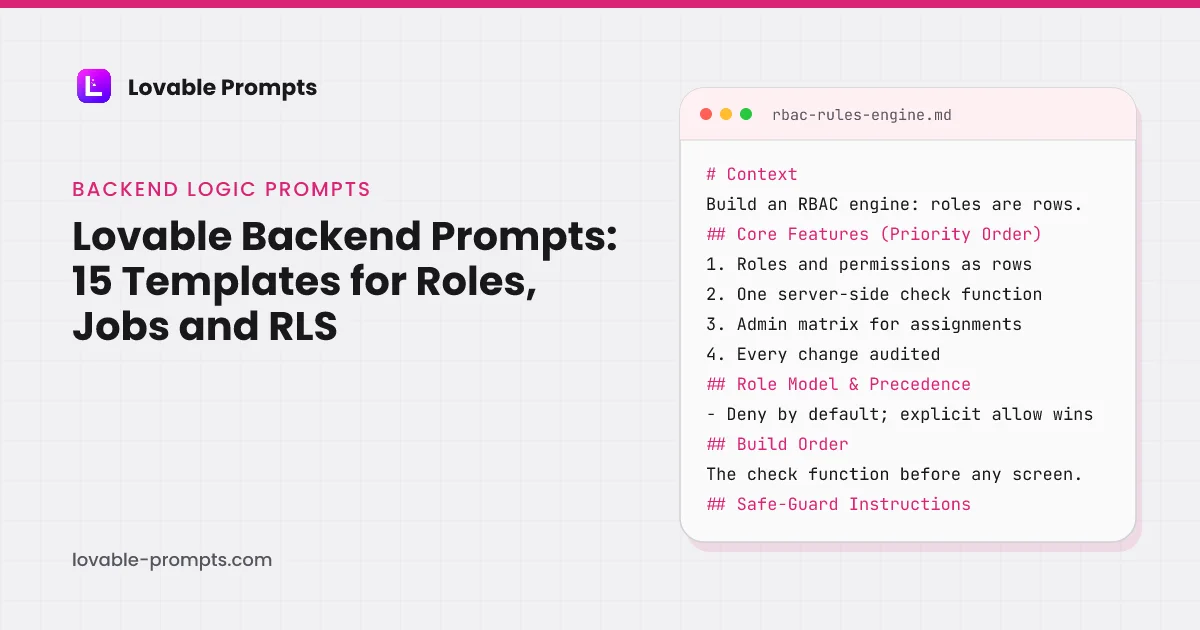
Backend prompts are where Lovable needs the most constraint and gets the least. Ask for a rate limiter and you get a dashboard that displays limits without enforcing them. Ask for soft delete and you get a hidden flag with no recovery path. Ask for roles and you get a permissions table nobody reads at request time. The screen looks right in the preview and nothing behind it protects anything.
These fifteen prompts specify enforcement, not display. Several of them exist because the naive version is the one Lovable produces by default: API Rate Limiter Dashboard, Session Management System, and the Role-Based Access Control Rules Engine all name the enforcement path and the failure case before any screen. They are written for Lovable's built-in backend, which its docs describe as Supabase underneath, and they fit a connected Supabase project the same way.
Internal Metrics Dashboard
What this prompt is for
An internal metrics dashboard that reads from defined queries, not vibes: each metric has one owner, one definition, and one truth source, with daily values and week-over-week deltas.
When to use it
When the team answers 'how many signups this week' three different ways. Wrong if you need customer-facing analytics; this is the internal single source of truth.
# Context
Build an internal metrics dashboard for a small product team: a fixed set of company metrics, each computed by one saved query against the production database replica, displayed with current value, trend, and week-over-week delta.

## Core Features (Priority Order)
1. Metric cards: current value, 7-day sparkline, week-over-week delta with direction
2. One saved query per metric, stored w
Channel-Optimized Pro Version
This prompt has a Pro version optimized for Product-led Growth. Unlock to get product-channel fit guidance and distribution-ready features.
User Management Admin Dashboard
What this prompt is for
An admin dashboard for managing users: search, plan and status at a glance, safe account actions with confirmation and audit, built for the support person, not the developer.
When to use it
The first time someone asks you to change a user's plan and you do it in SQL. Wrong as a customer-facing surface; this is internal tooling with genuine account power.
# Context
Build an internal user management dashboard: support and admins find any account in seconds, see its state, and take the five common actions safely, with every action logged.

## Core Features (Priority Order)
1. Search by email, name, or account id, with results in under a second
2. User detail: plan, status, signup date, last active, recent key events
3. Actions: change plan, suspend,
Channel-Optimized Pro Version
This prompt has a Pro version optimized for B2B Sales. Unlock to get product-channel fit guidance and distribution-ready features.
API Key Manager Dashboard
What this prompt is for
A key management dashboard: create, label, rotate and revoke API keys, shown once at creation, stored hashed, with per-key last-used visibility.
When to use it
The moment your product exposes an API and the second key request arrives. Wrong for internal service-to-service secrets; this is for keys you issue to users.
# Context
Build an API key manager for a developer-facing product: users create named keys, see them once, and manage their lifecycle; the server stores only hashes and records usage.

## Core Features (Priority Order)
1. Create key: name, optional expiry, shown in full exactly once with a copy button
2. Key list: name, prefix (first 8 chars), created, expires, last used
3. Revoke immediately; rot
Channel-Optimized Pro Version
This prompt has a Pro version optimized for Community-led Growth. Unlock to get product-channel fit guidance and distribution-ready features.
Real-Time Notifications System
What this prompt is for
An in-app notification system with real-time delivery, unread counts that are actually correct, per-type preferences, and a bell that never lies.
When to use it
When users miss things that happened in the app: mentions, assignments, completed jobs. Wrong as a marketing channel; this is for events the user asked to know about.
# Context
Build an in-app notification system: events generate notifications, delivered live to online users and waiting for offline ones, with an accurate unread count and per-type user preferences.

## Core Features (Priority Order)
1. Notification feed: newest first, unread visually distinct, mark-one and mark-all read
2. Live delivery to online sessions; queued rows for offline users, no loss
Channel-Optimized Pro Version
This prompt has a Pro version optimized for Product-led Growth. Unlock to get product-channel fit guidance and distribution-ready features.
File Manager with Upload/Tags
What this prompt is for
A file manager with uploads, tags, and search that works at a thousand files: drag-in upload with per-file progress, tag filtering, previews, and storage quotas enforced server-side.
When to use it
When your app accumulates user files and finding them becomes the feature. Wrong for a single avatar upload; this is for files as a first-class object.
# Context
Build a file manager: users upload by drag or picker, organize with tags, find by search and filter, and preview without downloading, with storage quotas enforced on the server.

## Core Features (Priority Order)
1. Upload: multiple files, per-file progress, cancel, clear failure states with retry
2. Tags: create, assign multiple per file, filter by tag combinations
3. Search by filename
Channel-Optimized Pro Version
This prompt has a Pro version optimized for Product-led Growth. Unlock to get product-channel fit guidance and distribution-ready features.
API Error Tracker
What this prompt is for
An error tracker for your API: failures grouped by signature rather than listed raw, with occurrence counts, first/last seen, status workflow and noise controls that keep it readable.
When to use it
When API errors live in unread logs and users report problems before you see them. Wrong if you already run Sentry; this is the self-hosted, product-integrated version.
# Context
Build an API error tracker: failed requests are captured with context, grouped into issues by signature, counted, and worked through a simple status flow, with noise controls so the list stays meaningful.

## Core Features (Priority Order)
1. Capture: endpoint, method, status, error message, stack hash, timestamp, request id
2. Grouping: same signature (endpoint + error type + stack hash
Channel-Optimized Pro Version
This prompt has a Pro version optimized for Product-led Growth. Unlock to get product-channel fit guidance and distribution-ready features.
Session Management System
What this prompt is for
Session management users can see: active sessions with device and location, revoke from anywhere, secure expiry rules, and the server-side checks that make revocation immediate.
When to use it
When 'log me out everywhere' becomes a support request, or before a security review asks how sessions die. Wrong as a bolt-on after an incident; build it while it is boring.
# Context
Build user-visible session management: a settings page listing active sessions with device, approximate location and last activity, per-session and all-other revocation, backed by server-side session state that makes revocation take effect on the next request.

## Core Features (Priority Order)
1. Active sessions list: device summary, browser, approximate location, created, last active
2
Channel-Optimized Pro Version
This prompt has a Pro version optimized for Product-led Growth. Unlock to get product-channel fit guidance and distribution-ready features.
Redirect & URL Manager
What this prompt is for
A short-link and redirect manager: branded slugs, click counts, safe destinations, and an editable mapping table so campaign links survive destination changes.
When to use it
When marketing links point at URLs that keep changing, or you want branded short links with click data you own. Wrong for authenticated app routing; this is for public links.
# Context
Build a redirect manager: create short slugs on your domain pointing to destination URLs, count clicks, edit destinations without changing the public link, and keep the whole table auditable.

## Core Features (Priority Order)
1. Create redirect: slug (custom or generated), destination URL, optional note
2. The redirect itself: fast 302 by default with a per-link 301 option, explained in
Channel-Optimized Pro Version
This prompt has a Pro version optimized for Organic Socials. Unlock to get product-channel fit guidance and distribution-ready features.
Inventory Tracker
What this prompt is for
An inventory tracker built on stock movements, not editable totals: every change is a recorded movement with a reason, so the current count is always explainable and auditable.
When to use it
When spreadsheet inventory starts disagreeing with the shelf. Wrong for digital-only products; this is for physical stock, consumables, or equipment.
# Context
Build an inventory tracker where current stock is the sum of movements: receipts, sales, adjustments and transfers are recorded events with actor and reason, and totals are derived, never edited directly.

## Core Features (Priority Order)
1. Item catalog: SKU, name, unit, location, reorder threshold
2. Movements: receive, remove, adjust, transfer between locations, each with actor, time
Channel-Optimized Pro Version
This prompt has a Pro version optimized for B2B Sales. Unlock to get product-channel fit guidance and distribution-ready features.
API Rate Limiter Dashboard
What this prompt is for
A rate limiter with a dashboard: per-key limits, sliding windows, correct headers and 429 responses, plus the visibility layer that shows who is hitting limits and why.
When to use it
When one integration's retry loop can degrade your API for everyone else. Wrong before you have external API consumers; internally, fix the loop instead.
# Context
Build API rate limiting with an admin dashboard: per-key request limits over sliding windows, standard limit headers on every response, correct 429 behavior, and a view showing consumption and violations per key.

## Core Features (Priority Order)
1. Limit enforcement: requests per window per API key, sliding window counting
2. Response headers on every request: limit, remaining, reset t
Channel-Optimized Pro Version
This prompt has a Pro version optimized for Product-led Growth. Unlock to get product-channel fit guidance and distribution-ready features.
Background Job & Queue Monitor
What this prompt is for
A job and queue monitor: every background task visible with state, duration and retries, dead jobs in a workable queue, and the retry policies that stop silent failure.
When to use it
The first time a user asks where their export went and you have to check logs. Wrong if you run zero background work; the moment you have any, this is overdue.
# Context
Build a background job monitor: jobs report state transitions to a registry, the dashboard shows queues, running jobs, durations and failures, and dead jobs sit in a queue where a human can inspect, retry or discard them.

## Core Features (Priority Order)
1. Job registry: type, payload summary, state (queued, running, succeeded, failed, dead), timestamps, duration
2. Queue view: depth a
Channel-Optimized Pro Version
This prompt has a Pro version optimized for Product-led Growth. Unlock to get product-channel fit guidance and distribution-ready features.
Role-Based Access Control Rules Engine
What this prompt is for
Role-based access control with a visible rules table: roles, permissions and scopes defined as data, checked server-side through one function, with an audit trail and a matrix admins can read.
When to use it
When 'can this user do this' appears in more than three places in your code. Wrong for a two-role app; hardcode admin checks until the third role arrives.
# Context
Build an RBAC engine: permissions and roles are rows, one server-side check function answers every access question, admins manage assignments through a readable matrix, and every change is audited.

## Core Features (Priority Order)
1. Permission registry: action keys (resource.verb) with descriptions, seeded from actual app actions
2. Roles: named permission sets, with system roles (own
Channel-Optimized Pro Version
This prompt has a Pro version optimized for B2B Sales. Unlock to get product-channel fit guidance and distribution-ready features.
Webhook Listener & Event Processor
What this prompt is for
A webhook receiver that survives reality: signature verification, fast acknowledgment, idempotent processing, replayable event storage and a debug view of everything received.
When to use it
When integrating any service that pushes events to you: payments, forms, CI, CRMs. Wrong to build per-integration; build once, route by source.
# Context
Build a webhook listener: one endpoint pattern receives events from external services, verifies signatures, acknowledges fast, stores raw payloads, processes asynchronously with idempotency, and shows everything in a debug UI.

## Core Features (Priority Order)
1. Receiver endpoints per source with per-source signature verification
2. Store first, process later: raw payload persisted and
Channel-Optimized Pro Version
This prompt has a Pro version optimized for Community-led Growth. Unlock to get product-channel fit guidance and distribution-ready features.
Data Import (CSV Upload) Pipeline
What this prompt is for
A CSV import pipeline that ends in confidence, not mystery: column mapping, row-level validation with a downloadable error report, preview before commit, and imports that are atomic per run.
When to use it
When onboarding requires bringing existing data, and 'email us a spreadsheet' is the current pipeline. The import quality decides whether trials convert.
# Context
Build a CSV import pipeline: upload, map columns to fields, validate every row with clear errors, preview the outcome, then commit atomically, with a downloadable report of anything rejected.

## Core Features (Priority Order)
1. Upload with delimiter and encoding detection, first rows previewed immediately
2. Column mapping UI: your fields against their headers, auto-matched where names
Channel-Optimized Pro Version
This prompt has a Pro version optimized for Product-led Growth. Unlock to get product-channel fit guidance and distribution-ready features.
Soft Delete & Data Recovery System
What this prompt is for
Soft delete with a recovery window: deletes flag instead of destroy, a trash view restores in one click, retention rules purge on schedule, and every query excludes deleted rows by default.
When to use it
The first time a user deletes something they needed, which is always sooner than expected. Wrong for data you are legally required to hard-delete on request; build that path separately.
# Context
Add soft delete and recovery to an app: deletions set a flag and timestamp, all reads exclude flagged rows by construction, a trash view lists recoverable items with time remaining, and a purge job hard-deletes past retention.

## Core Features (Priority Order)
1. Soft delete on the chosen entities: deleted_at timestamp plus deleted_by actor
2. Default-scope exclusion: normal queries nev
Channel-Optimized Pro Version
This prompt has a Pro version optimized for Product-led Growth. Unlock to get product-channel fit guidance and distribution-ready features.
Every Prompt, Every Kit, One Payment
All 15 prompts plus every Pro variant and build kit in one bundle, plus unlimited prompt generation, $199 once. Or sign up free to copy prompts one at a time.
Browse More Categories
Related Resources
The Complete Lovable Bundle
$199 once. Unlimited generation, every prompt, every kit, every future dropEvery prompt, every Pro variant, all four build kits and every future drop, in one Notion workspace. One payment, never a subscription.
Get the 151-Prompt BundleWhich growth channels do these prompts serve?
Every prompt in this category carries a distribution section naming the channel it is built for, so the generated app has a way of being found rather than only a feature set. The chart counts primary and secondary coverage together, computed from the prompt bodies when the site is built.
| Category | prompts |
|---|---|
| Product-led Growth | 10 |
| B2B Sales / LinkedIn | 7 |
| Email Marketing | 6 |
| Community-led Growth | 3 |
| Organic SEO / AI Search | 2 |
| Organic Socials | 2 |
Computed from the channel mapping in each prompt at build time; a prompt can serve more than one channel.
What is Lovable Cloud, and what does it change about backend prompts?
Lovable Cloud is the built-in backend: Lovable's docs describe it as "database, authentication, storage, edge functions, and AI", enabled for a workspace by default, built on "Supabase's open-source foundation", and billed as run credits separately from the build credits a prompt consumes (read on 26 September 2026). You can connect your own Supabase project instead. Either way the database is Postgres with row-level security, edge functions are where server-side code runs, and the prompts here address both by name.
What it changes is the failure mode. On Cloud, Lovable will enable the backend for you in the middle of a build; we watched it do that on the states-system and SaaS runs on 26 September 2026, announcing that Cloud was ready for data and sign-in before it wrote the first table. That is convenient and it means the data layer arrives with whatever rules the prompt stated, or without any. A backend prompt therefore has to say what enforcement looks like in the database, not only what the admin screen shows, which is the difference between every prompt on this page and a request for a dashboard.
How is a backend prompt in this library built?
The RBAC rules engine is the prompt to read first, because every admin surface in the category depends on it. Its sections, read from the prompt body, are below. Role Model & Precedence is the rules section, and its first commitment is the one Lovable's security docs care about: permissions and roles are rows, and "one server-side check function answers every access question". A screen that hides a button is not on that list.
- Context: Roles and permissions are rows; one server check answers every question.
- Core Features (Priority Order): Role rows, the check function, the admin matrix, the audit trail.
- Role Model & Precedence: What wins when two roles disagree, decided once, in the database.
- Build Order: The check function before any screen that depends on a role.
- Safe-Guard Instructions: Deny by default; never a permissive stub; every change audited.
- Before Building: Lovable asks its questions, then saves the answers.
Headings read from the prompt body of rbac-rules-engine in this library.
Lovable's security overview says it plainly: "Row-level security (RLS) policies control which users can access or modify data in your database. Misconfigured RLS rules are a common cause of data leaks." Insufficient row-level security in Lovable-generated projects has its own public vulnerability record, CVE-2025-48757, published 30 May 2025: "an insufficient database Row-Level Security policy in Lovable through 2025-04-15 allows remote unauthenticated attackers to read or write to arbitrary database tables of generated sites". Lovable disputes the record on the grounds that customers are responsible for their own data protection, which is a fair description of where the work sits, and why the Safe-Guard section of every prompt here ends at the database rather than at the UI, and why the free build kits on this site ship an RLS schema whose policies were executed and tested rather than described.
How do you keep generated backend code secure before publishing?
Lovable runs part of the check for you, and its docs are specific about which part. The security overview says that "when you open the publish dialog, Lovable automatically runs the Quick scan in the background and checks your database access rules, dependencies, and MCP server exposure"; a Deep scan "reviews all your application code for issues specific to your app's logic, permissions, and data", covering access control, unauthenticated endpoints, unsafe input, leaked secrets, payments, authentication and exposed personal data. It also detects API keys pasted into the chat and steers them to Secrets. The same page adds the honest limit: these tools "cannot guarantee complete security".
- Roles and RLS: rules engine prompt
- Recovery path: before bulk writes
- Then ingest, jobs: import, queue, webhooks
- Quick scan: runs on publish
- Read the checks: stubs look correct
Order from the build-order rule in this category and Lovable's security overview (Quick scan on publish, Deep scan on request), read on 26 September 2026.
So the sequence for anything on this page is the flow below. Enforcement in the database and the check function first, because that is what the Quick scan reads; the recovery path before any bulk write, because a scan finds leaks and not deleted rows; then the scan, then a read of the generated access checks by a person, because a stub that returns a permissive default looks identical to a working check until something is exposed.
What separates backend logic from an API integration here?
Backend logic is your own server-side behaviour: roles, sessions, quotas, jobs, imports, deletion and recovery. An API integration is your app talking to someone else's service. The line runs through webhooks: receiving and verifying one is an integration and lives on the API page; processing the event, retrying it and recovering from a bad batch is the Webhook Listener & Event Processor prompt on this page. The two are written to be run in that order on one project.
The same split applies to the AI features. A model call is an integration; a usage limit that stops a runaway call, an audit log of what the model did and a rate limiter on the endpoint that exposes it are backend logic, and they are the prompts Lovable's own agent integrations doc is pointing at when it says to expose paid actions only where the app "already enforces usage, plan, and permission limits".
Which Backend Logic prompts do builders upvote most?
Every card on this page carries an upvote, one per visitor, and the cards are sorted by it. The counts below are read from the database when the page is rendered and refresh hourly, so they can lag a card by a vote or two. They are the first thing we look at when deciding which prompt in a category to extend.
| Category | upvotes |
|---|---|
| Internal Metrics Dashboard | 15 |
| Inventory Tracker | 3 |
| API Error Tracker | 2 |
| Soft Delete & Data Recovery System | 1 |
| Background Job & Queue Monitor | 1 |
| File Manager with Upload/Tags | 1 |
Upvotes recorded on lovable-prompts.com since January 2026 for this category, 27 in total, one vote per visitor. Read from the database at render time.
Which backend prompt to use
If you are building internal tooling, Internal Metrics Dashboard, User Management Admin Dashboard and Background Job & Queue Monitor are the three that answer what is happening right now. API Error Tracker belongs with them, and it is the one most often missing when an integration silently stops.
If you are protecting the system, API Key Manager Dashboard, API Rate Limiter Dashboard, Session Management System and the RBAC Rules Engine are the set, and RBAC should come before anything that depends on a role.
If you are moving data, Data Import (CSV Upload) Pipeline, Webhook Listener & Event Processor and Soft Delete & Data Recovery System handle ingest, events and the mistakes that follow both.
Suggested build order
Access rules before the things they protect, recovery before bulk operations. Lovable's idea-to-app guide puts the backend at the moment data has to survive a refresh; on this page that moment is the first prompt, because the rules are the data.
Roles first
Every admin surface below depends on knowing who may see it.
Prompt: Role-Based Access Control Rules Engine
Recovery before bulk writes
Build the undo before the import. This ordering is the whole point of the sequence.
Prompt: Soft Delete & Data Recovery System
Then ingest
A CSV pipeline with validation and a dry run, now that mistakes are recoverable.
Prompt: Data Import (CSV Upload) Pipeline
Then observability
You cannot debug an integration you cannot see failing.
Prompt: API Error Tracker
Where backend prompts usually go wrong
- Accepting a dashboard as an implementation. A rate-limit screen is not a rate limiter, and a permissions table is not enforcement. Ask explicitly for the enforcement path and for what happens when a limit is hit.
- Skipping the failure case. Prompt for the retry, the partial failure and the duplicate event, because webhook and import code that assumes success is the most common source of silent data loss.
- Trusting a generated permission check. Read it. A stub that returns a permissive default looks identical to a working check until something is exposed. This site's own legacy database had exactly that stub, a plan check that always returned false, so the free tier was never enforced in the database.
- Treating the publish-time scan as the review. Lovable's Quick scan checks database access rules and dependencies and its docs say it cannot guarantee complete security; the Safe-Guard sections here are written so the scan has nothing to find, not so you can skip reading the code.
Frequently asked
Can Lovable handle backend logic, or is it frontend only?↓
It generates both. Lovable Cloud, its built-in backend, provides a Postgres database, auth, storage, edge functions and AI on a Supabase foundation, and you can connect your own Supabase project instead. The constraint is not capability, it is that backend code fails invisibly: a wrong colour is obvious in the preview and a permissive permission check is not.
Is Lovable Cloud the same as Supabase?↓
Lovable's docs say the built-in backend uses Supabase's open-source foundation, and its usage is billed as run credits. So the database, RLS and edge-function concepts in these prompts apply unchanged, whether the project runs on Cloud or on a Supabase project you connect.
How do I add Supabase to a Lovable app?↓
Get the interface walking against local state first, then connect Supabase, or let Cloud provision it, and add row-level security in the same step. Every prompt here assumes that order, because retrofitting RLS onto screens that already read data is the change most likely to break something that worked.
Does Lovable check my backend for security issues?↓
Partly. Its security overview describes a Quick scan that runs when you open the publish dialog and checks database access rules, dependencies and MCP server exposure, plus a Deep scan of application logic, permissions and data on request. The docs also say these tools cannot guarantee complete security, so the generated access checks still get read by a person.
Should I review generated backend code?↓
Yes, and specifically the access checks, the failure branches and anything touching deletion. Those three cover almost every case where a generated backend behaves differently from how it reads.
What is the difference between this and the API category?↓
Backend Logic is your own server-side behaviour: roles, sessions, jobs, imports. API & Integration is talking to someone else's service. Webhooks appear in both because receiving one is an integration and processing it is backend logic.
Related reading
- free build kits with executed RLS schemas
Every policy tested on a Postgres cluster.
- SaaS starter schema
Non-members read zero rows, verified.
- API and webhook prompts
Receiving is integration; processing is backend.
- SaaS prompts
Entitlement before billing.
- the mistake with its own CVE
Trusting generated access control.
- where the Cloud panel lives in the editor
Database, users, storage, jobs.
- Lovable vs Replit
The incident worth knowing about.
- Plan mode for the fix that keeps failing
Lovable's debugging order.
- the admin dashboard kit
Aggregates that stay under RLS.
- the CRM kit
Reassignment blocked by policy.
- coding prompts
The RLS migration prompt in short form.
- Claude Code prompts
RLS proven by queries the agent runs.
- Cursor prompts
RLS proven by queries Agent runs in the terminal.
- a Supabase RLS rule for Cursor
The policy shape as a rule file.
- Lovable and Supabase
The docs on Cloud, migrations and RLS checks.
- admin dashboard prompts
Ten briefs that keep the aggregate function non-definer.
Sources
All checked on 26 September 2026.
Updated .
Written by

Marco Kohns
Founder of ProtoBites - Venture Growth Studio
Growth PM at a Silicon Valley scale-up (a16z and General Catalyst backed), ex-Techstars where he consulted 13 early-stage startups, Reforge-trained. Every prompt on this site comes out of shipping ProtoBites' own portfolio products.
Help shape this product
We're building this in public and your input genuinely matters.
If something felt confusing, missing, or especially useful, I'd love to hear about it. It takes ~30 seconds and helps me improve the parts that matter most.
Share quick feedbackGoes straight to the builder. No marketing questions. No auto-replies.