A member can open the admin page by typing the URL
Cause: the role lives in client state and only the menu item was hidden.
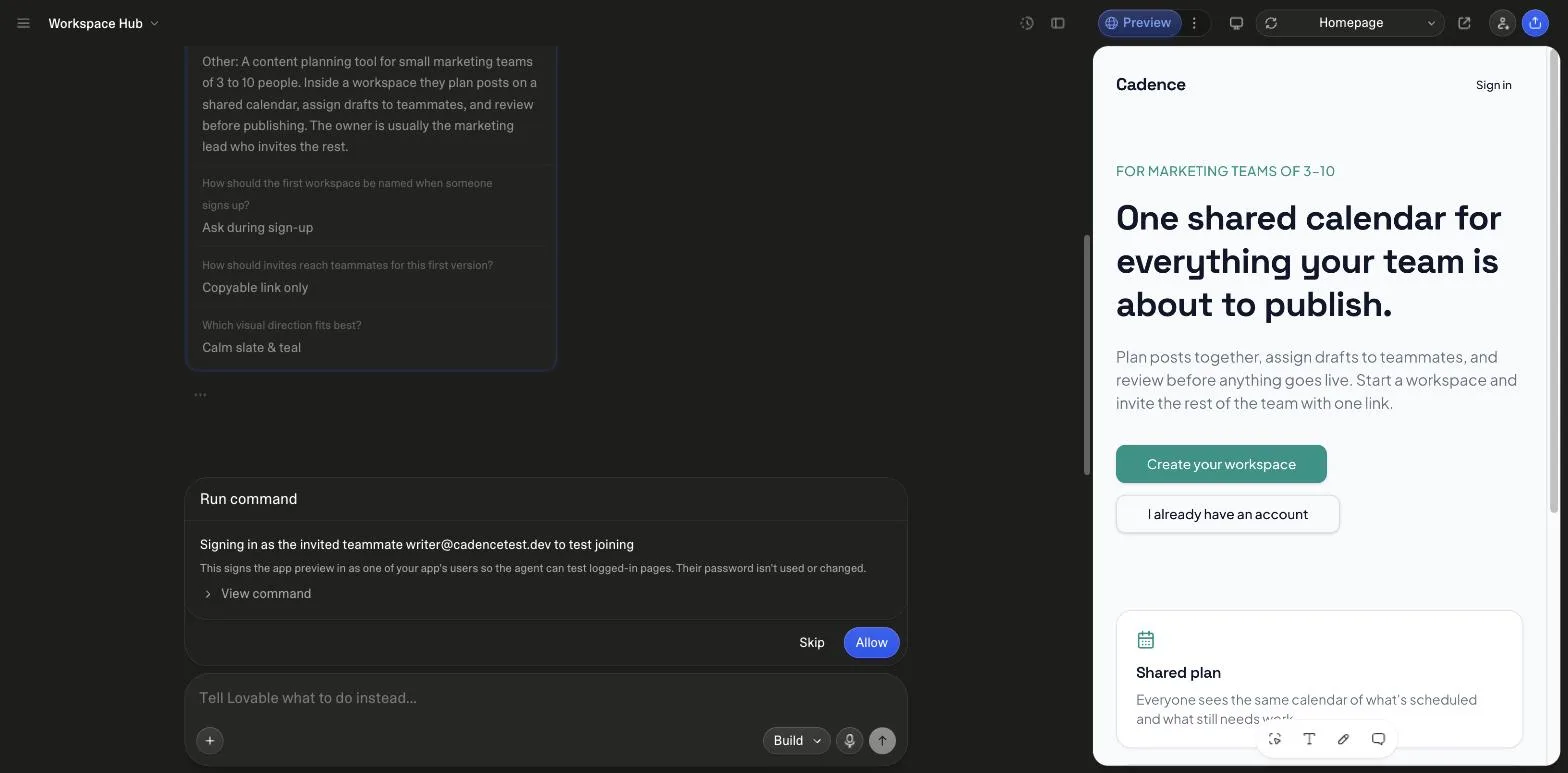
Fill in three fields, copy the prompt, paste it into a new Lovable project. Unedited, it asked 4 questions, enabled the backend, built a workspace with three roles and checked its own invite flow as a second user, for 10.4 credits.
By Marco Kohns · Prompt written and run by us
# ContextBuild the foundation of a multi-tenant SaaS: users sign up, get a workspace, and invite teammates who arrive in the same workspace with the right role. The target user is a small team adopting a tool together, so the invite must work before anything is polished. ## Core Features (Priority Order)1. Email and password auth with session persistence across refresh2. Workspace created automatically on first sign-in, creator becomes owner3. Member list with three roles: owner, admin, member4. Invite by email via tokenized link that joins the invitee to the inviter's workspace5. Role-gated UI: only owner and admin can invite or change roles ## Access & Session Rules- Roles are read from the database per request, never from client state- Protected routes redirect signed-out users to sign-in and return them after- Sessions persist across refresh and expire gracefully with a re-auth prompt, not a crash- An expired or already-used invite shows a clear error and a way to request a new one- Email and password first; Lovable's built-in auth also offers Google, Apple, Microsoft, Sign in with Lovable and SAML SSO, so add a provider only after the role model works end to end ## Screens & States- Sign in / sign up with inline validation, no alert() dialogs- Member list: loading skeleton, and an empty state that prompts the first invite- Invite dialog with a copyable link and a sent-state confirmation ## Build OrderAuth and the route guard first. Then the role-checking helper, before any UI that depends on a role. Then workspace and member reads, then the invite write path including the expired-token case. ## Safe-Guard Instructions- Enforce roles in the database with row-level security as well as in the UI; hiding a button is not access control- Never accept a role or workspace id from the client on writes- Do not weaken a security policy to make a query work; if the query is denied, the query is wrong ## Before BuildingAsk me any questions you need in order to fully understand the audience and the offer, then save the decisions to the project knowledge so later prompts build on them.
Disclosure: if you create a Lovable account through links on this page, we may earn a commission. It costs you nothing and does not change what we recommend.
Measured run
Fresh project in our own workspace, Build mode, prompt pasted as is. 26 September 2026.


Why each line is there
Lovable's authentication docs say a login request generates the sign-up and login pages and wires them to the backend. The SaaS half is what the prompt has to carry. This is what each section did on the run, and what goes wrong when a line is missing.
With it
A small team adopting a tool together, with the invite named as the thing that must work first. Lovable's first question asked who the team is; the answer shaped the workspace model.
Without it
A single-user app with a login bolted on, and a workspace model guessed from the app name.
After the first build
Each one is a follow-up message in the same project. None is measured yet, so the cost shows a question mark.
A checkout built before entitlements sells something the app cannot tell apart.
Lovable's Stripe connector needs no paid plan and uses no webhooks by default, so the prompt has to ask for one.
Trials that never end are the common revenue leak in a generated SaaS.
Owner, admin and member exist already. Run this only when those three are not enough.
Launch checklist
0/7
Ticks stay on this page while it is open. Steps and plan rules from Lovable's docs, read 23 October 2026.
If it goes wrong
Cause: the role lives in client state and only the menu item was hidden.
Cause: the token was never marked used, so a forwarded link joins a stranger.
Cause: the session is held in memory and nothing persists it.
Cause: a screen failed to render for a member and the shortcut was taken.
Not quite your build?
Pro version · Product-led growth
The Pro version adds the channel section: what turns the invite flow into acquisition, the instrumentation to see it, and the refinement prompts to run after this one. Unlocked in the bundle, with every other prompt and kit.
Yes, over three days. Our run cost 10.4 credits from plan credits in a paid workspace because the day's 5 daily credits were already spent. On Free that is two days of daily credits plus 0.4 of a third, inside the 30-a-month cap. Nothing in the prompt needs a paid feature; a custom domain and built-in payments do.
Per Lovable's authentication docs read on 23 October 2026: email with password or a one-time code, phone, Google, Apple, Microsoft, Sign in with Lovable, SAML SSO and OIDC, all on the built-in backend. Unless you name methods, Lovable sets up email and password, Google and Sign in with Lovable. The prompt starts with email and password on purpose and adds a provider only after the role model works.
The docs say Lovable sets up these rules automatically when it builds features that store user data, and that the policies are read-only in the database view, so a change goes through chat. They also warn that server code using the service role bypasses the rules and must check permissions itself. The prompt states the rules it wants so the generated policy is the one you meant, and the completion report read them back.
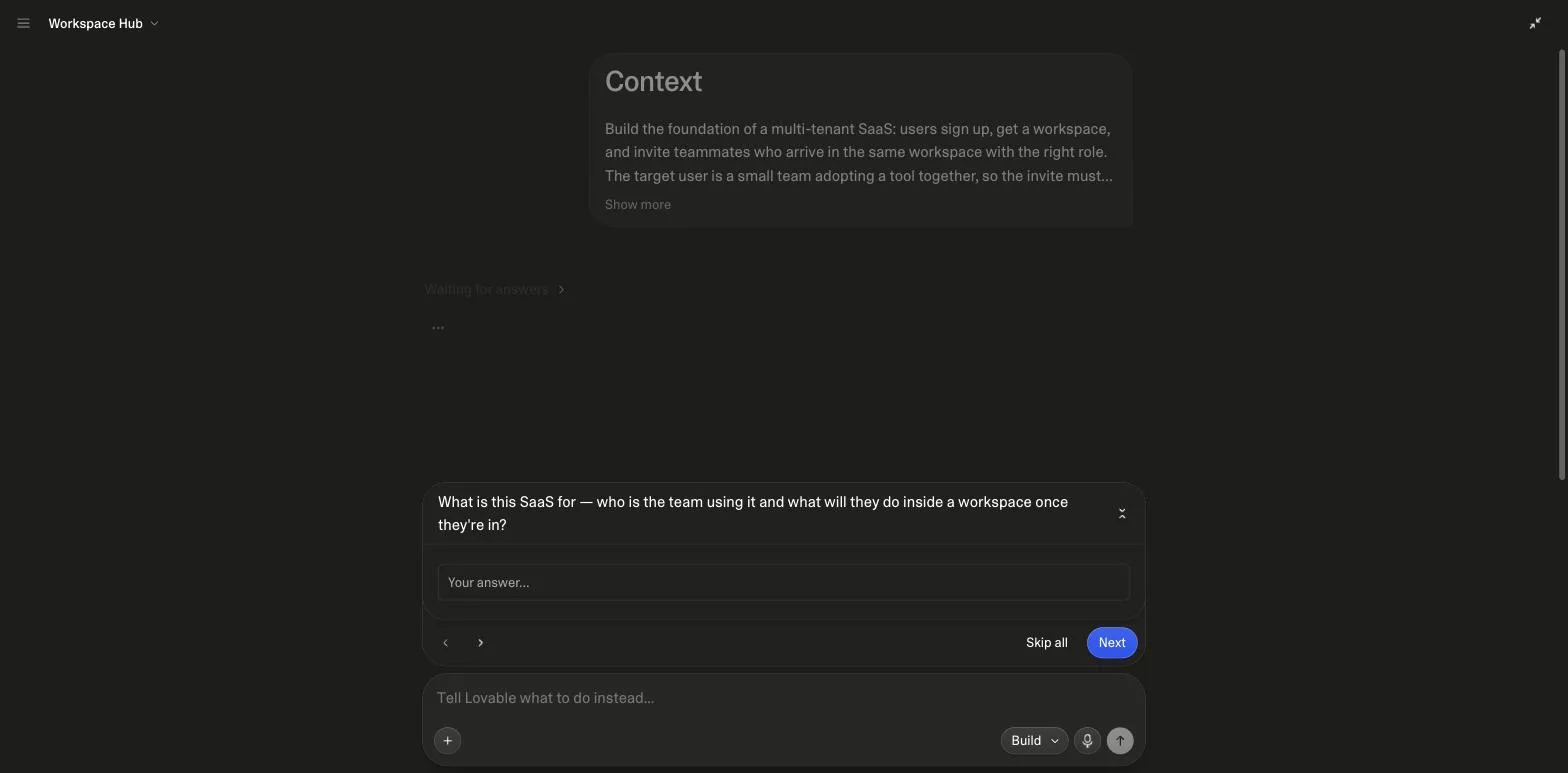
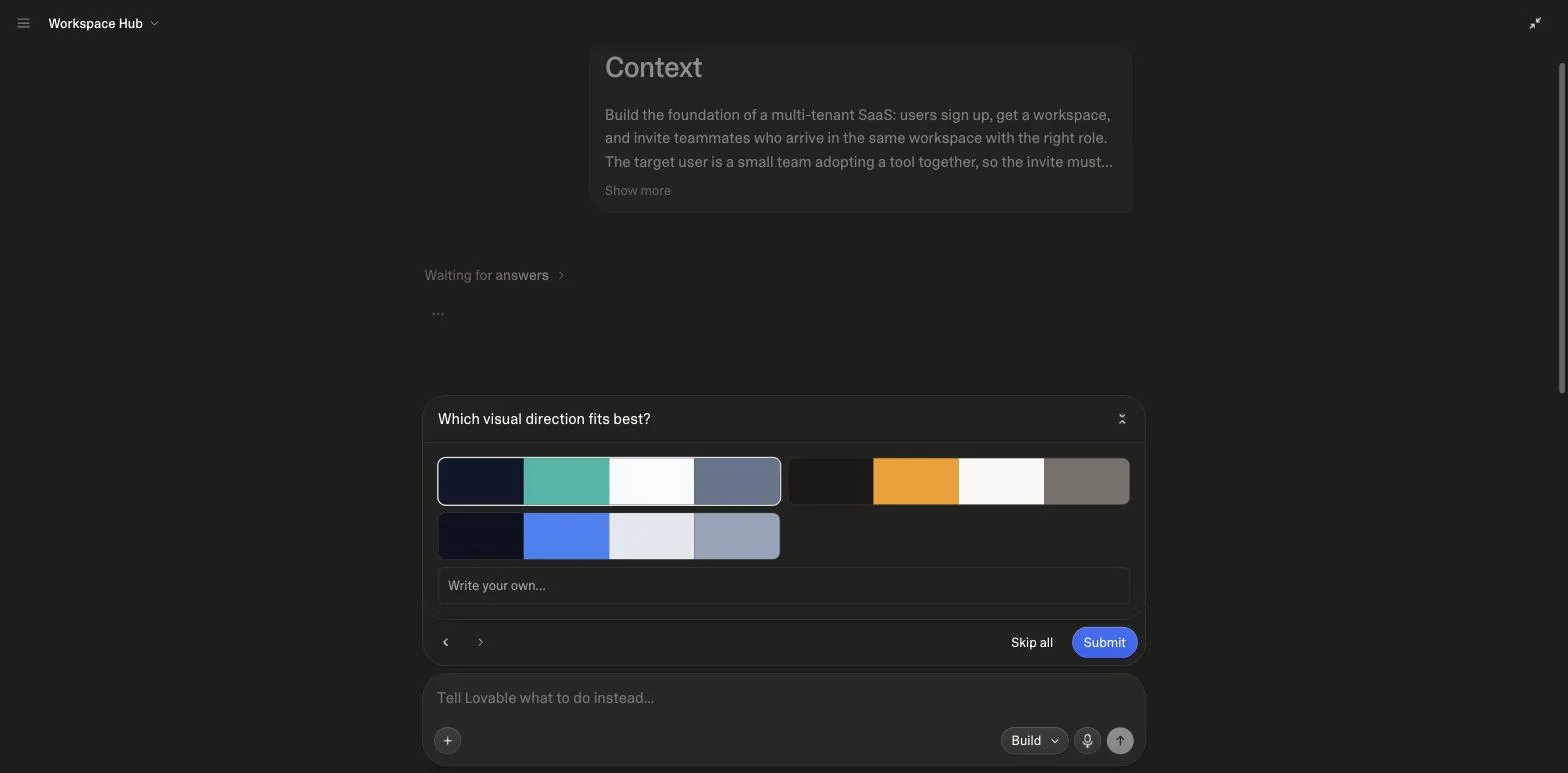
What the SaaS is for and who the team is; how the first workspace should be named at sign-up; how invites should reach teammates for a first version; and which of three visual directions fits. We answered a content-planning tool for marketing teams of three to ten, workspace name asked at sign-up, copyable invite links only, the first palette. The answers went into project knowledge.
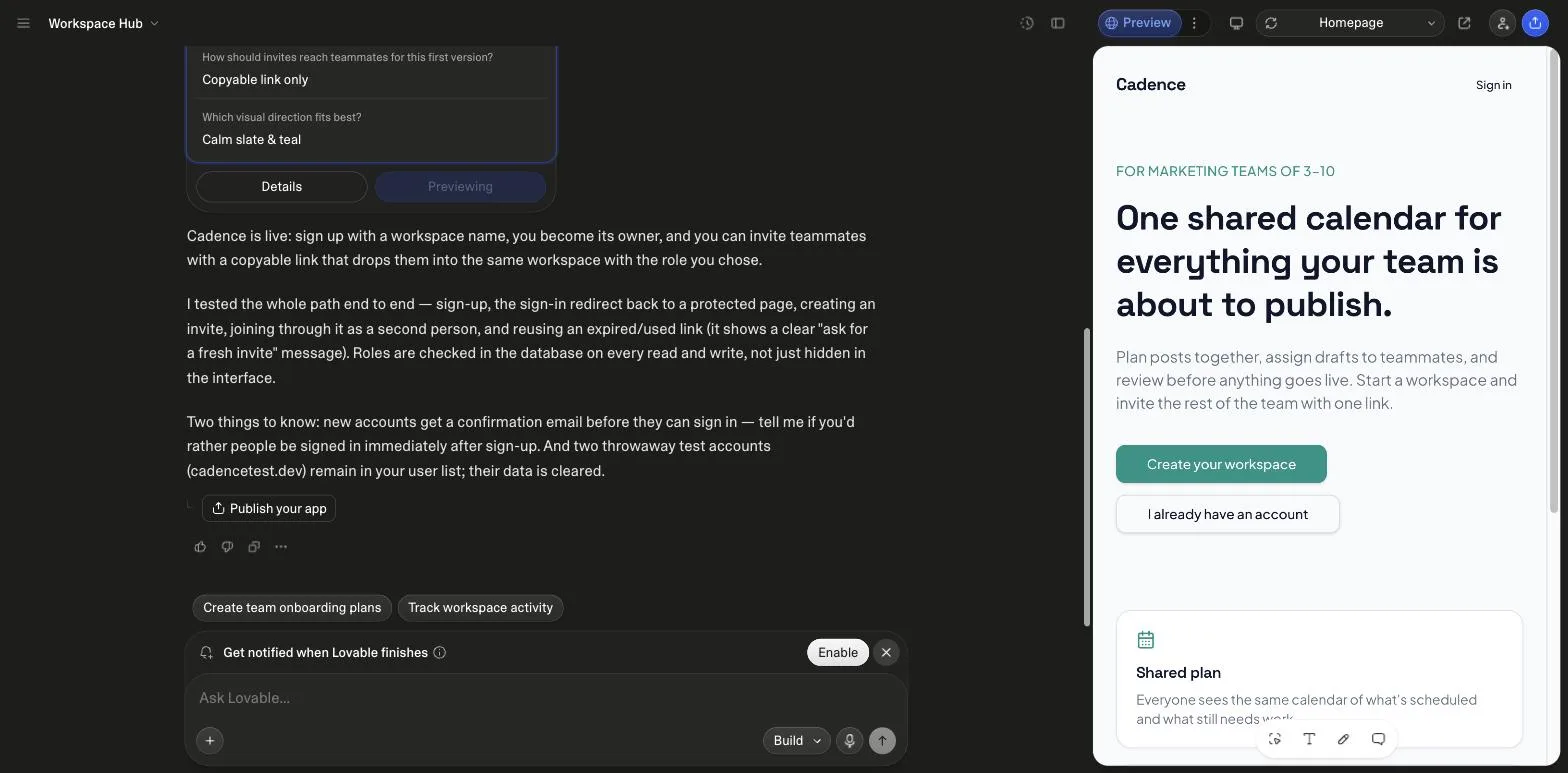
Lovable raised it in its completion report as a caveat of the default auth setup. The docs add that users created through Create new user in the Users view are confirmed automatically, which is the quickest way to add a teammate while testing.
Yes, two paths per the payments docs read on 22 October 2026: built-in Paddle or Stripe on Pro and above, with Paddle as merchant of record at 5.0% plus 50 cents per transaction, or your own Stripe account on any plan, whose connector uses no webhooks by default. The checkout prompt in this category is written for the second path and asks for the webhook.
Marco Kohns wrote the prompt and ran it on 26 September 2026 in his own Lovable workspace. The Pro version and the bundle are our own products. Lovable Prompts is independent and not affiliated with Lovable.