
Add an API to a Lovable App: 16 Prompts and What Breaks
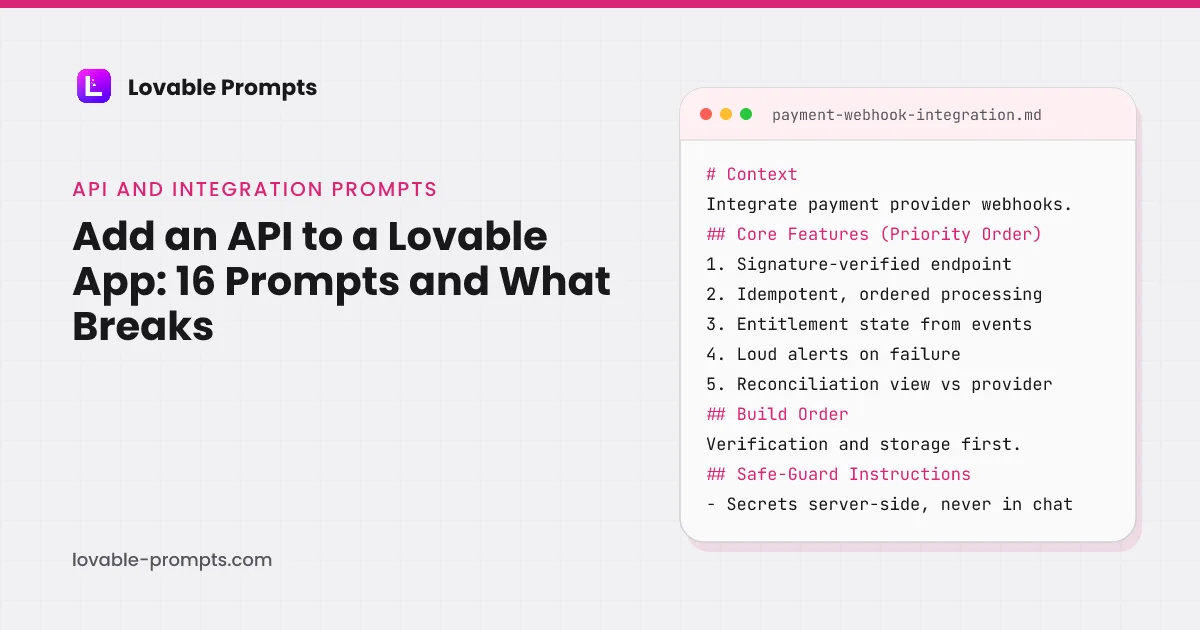
Adding an API to a Lovable app fails in a predictable place. The request works, the happy path renders, and then the key is in the client bundle, the rate limit is undiscovered, and there is no behaviour for the case where the third party is down. Lovable's own docs now close the first of those by design, and the prompts here close the other two.
These sixteen prompts split into two jobs. Roughly half are AI integrations, where the work is prompt design and cost control. The rest are conventional third-party integrations, where the work is auth, retries and reconciliation. Both kinds are written so the secret never reaches the browser and the failure path exists before the feature does, and both use the connect-any-API mechanics that Lovable documents.
API Request Explorer
What this prompt is for
An in-app API request explorer: compose requests against your API with saved auth, inspect responses with timing, and save named examples the whole team can rerun.
When to use it
When 'try the API' means copying curl from docs into a terminal. Wrong as a general HTTP client; this is your API's guided cockpit.
# Context
Build a request explorer for your own API: users compose requests from your actual endpoint catalog, send them with their own credentials, inspect responses, and save named examples for reuse.

## Core Features (Priority Order)
1. Endpoint picker from your API catalog: method, path, described parameters
2. Request composer: path params, query params, headers, JSON body with validation ag
Channel-Optimized Pro Version
This prompt has a Pro version optimized for Product-led Growth. Unlock to get product-channel fit guidance and distribution-ready features.
API-Driven Weather Dashboard
What this prompt is for
A weather dashboard built properly against a third-party API: cached responses, explicit refresh, request budget tracking, and graceful degradation when the provider stumbles.
When to use it
As the reference pattern for any external-API dashboard: the weather is the example, the caching and budget discipline are the lesson.
# Context
Build a weather dashboard consuming a third-party weather API: current conditions and forecast for saved locations, with response caching, a visible data age, request budget tracking and honest failure states.

## Core Features (Priority Order)
1. Saved locations: add by search, reorder, remove, with current conditions per card
2. Detail view: hourly next 24h, daily next 7 days, sensible
Channel-Optimized Pro Version
This prompt has a Pro version optimized for Product-led Growth. Unlock to get product-channel fit guidance and distribution-ready features.
AI PDF Summarizer
What this prompt is for
An AI PDF summarizer with honest limits: upload, extract, summarize with structure, always alongside the source, with page limits, cost caps and extraction-failure truth built in.
When to use it
When users bring documents and want the gist plus the ability to verify it. Wrong for legal-grade extraction; this is orientation, not evidence.
# Context
Build an AI PDF summarizer: upload a PDF, extract its text, produce a structured summary shown beside the source, with limits and failures stated plainly and costs controlled per account.

## Core Features (Priority Order)
1. Upload with page and size limits stated up front, progress shown
2. Extraction with per-page status; scanned or image pages reported as unextractable, not silently
Channel-Optimized Pro Version
This prompt has a Pro version optimized for Product-led Growth. Unlock to get product-channel fit guidance and distribution-ready features.
AI Analytics Insights
What this prompt is for
An AI layer over your analytics that writes the weekly narrative: what changed, what likely drove it, what to check next, always grounded in the queried numbers it cites.
When to use it
When dashboards exist but nobody reads them, and the question is always 'so what changed?'. Wrong without reliable underlying data; garbage in, confident garbage out.
# Context
Build an AI insights layer over an existing analytics dataset: on schedule or on demand, it queries defined metrics, detects changes worth words, and writes a short narrative where every claim cites the number behind it.

## Core Features (Priority Order)
1. Metric bindings: each insight source is a defined query with owner and description, reused from your metrics layer
2. Change detect
Channel-Optimized Pro Version
This prompt has a Pro version optimized for Product-led Growth. Unlock to get product-channel fit guidance and distribution-ready features.
AI Multilingual Translator
What this prompt is for
An AI translation tool with production honesty: language pairs, tone control, glossary enforcement for your product's terms, and confidence flags where the model is guessing.
When to use it
When your product or content needs recurring translation with consistent terminology. Wrong for certified legal translation; this is operational translation with memory.
# Context
Build a translation tool on an AI model: text in, translation out across your supported language pairs, with a glossary that locks your product terms, tone presets, and honest handling of ambiguity.

## Core Features (Priority Order)
1. Translate: source text, target language, output beside input with copy
2. Glossary: your terms with required translations per language, injected into eve
Channel-Optimized Pro Version
This prompt has a Pro version optimized for Product-led Growth. Unlock to get product-channel fit guidance and distribution-ready features.
AI Chat Assistant Integration
What this prompt is for
An in-product AI chat assistant with boundaries: answers grounded in your docs and the user's context, honest refusals, conversation memory that respects cost, and escalation to humans.
When to use it
When support volume is repetitive and your docs already hold the answers. Wrong without a docs corpus worth grounding in; write the docs first.
# Context
Build an in-product chat assistant: users ask questions, answers ground in your documentation and their account context, sources are cited, unanswerable questions escalate to a human channel gracefully.

## Core Features (Priority Order)
1. Chat UI: streaming responses, message history within the conversation, typing and error states
2. Grounding: retrieval over your docs corpus; answers
Channel-Optimized Pro Version
This prompt has a Pro version optimized for Product-led Growth. Unlock to get product-channel fit guidance and distribution-ready features.
API Auto-Documentation Generator
What this prompt is for
Documentation generated from your API's actual spec: endpoints, schemas and examples rendered as fast indexable pages that cannot drift from the implementation they describe.
When to use it
When your API docs are a manually edited page that lies a little more each release. Wrong without a machine-readable spec; write the OpenAPI file first, then generate.
# Context
Build an API documentation generator: parse the OpenAPI spec, render per-endpoint pages with parameters, schemas, responses and runnable examples, rebuilt on spec change so drift is impossible.

## Core Features (Priority Order)
1. Spec parsing: endpoints, parameters, request/response schemas, auth requirements, with a validation report of spec gaps
2. Per-endpoint pages: description, pa
Channel-Optimized Pro Version
This prompt has a Pro version optimized for Organic SEO. Unlock to get product-channel fit guidance and distribution-ready features.
AI Image Captioner
What this prompt is for
An AI image captioner producing accessibility-grade alt text and searchable descriptions: batch processing, length and style rules, confidence flags, and human review where it matters.
When to use it
When an image library needs alt text at scale, for accessibility compliance or searchability. Wrong for medical or safety-critical description; human eyes own those.
# Context
Build an image captioning tool: upload images singly or in batch, generate alt text and longer descriptions to defined style rules, flag low-confidence results for review, and export in useful formats.

## Core Features (Priority Order)
1. Upload: single and batch with per-image progress and format validation
2. Two outputs per image: alt text (under 125 characters, subject-first) and a
Channel-Optimized Pro Version
This prompt has a Pro version optimized for Product-led Growth. Unlock to get product-channel fit guidance and distribution-ready features.
AI Driven Research Assistant
What this prompt is for
A research assistant that keeps receipts: questions answered from gathered sources with per-claim citations, a source panel with quotes, and a stated boundary between found and inferred.
When to use it
For recurring research workflows where traceability matters: market scans, competitor watch, literature orientation. Wrong when the answer must be authoritative; this maps the terrain.
# Context
Build a research assistant: a question spawns a research run that gathers from configured sources, extracts relevant passages, and composes an answer where every claim links to its supporting quote.

## Core Features (Priority Order)
1. Research runs: question in, status through gathering, extraction and composition, answer out
2. Source panel: every document consulted, with the exact pa
Channel-Optimized Pro Version
This prompt has a Pro version optimized for Product-led Growth. Unlock to get product-channel fit guidance and distribution-ready features.
Simple Social Login Connector
What this prompt is for
Social login done to production standard: two providers, account linking by verified email, a fallback path, and the edge cases (revoked access, changed email) handled before they page you.
When to use it
When signup friction measurably costs you users and your audience lives on Google or GitHub. Wrong as the only auth path; email fallback is non-negotiable.
# Context
Add social login to an app: two OAuth providers with correct flows, account creation and linking rules by verified email, coexisting with email/password, with every edge case given a decided behavior.

## Core Features (Priority Order)
1. Sign in with Google and one more provider fitting your audience, standard OAuth authorization-code flow
2. Account rules: new social sign-in with an em
Channel-Optimized Pro Version
This prompt has a Pro version optimized for Product-led Growth. Unlock to get product-channel fit guidance and distribution-ready features.
Public API Explorer
What this prompt is for
A public API catalog and console: browsable categorized APIs with capsule documentation and a try-it console, server-rendered so every API page earns search traffic.
When to use it
For building a developer-facing directory product, or the discovery layer over your own multiple APIs. The pattern is catalog plus console plus indexable pages.
# Context
Build a public API explorer: a catalog of APIs with structured capsule pages (what it does, auth model, rate limits, example call) and an in-browser console to try requests, all server-rendered.

## Core Features (Priority Order)
1. Catalog: APIs with category, auth type, pricing model, capsule description, searchable and filterable
2. API detail pages: overview, auth requirements, key e
Channel-Optimized Pro Version
This prompt has a Pro version optimized for Organic SEO. Unlock to get product-channel fit guidance and distribution-ready features.
AI Action History Logger
What this prompt is for
An audit log for AI actions in your product: every generation recorded with inputs, outputs, model, cost and actor, queryable enough to answer 'why did it say that' months later.
When to use it
The moment AI output ships to users: support, compliance and debugging all eventually ask what the model was given and what it returned. Wrong to retrofit; log from the first call.
# Context
Build an AI action logger: every model call in your product writes a structured record (actor, feature, prompt inputs, output, model, tokens, cost, latency), with a browse-and-search UI and retention rules.

## Core Features (Priority Order)
1. The log write: one function wrapping every model call, recording before and after, failing open so logging never blocks the feature
2. Browse UI:
Channel-Optimized Pro Version
This prompt has a Pro version optimized for Product-led Growth. Unlock to get product-channel fit guidance and distribution-ready features.
AI Text Classification API Integration
What this prompt is for
Text classification through an AI API with production discipline: a versioned label set, confidence thresholds with a review queue, batch processing, and drift monitoring.
When to use it
When incoming text needs routing at volume: tickets, leads, feedback, content. Wrong when a keyword rule solves it; try the dumb version first, classify when it breaks.
# Context
Build a text classification service on an AI API: input text is labeled against your defined label set with confidence, low-confidence items queue for human review, and everything is measured against drift.

## Core Features (Priority Order)
1. The label set: names, definitions and two examples each, versioned as data, injected into every classification request
2. Classify endpoint: text
Channel-Optimized Pro Version
This prompt has a Pro version optimized for Product-led Growth. Unlock to get product-channel fit guidance and distribution-ready features.
Payment Provider Webhook Integration
What this prompt is for
Payment provider webhooks as the source of truth: verified, idempotent event processing that drives entitlements, with reconciliation against the provider and a paper trail for every money event.
When to use it
The moment payments exist: checkout success pages lie, webhooks are the truth. Wrong to treat as optional; unprocessed payment events are revenue leaks with a timestamp.
# Context
Integrate payment provider webhooks: signature-verified events drive subscription and entitlement state, processing is idempotent and ordered, failures alert loudly, and a reconciliation view proves your database agrees with the provider.

## Core Features (Priority Order)
1. Verified receipt: signature checked, raw event stored, fast acknowledgment, processing async
2. The event handler
Channel-Optimized Pro Version
This prompt has a Pro version optimized for B2B Sales. Unlock to get product-channel fit guidance and distribution-ready features.
Third-Party CRM Sync Integration
What this prompt is for
A two-way CRM sync with declared rules: field mapping, sync direction and conflict policy stated per field, a sync log that explains every change, and drift detection between systems.
When to use it
When your product's account data and the CRM diverge and both teams think theirs is right. Wrong without deciding field ownership first; sync automates your decisions, it cannot make them.
# Context
Build a CRM sync: your product's accounts and contacts against the CRM's, with per-field mapping, direction and conflict rules declared as configuration, changes logged with reasons, and drift surfaced.

## Core Features (Priority Order)
1. Field mapping config: your field, their field, direction (push, pull, two-way), conflict winner, transform if any
2. Sync engine: scheduled and on-de
Channel-Optimized Pro Version
This prompt has a Pro version optimized for B2B Sales. Unlock to get product-channel fit guidance and distribution-ready features.
Feature Flag Service Integration
What this prompt is for
Integrating a hosted feature-flag service properly: one evaluation wrapper, typed flag definitions, local fallbacks for provider outages, and flag lifecycle hygiene from day one.
When to use it
When you choose a flag provider over building your own: the integration discipline decides whether flags stay an asset. Wrong to sprinkle provider SDK calls through the codebase.
# Context
Integrate a hosted feature-flag service: all evaluation flows through one wrapper with typed flag definitions, defaults that work offline, environment separation, and a registry that keeps flags from becoming permanent.

## Core Features (Priority Order)
1. The wrapper: one module owning the provider SDK; the rest of the codebase imports flags, never the provider
2. Typed flag registry:
Channel-Optimized Pro Version
This prompt has a Pro version optimized for Product-led Growth. Unlock to get product-channel fit guidance and distribution-ready features.
Every Prompt, Every Kit, One Payment
All 16 prompts plus every Pro variant and build kit in one bundle, plus unlimited prompt generation, $199 once. Or sign up free to copy prompts one at a time.
Browse More Categories
Related Resources
The Complete Lovable Bundle
$199 once. Unlimited generation, every prompt, every kit, every future dropEvery prompt, every Pro variant, all four build kits and every future drop, in one Notion workspace. One payment, never a subscription.
Get the 151-Prompt BundleWhich growth channels do these prompts serve?
Every prompt in this category carries a distribution section naming the channel it is built for, so the generated app has a way of being found rather than only a feature set. The chart counts primary and secondary coverage together, computed from the prompt bodies when the site is built.
| Category | prompts |
|---|---|
| Product-led Growth | 12 |
| Organic SEO / AI Search | 8 |
| B2B Sales / LinkedIn | 6 |
| Email Marketing | 5 |
| Community-led Growth | 3 |
Computed from the channel mapping in each prompt at build time; a prompt can serve more than one channel.
Does Lovable have an API?
Three different things get typed as "lovable api", and only two of them exist. Your Lovable app can call any API that is reachable from the internet, through a connector or a direct integration, per Lovable's integrate any API page (read on 26 September 2026). Your published Lovable app can also be an API for AI assistants: the agent integrations page describes turning "a published Lovable app into an MCP server for ChatGPT, Claude, and other AI assistants", available "on all plans for publicly published apps". What the docs do not describe is a public REST API for managing Lovable projects themselves; the prompt library's "Offer an API with keys" prompt is about your app exposing an API, not Lovable doing so.
The sixteen prompts on this page cover the first two. The integration prompts wire your app to someone else's service with the key kept server-side; the public API explorer and documentation prompts are for the case where your app is the service. If you arrived here looking for a way to script Lovable itself, that is not on this page, because as of the check date it is not in Lovable's documentation.
How do you add an API to a Lovable app?
In one of two ways, and Lovable's docs are precise about the difference. A connector stores the credential "in the connector gateway's encrypted secret storage, outside your app" and adds it to requests; a direct integration stores the key "in your project's secrets", and "server-side code reads them, so private keys are not sent to the browser". On older React + Vite projects Lovable writes "an Edge Function in Cloud" to make that call. The only keys that belong in frontend code are the ones designed for it, such as a browser Maps key with domain restrictions, and the service has to be "reachable from the internet". Lovable's example prompt is a single line: the base URL, the auth scheme and where the key goes.
- Pick the path: connector or direct
- Store the secret: project secrets, never chat
- Call server-side: edge function or SSR
- Handle failure: timeout, error, retry
- Make it visible: error tracker, logs
Steps from Lovable's integrate-any-API and security documentation, read on 26 September 2026, plus the build order shared by the prompts on this page.
That single line is the start of every integration prompt here, and then the prompt adds what the docs leave to you: what the app does when the third party returns an error, times out, or sends the same event twice. The flow below is the sequence the build orders in this category follow, from choosing the connection method to handling the failure that will eventually happen.
How is an integration prompt in this library built?
The payment webhook prompt is the one to read, because it is where getting an integration wrong costs money. Its sections, read from the prompt body, are below. Event Truth & Idempotency is the rules section: the provider's signed event is the source of truth, processing is idempotent because providers retry, and a reconciliation view proves the database agrees with the provider. None of that is in a one-line integration prompt, and all of it is why a generated checkout that only handles the redirect breaks on the first retried event.
- Context: Signed events drive entitlement; the database must agree with the provider.
- Core Features (Priority Order): Endpoint, verification, idempotent processing, alerts, reconciliation.
- Event Truth & Idempotency: The provider retries; the same event must be safe to receive twice.
- Build Order: Verification and storage first, processing second, the UI last.
- Safe-Guard Instructions: Secrets server-side; reject unsigned payloads; never trust the client.
- Before Building: Lovable asks its questions, then saves the answers.
Headings read from the prompt body of payment-webhook-integration in this library.
Lovable's security overview adds the check on the other side: it "automatically detects API keys pasted into the project chat and guides you to store them securely in Secrets", and when you open the publish dialog it runs a Quick scan that checks database access rules, dependencies and MCP server exposure. The Safe-Guard section in each prompt is written so that scan finds nothing: keys in secrets, calls server-side, no client-trusted state.
Where does the API key live in each kind of integration?
The table is the docs page condensed, with the prompts' rule added in the last row. The short version: a connector if one exists for the service, project secrets read by server-side code if not, and a frontend key only for services that issue browser keys and let you restrict the domain. The pitfalls section below is what happens when a prompt does not say which.
| Connector | Direct integration | Browser key | |
|---|---|---|---|
| Credential storage | Gateway's encrypted secret storage, outside the app | Project secrets, read by server-side code | In frontend code, restricted by domain |
| Who adds it to requests | The connector gateway | An edge function or server code | The browser itself |
| Reaches the browser | No | No | Yes, by design |
| Typical services | Services with a Lovable connector | Any HTTP API with a documented auth scheme | Maps and similar public-key services |
| Rule in the prompts here | Prefer it where it exists | Default for everything else | Only when the provider issues browser keys |
What do the AI integration prompts specify that a plain API prompt does not?
Two things. An output contract, because a model call is not deterministic: every AI prompt here states the shape it expects back and what the app does when the response does not parse, which otherwise surfaces as a blank screen. And a usage limit in the same prompt as the feature, because AI calls are metered, and Lovable's Cloud page says AI gateway usage is measured as run credits alongside hosting and the backend.
The agent integrations doc makes the same point from the other direction for apps that expose actions to assistants: there is "no built-in rate limit or spending cap", so it says to expose paid or data-changing actions "only when your app already enforces usage, plan, and permission limits". The usage-limit prompt in the SaaS category and the rate-limiter prompt in the backend category are those enforcement points; the AI prompts here assume one of them exists.
Which API & Integration prompts do builders upvote most?
Every card on this page carries an upvote, one per visitor, and the cards are sorted by it. The counts below are read from the database when the page is rendered and refresh hourly, so they can lag a card by a vote or two. They are the first thing we look at when deciding which prompt in a category to extend.
| Category | upvotes |
|---|---|
| API Request Explorer | 7 |
| API-Driven Weather Dashboard | 3 |
| AI Analytics Insights | 2 |
| AI Text Classification API Integration | 1 |
| AI Image Captioner | 1 |
| API Auto-Documentation Generator | 1 |
Upvotes recorded on lovable-prompts.com since January 2026 for this category, 24 in total, one vote per visitor. Read from the database at render time.
Which integration prompt to use
For AI features, start from the output shape. AI Text Classification API Integration and AI Analytics Insights return structured data you can act on. AI Chat Assistant Integration and AI Driven Research Assistant are conversational, and need the cost controls specified in the same prompt. AI PDF Summarizer, AI Image Captioner and AI Translator each turn one input type into text.
For conventional integrations, Payment Provider Webhook Integration and Third-Party CRM Sync Integration are the two where getting it wrong costs money or data. Social Login Connector and Feature Flag Service Integration are the safe first integrations to learn the server-side pattern on.
API Request Explorer and API Auto-Documentation Generator are for understanding an API before you commit to it, which is usually worth one prompt of its own.
Suggested build order
Understand the API, then call it safely, then handle it failing. The same order as Lovable's own connect-any-API page, which starts with choosing how to connect before it discusses keys.
Explore before you integrate
One prompt to see the actual response shape beats guessing at it in application code.
Prompt: API Request Explorer
Start with a low-stakes integration
Get the server-side key handling pattern right where a mistake is cheap.
Prompt: Simple Social Login Connector
Then the ones that matter
Webhooks with signature verification, idempotency and replay handling specified.
Prompt: Payment Provider Webhook Integration
Make failures visible
In Backend Logic, and the piece most often missing when an integration silently stops.
Prompt: API Error Tracker
Where integration prompts usually go wrong
- Letting the key reach the browser. State that the call is server-side and that the key comes from project secrets. Lovable now detects a key pasted into the chat and steers it to Secrets, but a prompt that asks for a client-side fetch with the key in it can still get one.
- No idempotency on webhooks. Providers retry. Code that assumes one delivery per event will double-charge, double-create or double-email, and it will look correct in testing.
- Treating an AI call as deterministic. Specify what happens when the model returns something unparseable, because it will, and an unhandled parse failure surfaces as a blank screen.
- Ignoring cost until it is a bill. For anything AI-shaped, prompt for a usage limit at the same time as the feature; Lovable meters AI gateway usage as run credits and its agent integrations carry no spending cap of their own.
Frequently asked
How do I add an API to a Lovable app?↓
Through a connector where one exists, or a direct integration where the key lives in project secrets and server-side code makes the call, which is what Lovable's docs describe. Then handle the three cases the docs leave to you: the request failing, the response being unparseable, and the same event arriving twice. Every prompt here specifies all three.
Does Lovable have a public API?↓
Not one its documentation describes for managing Lovable projects, as of 26 September 2026. What it does document is your app calling any internet-reachable API, and your published app being exposed as an MCP server so AI assistants can call its actions.
Can Lovable connect to any third-party API?↓
Anything reachable from the internet with a documented auth scheme; Lovable's docs rule out services that only accept requests from inside a private network. The practical limit is whether the prompt says enough about failure handling and key storage for the result to be safe to deploy.
Which AI model do the AI prompts assume?↓
They are written to be model-agnostic and specify the call shape and the output contract rather than a provider, so the same prompt works with Lovable's built-in AI on Cloud or with a provider you connect yourself.
Where do webhooks belong, here or in Backend Logic?↓
Receiving and verifying a webhook is an integration and lives here. Processing the event, retrying and recovering from a bad batch is backend logic. The two prompts are designed to be used together.
Can my Lovable app be used by ChatGPT or Claude?↓
Yes, once it is publicly published. Lovable's agent integrations feature generates an MCP server that exposes your app's actions as tools, proposes which actions to expose and asks who may call them. It has no built-in rate limit, so expose data-changing or paid actions only when the app already enforces limits.
Related reading
- backend prompts for processing what a webhook delivers
Idempotent, replayable, visible.
- SaaS prompts with Lovable's payment rules
Built-in payments versus your own Stripe.
- AI gateway usage and Run credits
What a deployed AI feature spends.
- project and file references in prompts
@Project and @file, with limits.
- Lovable vs Bolt
Tokens versus credits.
- Claude Code commands
Skills, subagents and MCP on the CLI side.
- the admin dashboard kit
Aggregate reads done safely.
- common integration mistakes
Keys in the browser, no idempotency.
- Lovable SEO
Public pages for what your API does.
- coding prompts
The API integration prompt in short form.
- Lovable security
Leaked secrets is one of the seven Deep scan areas.
- Lovable and Stripe
Why the webhook is the only writer, with Stripe's own words.
- AI app ideas
The AI prompts as fifteen ideas, each with its safeguard line.
Sources
All checked on 26 September 2026.
Updated .
Written by

Marco Kohns
Founder of ProtoBites - Venture Growth Studio
Growth PM at a Silicon Valley scale-up (a16z and General Catalyst backed), ex-Techstars where he consulted 13 early-stage startups, Reforge-trained. Every prompt on this site comes out of shipping ProtoBites' own portfolio products.
Help shape this product
We're building this in public and your input genuinely matters.
If something felt confusing, missing, or especially useful, I'd love to hear about it. It takes ~30 seconds and helps me improve the parts that matter most.
Share quick feedbackGoes straight to the builder. No marketing questions. No auto-replies.