
Lovable App Builder Prompts: 30 Full Apps and the Best Practices
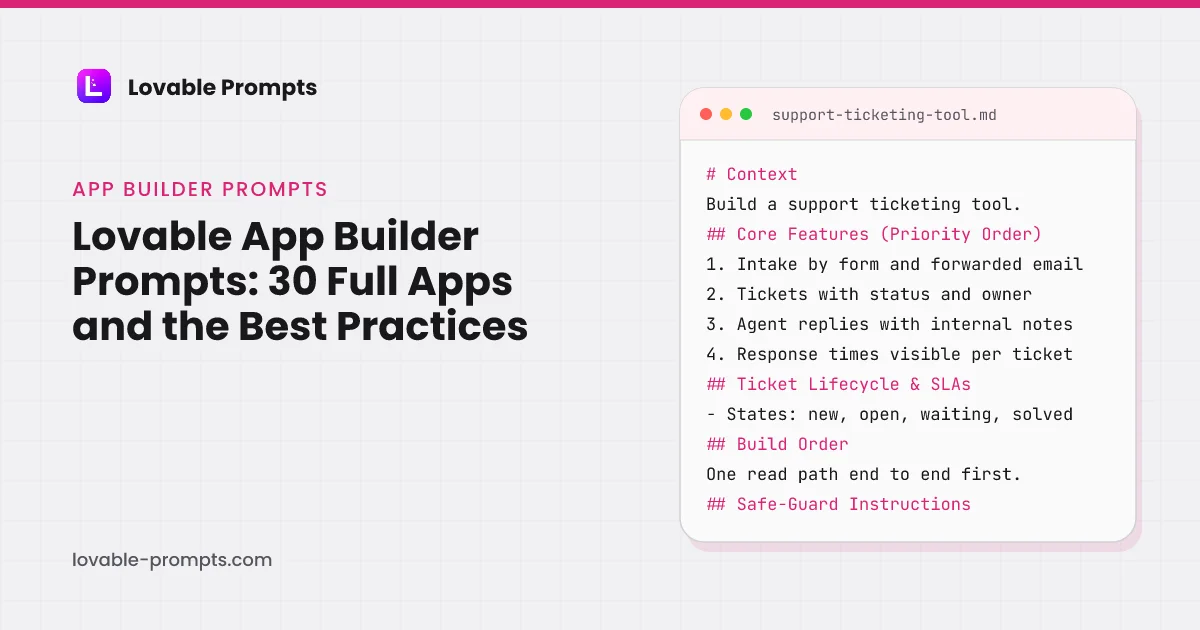
This is the largest category on the site, thirty prompts, and it is the one where prompt quality matters most, because these are whole small applications rather than single screens. Lovable is at its best here and also at its most convincing when it is wrong: a one-line prompt produces every screen of a support tool or a booking system, and none of them is wired to data that survives a refresh.
Every prompt in this category specifies build order rather than only features. That is the difference that shows up in the output, because it stops Lovable from generating an interface it cannot then wire up to data. It is also what Lovable itself recommends: its prompting best practices and its Academy both say to know what you are building first, then build one piece at a time and check it before the next.
Internal Prompt Library Browser
What this prompt is for
An internal prompt library for teams running on AI tools: prompts stored with variables, versions and usage notes, one-click copy with variables filled, so the good prompt stops living in someone's notes app.
When to use it
When the team reuses AI prompts and the best ones keep getting lost or forked. Wrong for a public library; this is the internal knowledge base pattern.
# Context
Build an internal prompt library: team members store prompts with named variables, copy them with variables filled from a form, track versions as prompts improve, and see which prompts the team actually uses.

## Core Features (Priority Order)
1. Prompt entries: title, body with {variable} placeholders, category, usage notes, owner
2. Copy flow: clicking copy opens a variable form, outpuChannel-Optimized Pro Version
This prompt has a Pro version optimized for Product-led Growth. Unlock to get product-channel fit guidance and distribution-ready features.
CRM Lite with Contact Management
What this prompt is for
A lightweight CRM: contacts with dedup, a pipeline you define, activity logging that takes seconds, and follow-up reminders that surface before deals go quiet.
When to use it
When deals live in a spreadsheet and follow-ups depend on memory. Wrong if you need marketing automation and territories; this is the focused version that gets used.
# Context
Build a lightweight CRM: contacts and companies with duplicate prevention, a definable pipeline, fast activity logging, and a today view that surfaces due follow-ups before deals cool.

## Core Features (Priority Order)
1. Contacts: name, email, company, tags, owner, with company pages aggregating their contacts
2. Pipeline: definable stages, deals with value and expected close, drag bet
Channel-Optimized Pro Version
This prompt has a Pro version optimized for Product-led Growth. Unlock to get product-channel fit guidance and distribution-ready features.
Survey Builder + Results Display
What this prompt is for
A survey builder with a results view worth the responses: question types that fit the job, response integrity rules, completion analytics and results that read as answers, not exports.
When to use it
When you need answers from an audience and generic form tools stop at collection. Wrong for complex branching studies; this is the fast, honest survey layer.
# Context
Build a survey tool: compose surveys from a small set of well-made question types, share by link, protect response integrity, and read results in views that answer the question the survey asked.

## Core Features (Priority Order)
1. Builder: single choice, multiple choice, scale (1-5, 1-10), short text, long text, reorderable
2. Share: public link per survey, open and close dates, respon
Channel-Optimized Pro Version
This prompt has a Pro version optimized for Product-led Growth. Unlock to get product-channel fit guidance and distribution-ready features.
Customer Support Ticketing Tool
What this prompt is for
A support ticketing tool sized for small teams: tickets from email and forms, statuses that mean things, assignment, internal notes, and response-time visibility without enterprise ceremony.
When to use it
When support lives in a shared inbox and things fall through. Wrong at enterprise scale with SLAs and routing trees; this is the version a five-person team actually adopts.
# Context
Build a support ticketing tool: requests arrive by form and forwarded email, become tickets with status and owner, agents reply from the tool with internal notes alongside, and response times are visible.

## Core Features (Priority Order)
1. Intake: a support form and an inbound email address both creating tickets with requester identity
2. Ticket lifecycle: new, open, waiting-on-custom
Channel-Optimized Pro Version
This prompt has a Pro version optimized for Product-led Growth. Unlock to get product-channel fit guidance and distribution-ready features.
Multi-User Chat Interface
What this prompt is for
Multi-user chat that holds up: channels and DMs, reliable delivery with reconnect, history with search, unreads that are correct, and the moderation basics every space eventually needs.
When to use it
When your product needs conversation between users: team spaces, communities, collaboration. Wrong to bolt on casually; chat is a product, budget accordingly.
# Context
Build multi-user chat: channels and direct messages with live delivery, dependable history, correct unread counts, presence, and moderation controls, built to survive reconnects and growth.

## Core Features (Priority Order)
1. Channels: create, join, leave, member list; DMs as private two-person channels on the same model
2. Messages: send, edit with marker, delete with tombstone, live
Channel-Optimized Pro Version
This prompt has a Pro version optimized for Product-led Growth. Unlock to get product-channel fit guidance and distribution-ready features.
Habit Tracker App
What this prompt is for
A habit tracker built around honest streaks: timezone-correct day boundaries, deliberate grace rules, completion logging in one tap, and history that shows patterns rather than guilt.
When to use it
For consumer habit products or the engagement layer inside a wellness app. The streak mechanics are the product; get the day-boundary rules right or nothing else matters.
# Context
Build a habit tracker: users define habits with schedules, check them off in one tap, build streaks computed against their own timezone and declared schedule, and read their history as patterns.

## Core Features (Priority Order)
1. Habits: name, schedule (daily, specific weekdays, N-times-per-week), optional reminder time
2. Check-off: one tap from the main screen, undo within the day,
Channel-Optimized Pro Version
This prompt has a Pro version optimized for Product-led Growth. Unlock to get product-channel fit guidance and distribution-ready features.
Task List with AI Suggestions
What this prompt is for
A task list where AI drafts and you decide: captured tasks get suggested breakdowns, priorities and time estimates, always as accepted-or-dismissed proposals, never silent changes.
When to use it
When plain task lists stall because tasks arrive vague ('sort out onboarding'). Wrong if you want full auto-planning; the human stays the editor here.
# Context
Build a task list with an AI suggestion layer: fast capture, then per-task proposals (breakdown into subtasks, priority, estimate) rendered as suggestions the user accepts, edits or dismisses, with every acceptance marked.

## Core Features (Priority Order)
1. Capture: one input, enter to add, no required fields at capture time
2. Task basics: done state, due date, notes, manual ordering
Channel-Optimized Pro Version
This prompt has a Pro version optimized for Product-led Growth. Unlock to get product-channel fit guidance and distribution-ready features.
Booking System (Date + Confirm)
What this prompt is for
A booking flow that cannot double-book: date and slot picking against defined availability, atomic slot holds, explicit confirmation with reschedule and cancel paths that respect notice rules.
When to use it
For appointment businesses and booking features: the pattern is availability, atomic hold, confirm, remind. Wrong for multi-resource scheduling; that is the resource-booking prompt.
# Context
Build a booking system: visitors pick a service, see genuinely available slots in their timezone, book with an atomic hold that makes double-booking impossible, and manage their booking through links that respect your notice rules.

## Core Features (Priority Order)
1. Services: name, duration, buffer before/after, active hours per weekday
2. Slot display: available times computed from h
Channel-Optimized Pro Version
This prompt has a Pro version optimized for Product-led Growth. Unlock to get product-channel fit guidance and distribution-ready features.
Member Directory with Search
What this prompt is for
A member directory with consent-first profiles: searchable and filterable member listings where every field's visibility is the member's choice, built for communities that want discovery without exposure.
When to use it
For communities, alumni networks and professional groups where member discovery is the value. Wrong as a public people-scraper; consent gates everything here.
# Context
Build a member directory: members complete profiles with per-field visibility choices, browse and search each other by skills, location and interests, and connect through the directory without exposing contact details until they choose to.

## Core Features (Priority Order)
1. Profiles: name, photo, headline, skills tags, location, links, about, each field with a visibility toggle (membe
Channel-Optimized Pro Version
This prompt has a Pro version optimized for Community-led Growth. Unlock to get product-channel fit guidance and distribution-ready features.
Simple Blog CMS
What this prompt is for
A small CMS that publishes properly: markdown posts with drafts and scheduling, server-rendered article pages with correct metadata, feeds and sitemaps, so the writing gets the distribution it earns.
When to use it
When a product or project needs a blog and hosted platforms feel wrong. Wrong for multi-author editorial workflows; this is the focused single-site engine.
# Context
Build a simple blog CMS: write in markdown with live preview, manage drafts and scheduled publishing, and serve posts as fast server-rendered pages with the metadata, feed and sitemap that make content findable.

## Core Features (Priority Order)
1. Editor: markdown with preview, title, slug (editable before first publish, locked after), excerpt, cover image
2. States: draft, scheduled w
Channel-Optimized Pro Version
This prompt has a Pro version optimized for Organic SEO. Unlock to get product-channel fit guidance and distribution-ready features.
File Upload + Preview
What this prompt is for
A file upload component with previews done right: instant local previews, progress per file, type and size validation both sides, and graceful failure that never eats a file silently.
When to use it
As the reusable upload building block anywhere files enter your app. Wrong to rebuild per feature; build once with the edge cases, reuse everywhere.
# Context
Build a reusable file upload component: drag-drop and picker input, instant local previews, per-file progress with cancel and retry, validation before and after transfer, and an interface other features consume.

## Core Features (Priority Order)
1. Input: drag-drop zone with keyboard-accessible picker fallback, multi-file
2. Local previews immediately on selection: image thumbnails, PDF
Channel-Optimized Pro Version
This prompt has a Pro version optimized for Product-led Growth. Unlock to get product-channel fit guidance and distribution-ready features.
AI Email Template Builder
What this prompt is for
An AI email template builder that respects email reality: table-based responsive templates with merge fields, brand settings applied automatically, and client-compatibility rules the generator cannot break.
When to use it
When a team sends recurring emails and every new template means fighting an editor or an engineer. Wrong for one-off sends; this builds the reusable layer.
# Context
Build an AI email template builder: describe the email's job, get a client-compatible HTML template with your brand applied and merge fields placed, editable in a structured editor before export or send.

## Core Features (Priority Order)
1. Brand settings once: logo, colors, font stack, footer block with the legally required bits
2. Generate from a brief: 'a welcome email with one CTA'
Channel-Optimized Pro Version
This prompt has a Pro version optimized for Product-led Growth. Unlock to get product-channel fit guidance and distribution-ready features.
Poll & Results Display
What this prompt is for
A poll tool built for the share moment: one question, instant voting without friction, live results that render beautifully, and duplicate protection proportionate to the stakes.
When to use it
For engagement features and quick community decisions where the result's shareability is half the point. Wrong for research; that is the survey prompt.
# Context
Build a poll tool: create a one-question poll in seconds, share a link, voters answer in one tap and see live results immediately, with the results view designed to be screenshotted and embedded.

## Core Features (Priority Order)
1. Create: question, 2-6 options, optional close time, done in one screen
2. Vote: one tap, no account, results revealed after voting, changeable while the pol
Channel-Optimized Pro Version
This prompt has a Pro version optimized for Organic Socials. Unlock to get product-channel fit guidance and distribution-ready features.
Simple Quiz Builder
What this prompt is for
A quiz builder for scored and outcome quizzes: questions with weighted answers, result screens worth reaching, and the scoring transparency that makes results feel earned rather than arbitrary.
When to use it
For lead-gen quizzes, learning checks and personality-style outcomes: the quiz is a funnel with feedback. Wrong for proctored assessment; this is engagement scoring.
# Context
Build a quiz builder: authors compose scored quizzes (points toward a total) or outcome quizzes (answers weighted toward result buckets), takers get a satisfying result screen, and completion is measured per question.

## Core Features (Priority Order)
1. Builder: question with 2-5 answers, per-answer points (scored mode) or per-answer outcome weights (outcome mode)
2. Result screens: sc
Channel-Optimized Pro Version
This prompt has a Pro version optimized for Product-led Growth. Unlock to get product-channel fit guidance and distribution-ready features.
Budget Planner Tool
What this prompt is for
A budget planner with money handled correctly: envelope-style category budgets, transactions in integer cents, month rollover rules you choose, and a month view that says what is left, not what happened.
When to use it
For consumer finance features and personal-tool products where the job is 'can I spend this?'. Wrong for accounting or bank sync; this is planning-first, entry is manual.
# Context
Build a budget planner: monthly budgets per category, fast manual transaction entry, and a month view answering 'what is left where', with rollover behavior the user chooses per category.

## Core Features (Priority Order)
1. Categories with monthly budget amounts, grouped (essentials, lifestyle, goals), editable mid-month with the change logged
2. Transaction entry: amount, category, op
Channel-Optimized Pro Version
This prompt has a Pro version optimized for Product-led Growth. Unlock to get product-channel fit guidance and distribution-ready features.
Reading List Tracker
What this prompt is for
A reading list tracker with capture that keeps up: save links and books in seconds, a status flow that admits abandonment honestly, notes at the moment of finishing, and a library that resurfaces instead of accumulating.
When to use it
For personal-knowledge products and content-heavy communities: the pattern is capture, status, resurface. Wrong as a social review platform; this is the private-first version.
# Context
Build a reading list tracker: capture articles and books fast, move them through an honest status flow, attach notes when finishing, and get resurfacing that turns the pile into a practice.

## Core Features (Priority Order)
1. Capture: paste a URL (title and site auto-fetched) or type a book title, tags optional, under five seconds
2. Statuses: to-read, reading, finished, abandoned; aba
Channel-Optimized Pro Version
This prompt has a Pro version optimized for Product-led Growth. Unlock to get product-channel fit guidance and distribution-ready features.
Contact Form Backend Storage
What this prompt is for
A contact form with a backend that takes submissions seriously: validated storage, spam defense in layers, notification routing, and an inbox view with states, because a lost lead is the most expensive bug a site can have.
When to use it
For any site where the form is how business arrives. Wrong to treat as a mailto with styling; the backend and the follow-up discipline are the feature.
# Context
Build a contact form backend: submissions validate and store first, notify reliably second, sit in an inbox with handled-states third, with spam defense layered in from the start.

## Core Features (Priority Order)
1. The form: name, email, message, optional topic select, inline validation, a success state that sets response expectations
2. Storage first: every valid submission is stored
Channel-Optimized Pro Version
This prompt has a Pro version optimized for Product-led Growth. Unlock to get product-channel fit guidance and distribution-ready features.
Resource Booking Manager
What this prompt is for
A resource booking manager for shared things: rooms, equipment and desks with per-resource rules, conflict-free reservations, and utilization visibility, the multi-resource sibling of the appointment flow.
When to use it
When a team shares finite resources and the current system is a taped-up sign. Wrong for customer appointments; that is the booking-system prompt.
# Context
Build a resource booking manager: define resources with their rules, let members reserve conflict-free time slots, see availability at a glance, and give admins the utilization picture.

## Core Features (Priority Order)
1. Resources: name, type, location, capacity where relevant, per-resource rules (min/max duration, advance-booking window, approval required or not)
2. Booking: pick res
Channel-Optimized Pro Version
This prompt has a Pro version optimized for Product-led Growth. Unlock to get product-channel fit guidance and distribution-ready features.
AI Recipe Idea Generator
What this prompt is for
An AI recipe generator grounded in what you have: ingredients in, structured recipes out with substitutions and honest caveats, dietary constraints enforced, and the pantry logic that makes it a tool instead of a toy.
When to use it
For consumer food products or as the pattern for constrained-generation apps: inventory in, structured output with hard constraints out. The dietary rules are the engineering.
# Context
Build a recipe generator: users enter available ingredients and constraints, get structured recipes (ingredients with amounts, ordered steps, time and servings) that respect the constraints absolutely, with substitutions where the pantry falls short.

## Core Features (Priority Order)
1. Ingredient input: type-ahead entry with quantities optional, a persistent pantry list for staples
2.
Channel-Optimized Pro Version
This prompt has a Pro version optimized for Product-led Growth. Unlock to get product-channel fit guidance and distribution-ready features.
AI Job Description Creator
What this prompt is for
An AI job description creator with a structure and a conscience: role briefs in, structured postings out, with inclusive-language checking, requirement discipline, and the salary-transparency field where law or decency demands it.
When to use it
When hiring happens often enough that postings are written from scratch or copied from the last one. Wrong as a resume screener; this is the outbound side only.
# Context
Build a job description creator: a short role brief generates a structured posting (summary, responsibilities, requirements split hard/nice, benefits, process), run through language and requirement checks before anyone can copy it.

## Core Features (Priority Order)
1. The brief: role title, level, team context, 3-5 duty bullets, location/remote, salary range field
2. Generation into fix
Channel-Optimized Pro Version
This prompt has a Pro version optimized for Product-led Growth. Unlock to get product-channel fit guidance and distribution-ready features.
Quick Notes + Tags
What this prompt is for
A notes tool built on capture speed and tag discipline: instant entry, inline #tags that become structure, search that is actually fast, and zero organizing ceremony between thought and stored.
When to use it
For the capture layer of any productivity product: the pattern is speed first, structure as a byproduct. Wrong for long-form documents; this is for thoughts, not chapters.
# Context
Build a quick-notes tool: a note is captured in under two seconds from anywhere in the app, #tags typed inline become the only organization, and search plus tag filters retrieve anything fast enough to trust the pile.

## Core Features (Priority Order)
1. Capture: a global input (keyboard shortcut opens it anywhere), enter saves, no required fields, no folders
2. Inline tags: #words in t
Unlock Pro Features
Get channel-optimized prompts with product-channel fit guidance for SEO, PLG, Social, Sales, and more.
AI Meeting Notes to To-Dos
What this prompt is for
An AI layer that turns meeting notes into owned to-dos: paste or import notes, extract action items with owner and due-date candidates, confirm in one review pass, and track completion where the team already works.
When to use it
When meetings end and the actions evaporate. Wrong as a transcription tool; this starts from notes that exist and ends at tasks that get done.
# Context
Build a meeting-notes-to-todos tool: notes go in, an extraction pass proposes action items with owners and dates where stated, a human confirms in one review screen, and confirmed items become tracked tasks.

## Core Features (Priority Order)
1. Input: paste notes or upload a text/markdown file, with meeting title and date
2. Extraction: proposed action items, each with the source line q
Unlock Pro Features
Get channel-optimized prompts with product-channel fit guidance for SEO, PLG, Social, Sales, and more.
AI Customer FAQ
What this prompt is for
An AI-powered FAQ that answers from your content only: curated sources in, cited answers out, unanswered questions mined into new FAQ entries, with escalation that hands off gracefully.
When to use it
When the same questions arrive weekly and the answers exist somewhere. Wrong without content to ground in; this is retrieval over your answers, not an oracle.
# Context
Build an AI customer FAQ: a curated set of Q&A entries and help content answers visitor questions with citations, questions the corpus cannot answer are said so honestly and logged, and the log becomes new entries.

## Core Features (Priority Order)
1. The corpus: FAQ entries (question, answer, category) managed in an admin view, plus optional imported help articles
2. Ask interface: a q
Unlock Pro Features
Get channel-optimized prompts with product-channel fit guidance for SEO, PLG, Social, Sales, and more.
Appointment Availability Scheduler
What this prompt is for
An availability scheduler for people, not resources: recurring weekly availability, exceptions and buffers, timezone-proof slot offering, and the booking-link flow that replaced the back-and-forth email thread.
When to use it
For calendly-shaped scheduling inside your product: one person's availability offered as bookable slots. Wrong for shared rooms and equipment; that is the resource-booking prompt.
# Context
Build an appointment scheduler: a host defines weekly availability with exceptions and buffers, shares a booking link per meeting type, and invitees pick from live slots rendered in their own timezone, with the resulting appointment protected against conflicts.

## Core Features (Priority Order)
1. Meeting types: name, duration, location mode (call link, phone, in person), buffer before/
Unlock Pro Features
Get channel-optimized prompts with product-channel fit guidance for SEO, PLG, Social, Sales, and more.
AI Event Recommendations
What this prompt is for
An AI recommendation layer for events: preference signals in, ranked suggestions out, with every recommendation carrying its because-line, and the feedback loop that makes week three smarter than week one.
When to use it
For event platforms and community calendars where discovery is the bottleneck. Wrong with a thin catalog; recommendations need inventory before intelligence.
# Context
Build event recommendations: users express preferences implicitly (views, saves, attendance) and explicitly (topics, formats, times), and a ranked 'for you' feed suggests events with a stated reason per suggestion.

## Core Features (Priority Order)
1. Preference capture: explicit topic and format picks at onboarding, plus implicit signals (viewed, saved, attended, dismissed) recorded fr
Unlock Pro Features
Get channel-optimized prompts with product-channel fit guidance for SEO, PLG, Social, Sales, and more.
Internal Tool Dashboard Builder
What this prompt is for
An internal dashboard builder on defined data sources: widgets composed from approved queries, layouts per team, refresh rules that respect the database, and sharing that respects access.
When to use it
When teams keep asking engineering for one more dashboard. Wrong as a BI replacement; this is the curated middle: approved queries, composable widgets, zero SQL in the UI.
# Context
Build an internal dashboard builder: engineering defines approved data sources (named queries with parameters), teams compose dashboards from widgets bound to those sources, with layout, refresh and sharing handled properly.

## Core Features (Priority Order)
1. Source registry: named queries with typed parameters, owner, description and allowed visualizations, defined in code
2. Widgets
Unlock Pro Features
Get channel-optimized prompts with product-channel fit guidance for SEO, PLG, Social, Sales, and more.
Knowledge Base / Help Center
What this prompt is for
A help center that deflects honestly: structured articles with ownership and freshness, search that finds answers, feedback that routes to owners, and the article-health loop that fights documentation rot.
When to use it
When support repeats itself and the answers deserve URLs. Wrong as a marketing blog; this is task-focused documentation with a deflection job.
# Context
Build a help center: categorized articles with owners and review dates, fast search, was-this-helpful feedback routed to owners, served as fast indexable pages that measurably deflect tickets.

## Core Features (Priority Order)
1. Articles: title, task-focused body (markdown with step lists and callouts), category, owner, last-reviewed date
2. Structure: categories with descriptions, fea
Unlock Pro Features
Get channel-optimized prompts with product-channel fit guidance for SEO, PLG, Social, Sales, and more.
Employee Directory App
What this prompt is for
An employee directory that answers 'who does what and who do I ask': profiles with roles, teams and expertise tags, org structure that stays current, and search built for the new-hire question.
When to use it
When the company outgrows everyone-knows-everyone and the org chart lives in a stale slide. Wrong as an HR system; this is the discovery layer, not the record of employment.
# Context
Build an employee directory: profiles with role, team, expertise and contact preferences, a browsable team structure, and search tuned for 'who knows about X', with the data kept current by design rather than by nagging.

## Core Features (Priority Order)
1. Profiles: name, photo, role title, team, location/timezone, expertise tags, how-to-reach-me preferences, a short now-working-on lin
Unlock Pro Features
Get channel-optimized prompts with product-channel fit guidance for SEO, PLG, Social, Sales, and more.
Form Builder with Conditional Logic
What this prompt is for
A form builder with conditional logic that stays debuggable: field types with validation, show-when rules one level deep, a live preview that explains itself, and submissions stored with the logic version that shaped them.
When to use it
When forms need branching (different questions for different answers) and static forms mean six near-duplicate versions. Wrong for surveys with analysis needs; that is the survey prompt.
# Context
Build a form builder with conditional logic: authors compose fields with validation, attach show-when rules, preview the branching live, and collect submissions that record which path the respondent took.

## Core Features (Priority Order)
1. Field types: text, email, number with ranges, select, multi-select, date, file upload, each with required and validation options
2. Conditions: sho
Channel-Optimized Pro Version
This prompt has a Pro version optimized for Product-led Growth. Unlock to get product-channel fit guidance and distribution-ready features.
Kanban Board for Workflow Tracking
What this prompt is for
A kanban board that models your actual workflow: columns as stages with entry rules and WIP limits, cards that carry their history, and the flow metrics (cycle time, aging) that make bottlenecks visible.
When to use it
When work moves through stages and the current board is either a wall of stickies or a tool nobody configured. The WIP limits and aging are the point; without them it is a list with columns.
# Context
Build a kanban workflow board: columns represent your stages with optional WIP limits, cards move by drag with history recorded, and the board surfaces flow health (aging cards, cycle time) instead of just position.

## Core Features (Priority Order)
1. Board: columns definable with names, order and optional WIP limit; cards with title, description, assignee, labels
2. Movement: drag bet
Channel-Optimized Pro Version
This prompt has a Pro version optimized for Product-led Growth. Unlock to get product-channel fit guidance and distribution-ready features.
Every Prompt, Every Kit, One Payment
All 30 prompts plus every Pro variant and build kit in one bundle, plus unlimited prompt generation, $199 once. Or sign up free to copy prompts one at a time.
Browse More Categories
Related Resources
The Complete Lovable Bundle
$199 once. Unlimited generation, every prompt, every kit, every future dropEvery prompt, every Pro variant, all four build kits and every future drop, in one Notion workspace. One payment, never a subscription.
Get the 151-Prompt BundleWhich growth channels do these prompts serve?
Every prompt in this category carries a distribution section naming the channel it is built for, so the generated app has a way of being found rather than only a feature set. The chart counts primary and secondary coverage together, computed from the prompt bodies when the site is built.
| Category | prompts |
|---|---|
| Product-led Growth | 24 |
| B2B Sales / LinkedIn | 11 |
| Email Marketing | 11 |
| Organic Socials | 9 |
| Organic SEO / AI Search | 6 |
| Community-led Growth | 6 |
| Short-Form Video | 2 |
| Paid Search | 1 |
Computed from the channel mapping in each prompt at build time; a prompt can serve more than one channel.
What are the best practices for prompting the Lovable app builder?
Four, and Lovable states all of them itself. Know what you are building before you build it; build one piece at a time and check it; say exactly what you want and what to leave alone; and keep the decisions in the project knowledge so you do not restate them. Those are the section headings of Lovable's own Academy page on prompting (read on 26 September 2026), and the docs put the third one as a rule: a good change prompt has "what to build, where it goes, and what must stay untouched".
The thirty prompts here are those four practices written down for a specific app. The Context line is the plan: who uses it and what they do. The numbered Core Features are the pieces in the order they should exist. The rules section, named for the app (Ticket Lifecycle & SLAs, Slot Rules & Double-Booking, Board Model & WIP Limits, and so on, thirty different ones across the thirty prompts), is the "what exactly" a one-line prompt never carries. Build Order and Safe-Guard Instructions are the "one piece at a time" and the "leave alone", and the closing Before Building section makes Lovable ask about the rest and save the answers to the knowledge file.
How is an app builder prompt in this library built?
The support ticketing prompt is a representative one: the second most upvoted in the category, and shaped like every other prompt here. Its sections, read from the prompt body, are below. The rules section is the part that varies per app; the other five are the same skeleton across all thirty, which is why two prompts from this category can be run in sequence on one project without contradicting each other.
- Context: Requests arrive by form and email, become tickets, get answered in the tool.
- Core Features (Priority Order): Intake, ticket, status and owner, agent replies, response times.
- Ticket Lifecycle & SLAs: The rules a screen cannot show: states, ownership, response targets.
- Build Order: One read path end to end, then the write path, then the rest.
- Safe-Guard Instructions: What stays untouched and what never leaves the server.
- Before Building: Lovable asks its questions, then saves the answers.
Headings read from the prompt body of support-ticketing-tool in this library.
Median length across the category is about 250 words, measured from the prompt data, which is long enough to fix the data model and the build order and short enough to read before pasting. Lovable's idea-to-app guide suggests spending fifteen minutes on four planning questions before the first prompt; the Context and rules sections here are that fifteen minutes, done once per app shape.
Which Lovable mode belongs to which step of building an app?
Lovable has more than one way to send a message, and the app-level prompts here assume you use them in order. Its Plan mode "investigates your project and writes a structured plan you can review, edit, and approve before any code is written"; code changes "only happen after you approve a plan and Lovable switches to Build mode"; a Plan mode message "costs one credit, plus the cost of any subagent research" (all read on 26 September 2026). The knowledge file holds up to 10,000 characters of persistent context per project, and Lovable "reads your project knowledge, workspace knowledge, and project code" before every edit.
- Fill knowledge: purpose, personas, schema
- Paste prompt: Build mode, one app
- Answer questions: then it builds
- Check one path: read, then write
- Plan mode for fixes: after 2 to 3 misses
Sequence from Lovable's knowledge, Plan mode and idea-to-app documentation and its Academy prompting page, read on 26 September 2026, applied to the prompts on this page.
So the sequence for a whole app is the flow below: write the app's purpose, personas, schema and constraints into the project knowledge, which is exactly the list Lovable's docs recommend for it; run the prompt from this page in Build mode and let it ask its questions; check the first read path; then run the next prompt or a Plan mode message for anything that needs investigation, such as a bug after two or three failed fixes, which is when the idea-to-app guide says to switch modes rather than repeat the request.
What did whole-app prompts from this library do in Lovable when we ran them?
We have run three prompts from this library unedited in fresh Lovable projects in Marco's own workspace and recorded what happened, and all three followed the same pattern that applies to every app prompt on this page. On 31 July 2026 the email opt-in landing page came back complete in one round for 1.8 credits. On 26 September 2026 the states-system prompt and the SaaS foundation prompt each made Lovable stop and ask two to three questions first, about who the users are, which screen comes first and, for the SaaS, how the workspace is named and how invites travel, before it enabled Lovable Cloud and built. The states run cost 9.5 credits including Cloud provisioning; the screenshots and the credit readings are on the UI prompts and landing page prompts pages.
Two things transfer directly to this category. The questions Lovable asks are the ones the Context line of each prompt answers, so the better that line is edited for your app, the shorter the question round. And the first build is only as good as the read path you check afterwards: Lovable reported verifying the task list against slow loads and failures because the prompt told it what those states were. A whole-app prompt with a rules section gets checked against the rules; a one-line prompt gets checked against nothing.
How do these differ from the Lovable tutorials that rank for this search?
The guides that rank for app-builder searches (checked 26 September 2026) walk through the editor: plan, generate, connect Supabase, edit code, deploy. The most complete of them runs about 2,500 words with three screenshots, describes "well-crafted prompts" without printing one, and covers neither a build order nor the data model nor what a build costs. They are good orientation for the interface and say nothing about what to type into it.
The prompts here are the other half. Each one is the full text you paste, with the data model implied by its rules section, the order the pieces get built in, and the lines that keep Lovable from touching what already works. Read the tutorial once to learn the editor, then start from a prompt here rather than from a description of what a good prompt would contain.
Which App Builder prompts do builders upvote most?
Every card on this page carries an upvote, one per visitor, and the cards are sorted by it. The counts below are read from the database when the page is rendered and refresh hourly, so they can lag a card by a vote or two. They are the first thing we look at when deciding which prompt in a category to extend.
| Category | upvotes |
|---|---|
| Internal Prompt Library Browser | 8 |
| Customer Support Ticketing Tool | 6 |
| Multi-User Chat Interface | 4 |
| Booking System (Date + Confirm) | 2 |
| Habit Tracker App | 2 |
| AI Event Recommendations | 1 |
Upvotes recorded on lovable-prompts.com since January 2026 for this category, 35 in total, one vote per visitor. Read from the database at render time.
Which app builder prompt to use
Match the data shape, not the industry label. A habit tracker, a reading list and a quick-notes tool are the same shape, so pick whichever prompt is closest and change the nouns. Kanban Board for Workflow Tracking, Simple Blog CMS and Member Directory with Search are the three most reused shapes on the site, because a board, a content list and a searchable directory cover most internal tools.
If people other than you will use it, Customer Support Ticketing Tool, Knowledge Base / Help Center and Form Builder with Conditional Logic assume multiple users and permissions from the start. Internal Tool Dashboard Builder and Employee Directory App are the ones written for a company rather than a person.
If the app is mostly an AI wrapper, the AI prompts in this category and in API & Integration overlap. Build the interface here and take the model call from there.
Suggested build order
For anything in this category, the same sequence applies regardless of which prompt you pick. It is the one-piece-at-a-time rule from Lovable's Academy page applied to a data-backed app.
Get one read path working end to end
A single list rendering live data beats six screens rendering placeholders.
Prompt: Internal Prompt Library Browser
Then the write path
Validation and error states specified with the form, not after it.
Prompt: Form Builder with Conditional Logic
Add the state model
Anything with status, assignment or ordering needs this before more screens.
Prompt: Kanban Board for Workflow Tracking
Then aggregate views
Dashboards last, because they depend on every other model being settled.
Prompt: Internal Tool Dashboard Builder
Where app builder prompts usually go wrong
- Asking for the whole app in one prompt. Lovable will produce all of it and none of it will be finished. Sequence the prompt, or split it, which is what the Build Order section in each of these is for, and what Lovable's own guide means by splitting a prompt that uses "and" more than twice.
- Leaving out who the user is. The single line that changes the output most in this category is the one naming the person using the app, because it decides which features get priority. It is also the first question Lovable asks when the line is missing, which we saw on both runs on 26 September 2026.
- Accepting the first data model. Lovable optimises for a working screen, not a schema you can extend. Read the model before adding the second feature, while changing it is still cheap.
- Repeating a failed fix. After two or three misses, switch to Plan mode and let it investigate; its docs price a plan message at one credit plus research, which is cheaper than a fourth Build attempt.
Frequently asked
What are the best practices for prompting the Lovable app builder?↓
Four things, and Lovable's own Academy page lists them: know what you are building first, build one piece at a time and check it, say exactly what you want and what to leave alone, and keep decisions in the project knowledge. The prompts here encode all four: a Context line, numbered features, a rules section, a build order, safe-guards and a closing section that makes Lovable ask before building.
Are these Lovable app builder templates?↓
They are prompts that generate the app inside your own Lovable project. That is a meaningful difference for this category, because a template fixes a data model up front and thirty different app shapes need thirty different models. Each prompt's rules section implies the model for its app.
How long should a Lovable prompt be?↓
Long enough to specify priority, build order and constraints, which in practice is a few hundred words. The prompts here run at a median of about 250 words, measured from the data. Short prompts are not faster, because the time comes back as rebuild time.
Should I use Plan mode or Build mode for these prompts?↓
Build mode, with the Before Building section doing the planning: Lovable asks its questions and then builds. Plan mode is for what comes after, per Lovable's docs: scoping a larger feature or investigating a bug before implementation. A Plan mode message costs one credit plus any research it runs and changes no code until you approve the plan.
What goes in the knowledge file for an app like these?↓
Lovable's docs recommend the application's purpose, user personas, database schema, architecture decisions, domain terminology, constraints, design guidelines and security requirements, in bullet lists, up to 10,000 characters. The Context and rules sections of the prompt you pick are the first draft of that file.
Can I combine two prompts from this category?↓
Yes, but run them in sequence rather than concatenating them. Two merged prompts produce two half-built features, whereas running the second against the working output of the first gives Lovable existing context to extend, which is the one-prompt-at-a-time rule from its own library page.
Related reading
- the Lovable app builder guide
A tour of the editor with our screenshots.
- UI prompts for the shell and states
Navbar, dialogs, tables, empties.
- backend prompts
Roles, jobs and recovery for a data-backed app.
- the CRM build kit
Contacts, deals and RLS that blocks reassignment.
- credits per measured run
1.8 to 10.4 across three prompts.
- Claude Code commands and skills
The same idea on the other side of the terminal.
- Lovable alternatives compared
Six tools, prices re-verified.
- the prompting handbook
Channel first, then the prompt.
- getting the first 100 users
What to do once the app runs.
- idea to app, measured
Brief, prompt, build, publish, first users.
- Base44 alternatives
If the app is moving from another builder.
- Lovable mobile app
What a Lovable app can be on a phone, from the docs.
- app ideas
The thirty apps as ideas, grouped by channel and ranked by upvotes.
- SaaS ideas
Fifteen of these apps as SaaS, with the mechanics that make them chargeable.
- AI app ideas
Six of these apps as AI app ideas, with grounding rules.
- CRM app prompts
CRM Lite expanded into ten briefs on a proven schema.
- what is an AI app builder
How a prompt becomes an app with a backend, measured.
Sources
All checked on 26 September 2026.
Updated .
Written by

Marco Kohns
Founder of ProtoBites - Venture Growth Studio
Growth PM at a Silicon Valley scale-up (a16z and General Catalyst backed), ex-Techstars where he consulted 13 early-stage startups, Reforge-trained. Every prompt on this site comes out of shipping ProtoBites' own portfolio products.
Help shape this product
We're building this in public and your input genuinely matters.
If something felt confusing, missing, or especially useful, I'd love to hear about it. It takes ~30 seconds and helps me improve the parts that matter most.
Share quick feedbackGoes straight to the builder. No marketing questions. No auto-replies.