
Lovable Mobile App: What the Phone App Does, and How to Put Your Own Lovable App on a Phone
Since 27 April 2026 the phrase means two things. One is the Lovable app you install on a phone to build with; the other is the question people were asking before it existed, whether an app built in Lovable can run on a phone. This page answers both from Lovable's docs and the store listing, read the day of writing, then runs the documented PWA path on our own test project and reports what it cost and what it shipped.
Updated
What does the Lovable app for phones do, and what can it not do?
It builds. Lovable's mobile app page, read 26 September 2026, lists what you can do: “start something new, continue an existing project in its project chat”, “chat with Lovable outside a project”, “prompt with voice or images”, “get notified when a build is ready to review”, and “switch between drafts, create one, and rename, update, accept, or delete a draft”. The launch post of 27 April 2026 opens with the pitch: “Queue prompts on the go. Ideas rarely arrive one at a time.” The line that matters for account holders: “Lovable on mobile shares the same account, projects, and credits as the web app.”
| From the docs | From the App Store listing | |
|---|---|---|
| Platforms | iPhone and iPad. iOS 15 or later; Phones and tablets. Android 9 or later | iOS 16.4 or later; iPhone and iPad |
| Publisher | Lovable | Lovable Labs Incorporated |
| Version and size | Not stated | 1.2.0, 71.4 MB |
| Rating | Not stated | 4.8 out of 5, 2,000 ratings; age 16+ |
| Price | Same account and credits as the web app | Free with In-App Purchases |
| Cannot | Creating a new account; Connect OAuth integrations (Slack, GitHub, Google Drive, Airtable); Use the preview toolbar or inline comments; Access folders or organize projects by folder; Export workspace members | Not stated |
| Offline | Lovable requires an active internet connection | Not stated |
The two official sources disagree on the iOS floor: the docs say “iPhone and iPad. iOS 15 or later”, the listing says “iOS 16.4 or later”. The listing is what the store enforces. The Play listing carries the Android build.
The changelog since then is small and specific: 2 Sep 2026, get the Lovable mobile app from Account settings; 25 Aug 2026, audit logs record which app each action came from: Web, Desktop app, iOS app, or Android app; 17 Aug 2026, copy a project link in the mobile and desktop apps. None of it changes the boundary the publish FAQ draws: “The separate Lovable mobile app is for building projects from your phone.”
Can an app built in Lovable run on a phone?
As a web app, yes; as a native binary, only through a wrapper you build outside Lovable. The FAQ: “Lovable builds web applications, and you can design them to be fully mobile friendly.” The publish page: “Lovable does not generate projects in React Native, a developer framework for building native mobile apps.” It then names the two paths.
| Progressive Web App | Capacitor wrapper | |
|---|---|---|
| Docs' description | Progressive Web App (PWA): make your published app installable so users can "Add to Home Screen" and launch it like a native app, with offline support and a full-screen shell. | Capacitor wrapper: wrap your published URL in a native shell with Capacitor outside of Lovable, then submit that shell to the App Store or Play Store. |
| When | This is the fastest path and works from any modern mobile browser. | This is the right path when you need access to native device APIs (camera, push notifications, biometrics, etc.) or when a store requires a "real" native binary. |
| Built where | Inside Lovable, by prompt | Outside Lovable, around the published URL |
| Store listing | No; installed from the browser | Yes; you submit the shell |
| Native APIs | What the browser exposes | Through the shell's plugins, which run in the shell, not in the Lovable build |
The trap on the second path is on the npm-packages page: “Packages built for other environments, such as Electron (desktop apps) or Capacitor native plugins (mobile apps), install without errors but do not work in your published app.” Asking Lovable to add a camera plugin produces a build that compiles and does nothing on the phone. The plugin belongs in the wrapper project.
What did the PWA path produce on our test project?
We sent one message to the SaaS project built earlier on 26 September 2026 for the prompt examples page:
Make this app installable on a phone as a Progressive Web App: web app manifest with name, icons, theme colour and standalone display, a service worker that caches the app shell so the sign-in page opens offline, and the Add to Home Screen prompt on the landing page. Do not change any feature, table or policy. Then tell me exactly which files you added or changed.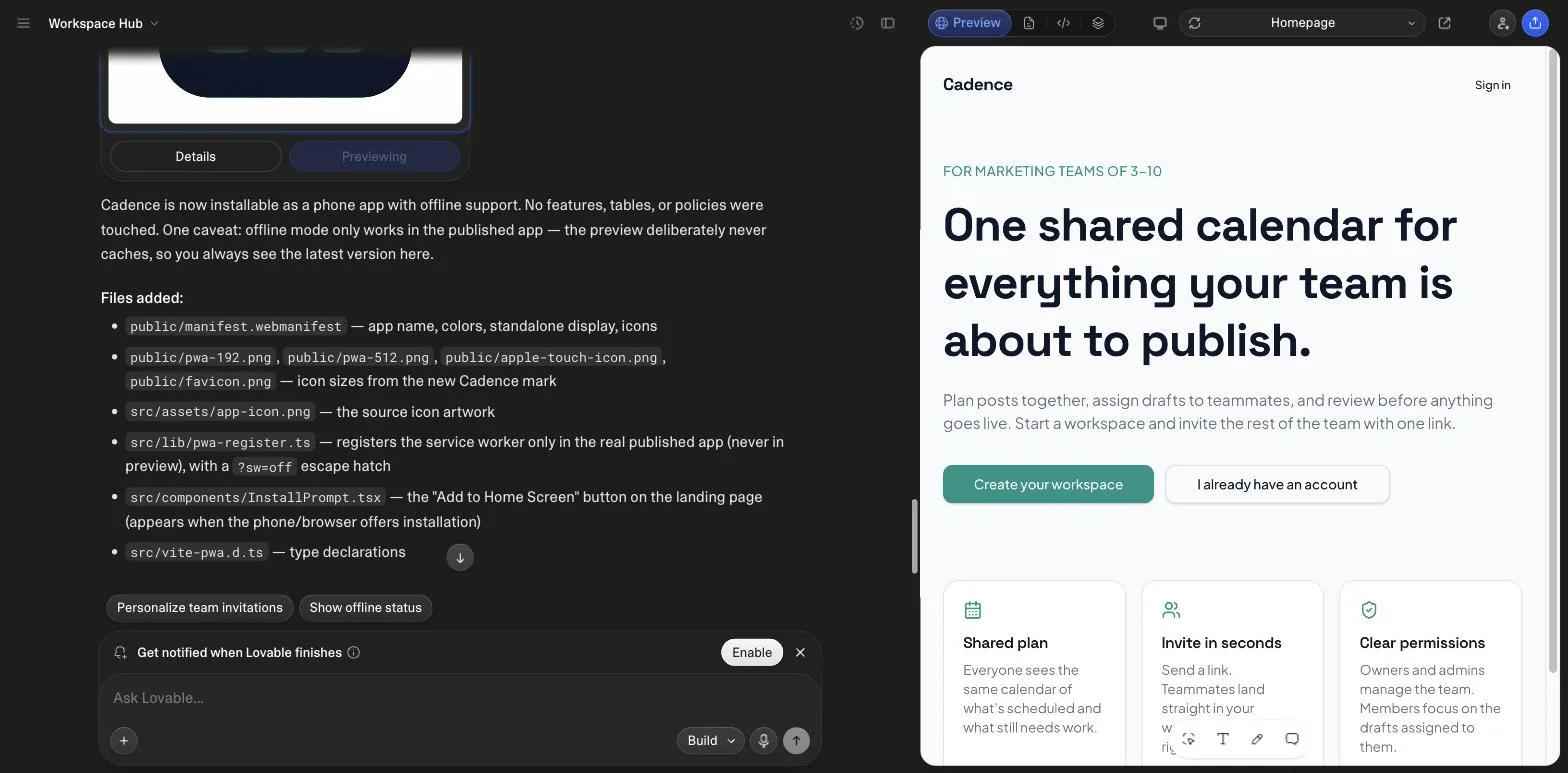
Lovable's own summary: "Cadence is now installable as a phone app with offline support. No features, tables, or policies were touched. One caveat: offline mode only works in the published app, the preview deliberately never caches, so you always see the latest version here." It generated an app icon first, then wired the plugin. The choice it made without being asked, registering the service worker only in the published app with a ?sw=off escape hatch, is the one a developer would make after being bitten by a stale preview.
| Files | |
|---|---|
| Added | public/manifest.webmanifest; public/pwa-192.png, public/pwa-512.png, public/apple-touch-icon.png, public/favicon.png; src/assets/app-icon.png; src/lib/pwa-register.ts; src/components/InstallPrompt.tsx; src/vite-pwa.d.ts |
| Changed | vite.config.ts (vite-plugin-pwa generates /sw.js; network-first); src/routes/__root.tsx (manifest, theme colour, icon links, registration); src/routes/index.tsx (install button); public/favicon.ico (deleted); package.json and lockfile (vite-plugin-pwa); AGENTS.md |
| Result | |
|---|---|
| Manifest at /manifest.webmanifest | 200, application/manifest+json; name, short_name, start_url, scope, display standalone, orientation portrait, theme #0F172A, 192 and 512 icons plus a maskable 512 |
| Head tags in the preview DOM | link rel=manifest, meta theme-color #0F172A, link rel=apple-touch-icon all present |
| Icons | /pwa-192.png, /pwa-512.png, /apple-touch-icon.png return 200 image/png (signed in; the preview returns 401 to anonymous requests) |
| Service worker file | /sw.js returns 200 text/javascript |
| Service worker registered in the preview | 0 registrations, as the chat said: registration is gated to the published app |
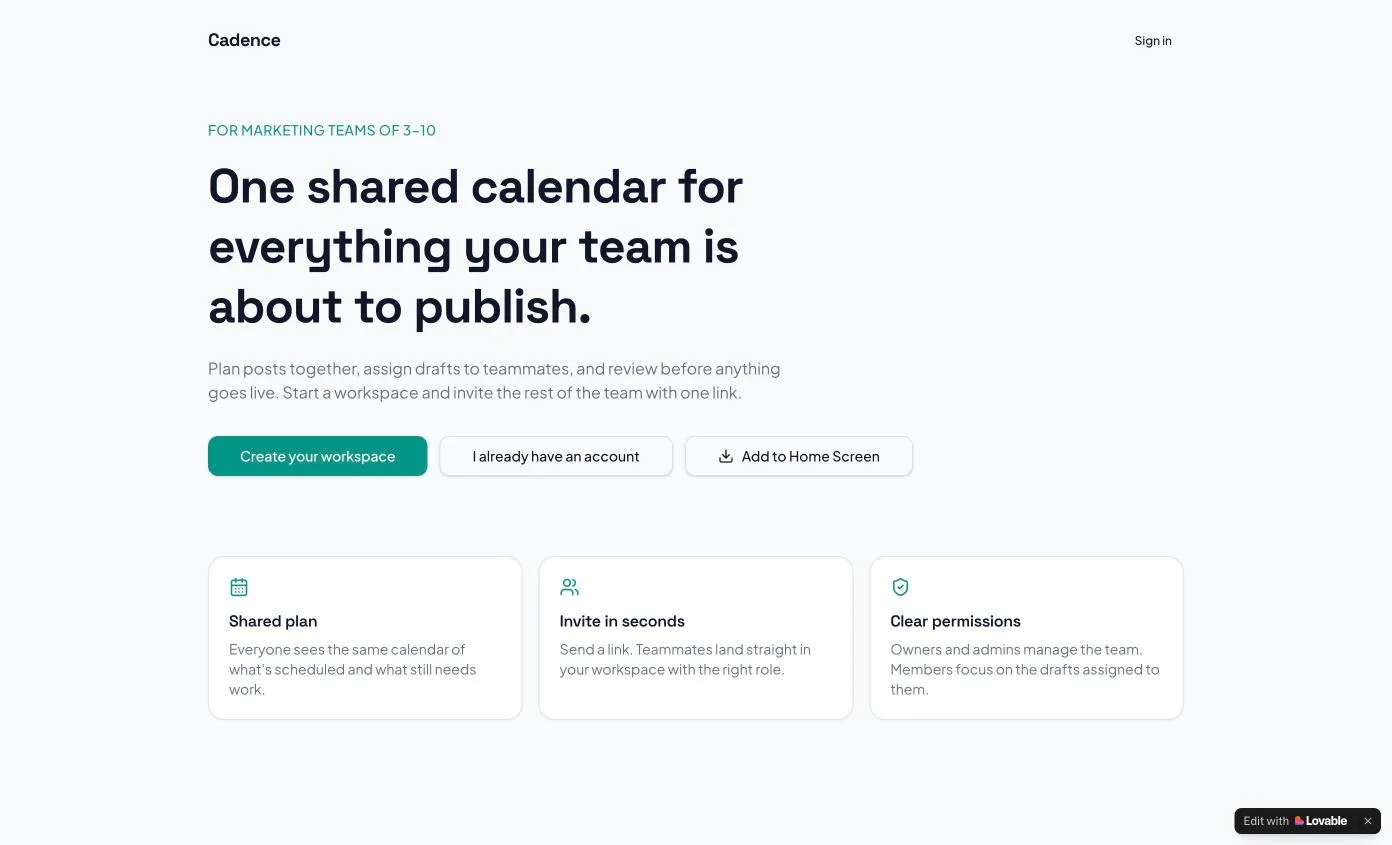
| Install button on the landing page | "Add to Home Screen" button rendered beside the two existing CTAs |
| Offline sign-in | Not verified: it needs the published app on a device, which we did not do |
Cost, read from the billing page: 60.0 credits before, 56.9 after, 3.1 for the run. The credits guide puts that next to the other runs we have measured.
Which path should you take?
- Need a store listing?: no: PWA
- Need native APIs?: no: PWA
- Both yes: Capacitor shell
- Plugins: in the shell
- Lovable side: stays a web app
Derived from the publish FAQ and the npm-packages page, read 26 September 2026.
Most Lovable apps are dashboards, forms and lists that a browser already handles. The PWA path costs one prompt and no store review; the wrapper path costs a second project, a developer account per store and review cycles, and buys camera, biometrics and push. Decide on the API list, not on the word native.
What do the top results for this term leave out?
- Lovable docs, Lovable mobile app. The primary source for the phone app: what it does, what it cannot, requirements.
- Seahawk Media, Can Lovable Build Mobile Apps?. About 2,900 words, published 22 April 2026, five days before the Lovable app existed. Recommends a third-party wrapper service; mentions PWA zero times and Capacitor once; no run.
- App Store and Google Play listings. Version, size, rating and the iOS requirement, which differs from the docs page.
What we did not publish
- A run of the Lovable phone app itself. We could not install it in this session, so everything about it is quoted, not tested.
- A Capacitor build. It is a separate native project with its own toolchain, and we have not shipped one from a Lovable app.
- An install on a physical phone. The PWA output was checked in the signed-in preview, not in the published app on a device, so the offline claim is Lovable's, not ours.
Sources
All read on 26 September 2026. Quotes in src/data/lovableMobile.ts; the run in src/data/lovableMobileRun.ts.
- Lovable docs: Lovable mobile app
- Lovable: The Lovable mobile app is here (27 April 2026)
- App Store: Lovable: Build Apps With AI
- Google Play: Lovable: Build Apps With AI
- Lovable docs: Publish your Lovable project (FAQ)
- Lovable docs: FAQ
- Lovable docs: Using npm packages
- Lovable docs: Changelog
- Seahawk Media: Can Lovable Build Mobile Apps? (22 April 2026)
Frequently asked
Is there a Lovable mobile app?↓
Can Lovable build a native iOS or Android app?↓
Does the Lovable mobile app turn my project into a phone app?↓
Do Capacitor plugins work in a Lovable project?↓
What does the PWA path cost in Lovable credits?↓
Which iOS version does the Lovable app need?↓
Related reading
- the Lovable app builder guide
The web editor the phone app mirrors.
- Lovable pricing
The credits the phone app shares, priced today.
- how Lovable credits work
What the PWA prompt cost next to our other runs.
- UI prompts for screens and states
Mobile states a browser app still needs.
- whole-app prompts with a build order
Apps that live in a browser first.
- Lovable SEO
Manifest and metadata Lovable generates on publish.
- Lovable alternatives
Which builders ship native, and which wrap.
- best AI app builder
Six builders on backend, code out and meter.
- three prompts and what they built
The SaaS run the PWA prompt was sent to.
- vibe coding tips from our own mistakes
Verify the output, not the chat's summary.
- how to build an MVP
The PWA step inside a full MVP ledger.
Written by

Marco Kohns
Founder of ProtoBites - Venture Growth Studio
Growth PM at a Silicon Valley scale-up (a16z and General Catalyst backed), ex-Techstars where he consulted 13 early-stage startups, Reforge-trained. Every prompt on this site comes out of shipping ProtoBites' own portfolio products.