
Claude Code Tutorial: Install to a Shipped Change on One Site
Claude Code is Anthropic's coding agent in a terminal: you describe a change, it reads the files, edits, runs the checks and reports. This tutorial walks the seven steps from install to a shipped change using the website you are reading as the example, so every step has an artefact you can inspect: a timed answer, a commit hash, a gate script, and one day's output counted from git. Docs quoted were read on 27 September 2026.
Updated
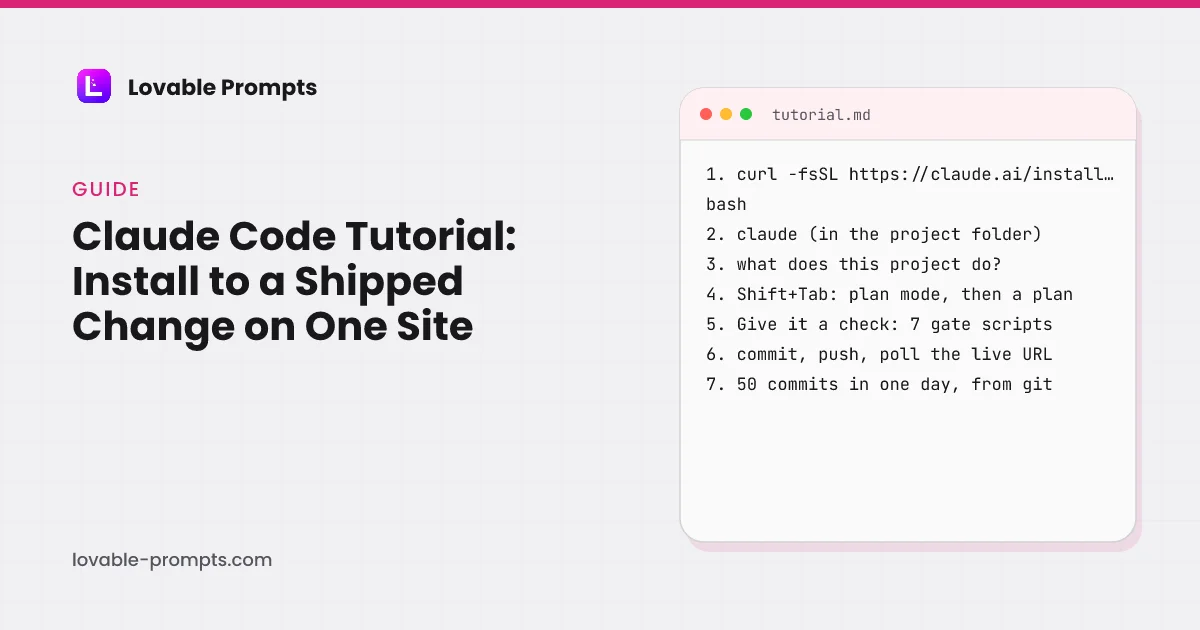
What does this tutorial build, and why this example?
By the end you will have installed Claude Code, asked it what a project does, written the file it reads at the start of every session, planned a change that touches many files, given it a check it can run on its own, shipped the change, and turned the repeat into a skill. The example is this site, because a tutorial that refactors a sample repository cannot show you the commit, and this one can. The version on the machine that produced every figure below is 2.1.283.
- Install, ask: in the project folder
- CLAUDE.md: what it reads first
- Plan: for multi-file changes
- Check: a script that can fail
- Ship: commit, push, poll
- Repeat: skill or subagent
The order the official quickstart and best-practices pages use, read on 27 September 2026, with the two steps they put last, the check and the skill, kept in the middle where they belong.
Step 1: How do you install Claude Code and check it works?
One command, then a version check. The quickstart gives the native install for macOS, Linux and WSL, a PowerShell equivalent for Windows, and Homebrew and WinGet alternatives. It requires an account first: A Claude subscription (Pro, Max, Team, or Enterprise), Claude Console account, or access through a supported cloud provider. On this machine the check printed 2.1.283 followed by the product name.
curl -fsSL https://claude.ai/install.sh | bash
claude --version
The docs note that native installs update themselves in the background and Homebrew installs do not. If the shell says the command is not found, the install folder is not on the PATH yet; the quickstart links a fix rather than making you guess.
Step 2: What happens when you ask it about a project?
It reads the files it needs and answers, and the folder you start in decides what it reads. The quickstart's first suggested question is “what does this project do?”. Asked in a fresh clone of this repository on 27 September 2026, non-interactively so the answer could be timed and quoted, it came back in 11 seconds:
$ claude -p "what does this project do? Answer in at most 100 words, plain prose, no lists."

This is the Next.js rebuild of lovable-prompts.com, a website that publishes a library of ready-made prompts for AI app builders like Lovable, organised by category such as landing pages, SaaS apps, CRM apps and admin dashboards. Alongside the prompt library it hosts a set of /learn guides on prompt engineering and vibe coding, an AI-powered prompt generator backed by Anthropic, user prompt submissions, and a one-time paid bundle sold through Stripe. It runs on Supabase for data and auth, Vercel for hosting, and Resend for email, replacing the original Lovable-built Vite single-page app while keeping its public URLs unchanged.
Every clause in that answer is correct, including the part about the URLs staying unchanged, which is a rule in this repository's documentation rather than something visible in the code. The trap is the folder. Run from the folder above the project, the same question came back describing the whole workspace instead, in 11 seconds, because Claude Code reads the CLAUDE.md files of the folder it starts in and its parents. Start it inside the project.
The -p flag runs one prompt and exits, which is how the docs suggest using Claude Code in scripts. Interactive use is the plain claude command in the project folder; the prompt shows the version, the model and the working directory, and /help lists the session commands. The commands guide on this site has the full table.
Step 3: What goes in CLAUDE.md?
The commands and rules it cannot infer from the code, kept short. CLAUDE.md is the file Claude reads at the start of every conversation, and the best-practices page gives the test for each line: “Would removing this cause Claude to make mistakes?” Bash commands, code-style rules that differ from defaults, the test runner, repository etiquette and known gotchas go in; anything Claude can read from the code stays out. Run /init to generate a starter and /context to confirm it loaded.
This site's own rules live one folder up, in the studio's file, and include the affiliate-link rule, the frozen URL contract, the one-product rule and the banned-word gate. The CLAUDE.md guide measures every such file in this workspace, the longest at 414 lines, and lists what broke when one was too long. The docs' warning is the same: a bloated file makes Claude ignore the rules that matter.
Step 4: When do you plan before editing?
When the change touches several files or you are unsure of the approach, and not otherwise. The best-practices rule is one sentence: “If you could describe the diff in one sentence, skip the plan.” Plan mode is Shift+Tab until the status bar says plan mode is on, or claude --permission-mode plan from the shell; Claude reads and proposes, and edits nothing until you approve.
| What | Files | Planned? | |
|---|---|---|---|
| Commit 2d9593d | a new prompt category with ten briefs, its page content, sitemap, link graph and gate updates | 12 files, 759 insertions | Yes: the registration steps span nine files and one missed one fails a gate |
| Next morning | correcting a guide's declared read time after the measurement script disagreed | 1 file, 2 values | No: the diff is one sentence |
The planned change is the admin dashboard prompt category, the last commit of the day counted below. Its plan was a checklist of the files a new category has to touch, because the previous category had shown which one gets forgotten.
Step 5: How do you give Claude a check it can run?
Write a script that fails, and tell Claude to run it. The best-practices page opens with this: “Give Claude a check it can run: tests, a build, a screenshot to compare.” and explains why: “Claude stops when the work looks done.” Without a check, you are the verification loop and every mistake waits for you to notice it. This repository has seven, and each one exists because something shipped wrong before it did. Asked to list them, Claude Code answered in 28 seconds:
$ claude -p "List the scripts in scripts/ that act as pre-push gates and say in one short line each what a failure means. Plain text, one line per script, no preamble."

verify-urls.mjs: a frozen URL no longer returns 200 without redirect with an exact canonical, or a retired URL stopped redirecting or reappeared in the sitemap.
verify-ssr.mjs: a page's server HTML is missing content (under its character floor), has other than one h1, or lacks JSON-LD.
verify-gating.mjs: a paid Pro prompt body leaks into the anonymous /prompts payload, the pro-prompts API no longer 403s anonymously, or BUNDLE_PROMPT_COUNT drifted from the data.
verify-counts.mjs: BUNDLE_PROMPT_COUNT or BUNDLE_PRO_COUNT in bundle.ts no longer matches the prompt data, or a prompt id is duplicated.
verify-links.mjs: an indexed URL has fewer than 8 contextual inbound links from other indexed pages' main content.

Note: none of these is wired to a git pre-push hook. The README documents them as gates run by hand, and verify-ssr, verify-gating, and verify-links default to the production URL if you omit a localhost base.
One further line described the guest purchase gate and is left out here because it names the live checkout path. The closing note is correct and is the honest part of this step: a check only runs if something runs it. Here the rule that every gate passes before a push is a line in CLAUDE.md, and the docs are clear that a CLAUDE.md line is advisory while a hook is not.
| What a failure means | |
|---|---|
| npm run typecheck | A type error anywhere in the app. |
| npm run build | A page that does not prerender. |
| verify-ssr.mjs | A page whose crawler HTML is under its floor, or has no single H1 or no schema. |
| verify-urls.mjs | A frozen URL that moved, redirected, or left the sitemap. |
| verify-links.mjs | An indexed URL with fewer than eight contextual inbound links. |
| verify-gating.mjs | A paid prompt body in the anonymous payload. |
| verify-counts.mjs | A count in copy that no longer matches the data. |
The gating script is the one to copy. For months every paid prompt on this site shipped in the JavaScript bundle to every visitor, because the lock was a component that hid text. The fix was a module marked server-only and a script that fetches the anonymous payload and fails if a paid sentence is in it. The vibe coding tips page has that story and eleven others with their commits.
Step 6: How do you ship?
Ask for the commit, push, and check the live URL yourself. The quickstart makes git conversational: “commit my changes with a descriptive message” is a prompt. On this site every commit Claude Code makes carries a co-author line with its name, which is how the day below could be counted: of the 50 commits on 26 September 2026, 50 carry it. A push to main deploys through Vercel, and the last step of every change here is a loop that fetches the live URL every 15 seconds until the new content is in it.
git log --since="2026-09-26 00:00" --until="2026-09-27 00:00" --format="%b" | grep -c "Co-Authored-By: Claude"
50
Two habits from the docs belong here. “After two failed corrections, /clear and write a better initial prompt incorporating what you learned.” And when a task spans sittings, claude --continue resumes the last session in the folder rather than re-explaining it.
Step 7: How do you turn the repeat into a skill or a subagent?
A skill is a SKILL.md file with a procedure; a subagent is a markdown file with its own tools and model. The workspace this site is built in runs 24 skills, from writing a guide to the house standard to building an ad campaign, and this repository has two subagents: one that reviews a guide against the content rules and one that fetches every citation and reports the status. The reviewer's file is the whole pattern.
- name: guide-reviewer: The name you invoke it by, or that Claude picks from the description.
- description: One sentence on when to use it. Claude reads this to decide whether to delegate.
- tools: Read, Grep, Bash: Only what the job needs. No Edit, so a reviewer cannot change the file it reviews.
- model: sonnet: A cheaper model for a checklist job.
- Body: the checklist: Banned words, unsourced numbers, unquoted citations, each reported as line: rule: quote.
The frontmatter fields and body of the guide reviewer in this repository, read on 27 September 2026. Subagent files live in .claude/agents/ and skills in .claude/skills/<name>/SKILL.md.
The tools line is the part to get right: a reviewer with no Edit tool cannot change the file it reviews, so its findings are findings. The subagents guide shows what the first run of these two found, and the commands guide covers the skills that run here and what broke while running them.
What did one day of this produce?
50 commits between 11:50 and 20:45 on 26 September 2026, touching 475 files with 19,989 lines added and 1,479 removed, counted from git the next morning. In content terms that was 6 new guides and 2 new prompt categories, each through the seven checks. The chart is commits per hour.
| Category | commits |
|---|---|
| 11:00 | 1 |
| 12:00 | 5 |
| 13:00 | 8 |
| 14:00 | 7 |
| 15:00 | 6 |
| 16:00 | 3 |
| 17:00 | 2 |
| 18:00 | 5 |
| 19:00 | 7 |
| 20:00 | 6 |
git log on this repository, counted on 27 September 2026. Every one of the 50 carries the Claude Code co-author line. Lines added are a volume, not a quality; the checks are what the quality rests on.
The number is output, not value, and the docs say why it is not enough on its own: “If you can't verify it, don't ship it.” What made the day possible was not the model typing faster than a person; it was that each commit ended with a script that could say no. The Cursor comparison carries the same day's count from an earlier hour, when it stood at 20.
What does it cost, and where do you learn more?
An account, and this page states no prices. The quickstart's list of account types is the fact that lasts: a Claude subscription, a Console account with prepaid credits, or an enterprise cloud provider. Prices change; one of the three ranking tutorials prints them as a dated snapshot and tells you to check before buying, which is the right way to do it if you must. Anthropic's own course, Claude Code 101, is free and runs 12 lessons, 1 quiz, 1.5 hours.
If you came here from Lovable, the two tools are halves of one workflow: the Claude Code prompts on this site are the same ten jobs as the Lovable briefs, written for an agent with the repository open, and the tools roundup places both among the six we priced on one day.
Sources
All read on 27 September 2026.
- Claude Code docs: Quickstart, the install, account and first-session steps.
- Claude Code docs: Best practices, the check, plan, CLAUDE.md and session rules quoted above.
- Claude Code docs: Common workflows, resume, worktrees and plan mode flags.
- DataCamp, Claude Code Tutorial: Setup and Refactoring in Practice: about 4,500 words, 5 images, updated 28 May 2026, refactors supabase-py; no CLAUDE.md, no gates, no cost.
- codewithmukesh, Claude Code Tutorial for Beginners: about 6,200 words, 4 images, updated 29 July 2026, plan prices as a dated snapshot; no shipped change of its own.
- Claude Academy, How to Use Claude Code: the official free course, 1.5 hours; a course catalogue, not a worked build.
- Own data: git log on this repository, two timed non-interactive runs in a fresh clone, and the files under .claude/agents/.
What we did not publish
- A screenshot of the interactive terminal. The screen it runs on shows client work, so the artefacts here are the non-interactive answers, quoted in full.
- Token or dollar cost per run. The text output mode does not print it and the JSON mode was not used; a later refresh can add it.
- Plan prices. They change, and the quickstart's account list is the durable fact.
- The same change made with Cursor for comparison. The comparison page explains what was and was not run there.
- The sixth gate line from the second answer, which names the live checkout path.
Frequently asked
What is Claude Code?↓
Do I need to know how to code to follow this tutorial?↓
How long does the first session take?↓
What is the difference between a skill and a subagent?↓
What does Claude Code cost?↓
Is Claude Code better than Cursor or Lovable?↓
Related reading
- Claude Code commands
Built-in and custom commands, with the ones that run here.
- Claude Code subagents
The two in this repository and what their first run found.
- the CLAUDE.md file
Every such file in the workspace, measured.
- Cursor vs Claude Code
Priced on one day, with the same day's output count.
- Claude Code prompts
Ten briefs for an agent with the repository open.
- vibe coding tips
Twelve mistakes and the scripts that came out of them.
- what is vibe coding
The definition, and where the check draws the line.
- AI coding tools
Six tools priced the same day.
- Cursor rules
The editor's equivalent of CLAUDE.md, measured.
- how to build an MVP
A day on Lovable with every credit logged.
Written by

Marco Kohns
Founder of ProtoBites - Venture Growth Studio
Growth PM at a Silicon Valley scale-up (a16z and General Catalyst backed), ex-Techstars where he consulted 13 early-stage startups, Reforge-trained. Every prompt on this site comes out of shipping ProtoBites' own portfolio products.