
Claude Code Commands: Built-ins, Skills and the Ones We Run
A Claude Code command is anything you type after a slash. Some are built into the CLI, some are skills Anthropic bundles, and the useful ones are the skills you write yourself. This guide covers all three from the documentation, shows the smallest custom command that works, and counts the 24 we run in one studio's workspace, including what broke and how it was fixed.
Updated
What are Claude Code commands, and which ones are built in?
Three kinds of thing answer to a slash. Built-in commands are “coded into the CLI”, as the commands reference puts it, and it listed 63 of them on 26 September 2026, from /help and /clear to /goal and /deep-research. Bundled skills are prompts Anthropic ships that behave like commands. Custom commands are skills you write, and the same page ends with the only sentence that matters for them: “to add your own commands, see skills”. The built-ins a builder reaches for first, with the docs' own one-line descriptions:
| What the docs say it does | |
|---|---|
| /init | Initialize project with a CLAUDE.md guide. |
| /plan [description] | Enter plan mode directly from the prompt. |
| /compact [instructions] | Free up context by summarizing the conversation so far. |
| /memory | Edit CLAUDE.md files, enable or disable auto memory, and view auto memory entries. |
| /permissions | Manage allow, ask, and deny rules for tool permissions. |
| /mcp | Manage MCP server connections and OAuth authentication. |
| /code-review | Review the current diff, or a PR number, branch, or path you pass, for correctness bugs. |
| /goal [condition] | Set a goal: Claude keeps working across turns until the condition is met or the goal clears for another reason. |
| /loop [interval] [prompt] | Run a prompt repeatedly while the session stays open. |
| /model [model] | Switch the AI model and save it as your default for new sessions. |
/help prints the full list inside the CLI, which is more reliable than any third-party list, this one included, because the set changes with releases. The rest of this page is about the third kind.
How do you create a custom command?
Write a skill. The skills documentation is explicit that the older mechanism was folded in: “custom commands have been merged into skills. A file at .claude/commands/deploy.md and a skill at .claude/skills/deploy/SKILL.md both create /deploy and work the same way.” Skills add a directory for supporting files, frontmatter that decides whether you or Claude may invoke them, and automatic loading when a request matches the description. Locations, per the same page: personal skills in ~/.claude/skills, project skills in .claude/skills checked into the repo, plugin skills in the plugin, and nested .claude/skills folders for monorepos.
- Type /name: or Claude matches it
- SKILL.md loads: frontmatter first
- Args substitute: $name from the line
- Claude follows it: tools as allowed
- Result in session: or in a fork
Sequence from Claude Code's skills and commands documentation, read on 26 September 2026.
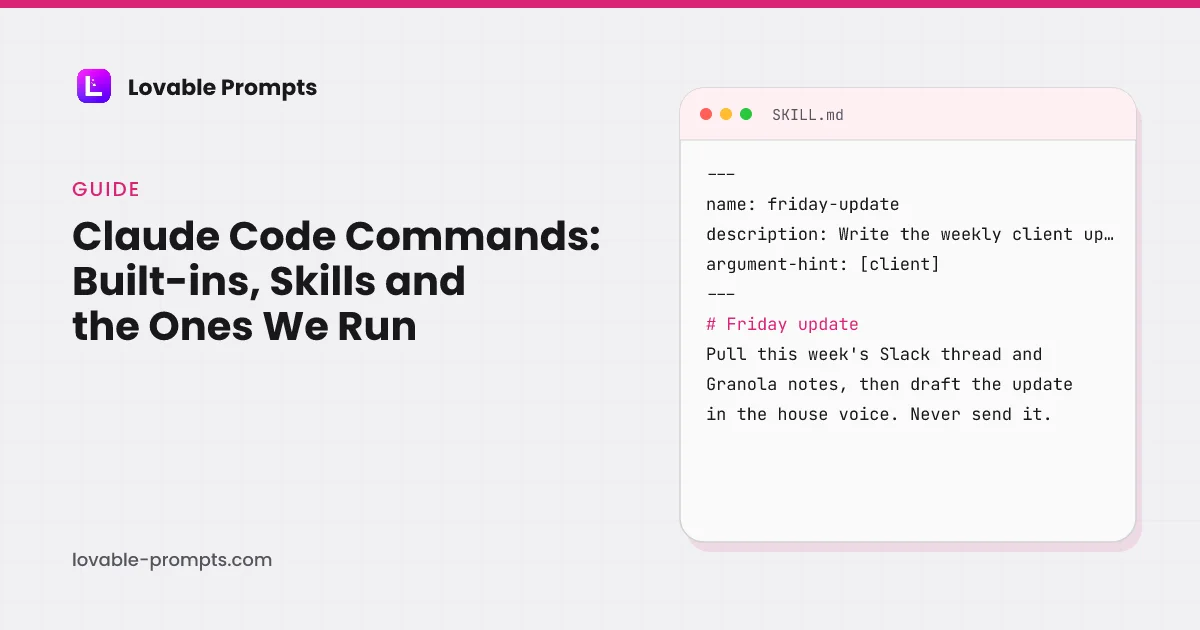
The smallest skill that does a job, shaped like one of ours (details simplified, the structure is exact):
---
name: friday-update
description: Write the weekly client update from this week's Slack thread and meeting notes. Use when Marco asks for the Friday recap or a Monday kickoff.
argument-hint: [client]
disable-model-invocation: true
---

# Friday update

1. Read the client's CLAUDE.md and this week's Slack channel.
2. Pull the Granola notes for every call with the client this week.
3. Draft the update in the house voice: what shipped, what moved, what is next.
4. Post it as a Slack draft. Never send it.
Two fields carry the weight. description is what Claude reads to decide whether to invoke the skill on its own, so it should say when, not only what. disable-model-invocation: true makes a skill user-only, which is right for anything that posts, sends or spends. The frontmatter reference on the docs page lists the rest; the ones we use in production:
| Purpose, per the docs | Why we set it | |
|---|---|---|
| name | Command name; defaults to the directory name | Kept equal to the folder so the slash and the file never disagree |
| description | What the skill does; Claude uses this for auto-invocation | Written as a trigger list, including the phrases Marco actually types |
| argument-hint | Hint for autocomplete, e.g. [issue-number] | Every client-facing skill takes the client as its argument |
| disable-model-invocation | Prevent Claude from auto-invoking; user-only | On for anything that posts to Slack, sends mail or spends ad budget |
| allowed-tools | Pre-approve tools for this skill | Read-only research skills get read and search tools only |
| context: fork | Run in a subagent | Long pipelines run forked so their tool output stays out of the main session |
| effort | Effort level override | Higher on writing skills, lower on lookups |
Which custom commands do we actually run?
24 project skills, counted from the workspace on 26 September 2026, most of them symlinked in from a shared repository so the agency team runs the same versions. They fall into seven families, and the largest three are the ones that produce output for other people: articles, ad campaigns and social posts. This guide was itself produced by the first of them, the article skill, which runs a demand check, a top-three audit, a draft, a blocking quality gate and the commit, in that order.
| Category | skills |
|---|---|
| SEO and articles | 5 |
| Paid media | 5 |
| Social content | 5 |
| Client operations | 4 |
| Webinars | 2 |
| PR and outreach | 2 |
| Personal | 1 |
Counted from .claude/skills/ on 26 September 2026, 24 skills. Data in src/data/claudeCodeSkills.ts.
Three of them, described by what they do rather than what they are called:
- The article pipeline. One skill file of about 116 KB that carries a registry of four projects, a house benchmark, and every gate an article has to clear. It is invoked by name or by phrases like “new blog post on X”, and it produced the rewrite of every guide on this site on 26 September 2026.
- The weekly client update. Takes a client as its argument, reads that client's context file, the week's Slack thread and the meeting notes, and posts a draft, never a message. User-invoked only, because it touches a client channel.
- The morning brief. Reads the cash-flow priority model and surfaces the one or two actions that matter today. The only personal skill in the set, and the one that runs most often.
What broke while running 24 custom commands, and what fixed it?
Four failures, each of which is now a rule in the skill files themselves.
| What went wrong | What fixed it | |
|---|---|---|
| A quality gate that passed silently | A banned-word check used grep with \b word boundaries. On macOS, grep is BSD grep, which does not support \b, so the pattern matched nothing and the gate passed every article for weeks. | The gate became a small Python script using re, which honours \b, plus a BSD-safe fallback pattern in the skill text for machines without the script. |
| Skills that did not exist | Six skills added to the shared repository were invisible in the workspace for weeks. The symlink into .claude/skills had never been created, and Claude Code reads the skill list at session start. | A rule in the workspace's CLAUDE.md: a new shared skill needs its symlink added and the session restarted, or it is not there. |
| Logic buried in a huge skill | A day-of-week branch inside the 116 KB article skill was supposed to alternate new articles with refreshes. Of five slots it governed, three ran the wrong branch. | The two jobs became two skills on two schedules, so the calendar enforces the cadence rather than a paragraph on page forty. |
| A dead identifier in the instructions | The skill pointed at a Notion page by ID. The page was migrated and re-issued; runs concluded the queue was archived and stopped, for weeks. | The skill now says: if a fetch by ID fails, search by title before concluding anything is gone. |
The pattern across all four: a skill fails quietly when it depends on something outside the file, a shell dialect, a symlink, a schedule, an ID. The fix each time was to move the check into something that cannot pass by accident.
When should a command be a subagent instead?
When the work would swamp the conversation. The subagents documentation defines them as “specialized AI assistants that handle specific types of tasks. Use one when a side task would flood your main conversation with search results, logs, or file contents you won't reference again: the subagent does that work in its own context and returns only the summary.” Each “runs in its own context window with a custom system prompt, specific tool access, and independent permissions”, and it “sends its own requests, which count toward the same usage limits”.
| Skill | Subagent | |
|---|---|---|
| What it is | Markdown instructions Claude follows in the current session | A separate assistant with its own context window, prompt and tools |
| Where it lives | .claude/skills/<name>/SKILL.md or ~/.claude/skills | .claude/agents/ for a project, ~/.claude/agents/ for all projects |
| Invoked by | Typing /name, or Claude matching the description | Claude delegating on the description, an @-mention, or claude --agent |
| Frontmatter | name, description, argument-hint, allowed-tools, context, effort | name and description required; tools, model, permissionMode, skills, memory, isolation optional |
| Built-in examples | Bundled skills such as /code-review and /deep-research | Explore (read-only search), Plan (research for plan mode), general-purpose |
| Limits the docs state | None on count; a 100 KB file is our practical ceiling | 20 concurrent per session; a warning past 15,000 tokens of descriptions; three layers deep |
The two compose: a skill's frontmatter can set context: fork to run the whole skill in a subagent, which is how our long pipelines keep their tool output out of the session they were started from. In practice a skill is the default and a subagent is what you reach for when the skill's own output is the problem.
How does this compare with Lovable's slash commands?
Closely enough that a skill written for one is a short edit from the other. Lovable's Skills are workspace-level markdown with “a name, a description that tells Lovable when to use it, and markdown instructions that Lovable follows when the skill applies”, applied automatically on a matching request or by typing a slash and picking one, shared with every project in the workspace, on all plans. Its /goal command starts a run that keeps working “until the goal is achieved” for up to 10 hours, the same idea as Claude Code's /goal. The difference is what sits behind the command: a codebase and a shell on one side, a hosted app with its own backend on the other.
That is why the prompts on this site are written as structured briefs rather than one-liners: a brief with a Context line, numbered features and safe-guards is a skill without the frontmatter, and it runs in either tool. The advanced prompting guide covers Lovable's side of that, and the library holds the briefs.
Sources
All checked on 26 September 2026.
Frequently asked
What is a Claude Code command?↓
Are custom slash commands the same as skills?↓
Where do skills live?↓
When should a command be a subagent instead?↓
How many custom commands is too many?↓
Does Lovable have anything like this?↓
Related reading
- Lovable's Skills, goals and Plan mode
The same controls on Lovable's side.
- the prompt structure a skill wraps
Context, features, safe-guards.
- Lovable vs Cursor
The editor beside the terminal.
- Lovable alternatives
Where Claude Code fits among builders.
- whole-app prompts
Briefs that run in either tool.
- backend prompts
RLS and jobs, tool-agnostic.
- build kits with executed SQL
Schemas to hand a coding agent.
- the Lovable editor
What the other side looks like.
- Cursor rules
The .mdc format, measured against Cursor's own guidance.
- Claude Code subagents
When a command should be a separate conversation instead.
- coding prompts
Ten prompts worth turning into skills.
- Cursor vs Claude Code
Where skills fit in the comparison.
- the CLAUDE.md file
29 files counted, four over the line, what broke.
- Claude Code prompts
Ten task briefs with a verification step each.
Written by

Marco Kohns
Founder of ProtoBites - Venture Growth Studio
Growth PM at a Silicon Valley scale-up (a16z and General Catalyst backed), ex-Techstars where he consulted 13 early-stage startups, Reforge-trained. Every prompt on this site comes out of shipping ProtoBites' own portfolio products.