
Cursor Prompts: 10 Agent Briefs With the Rules File Each One Needs
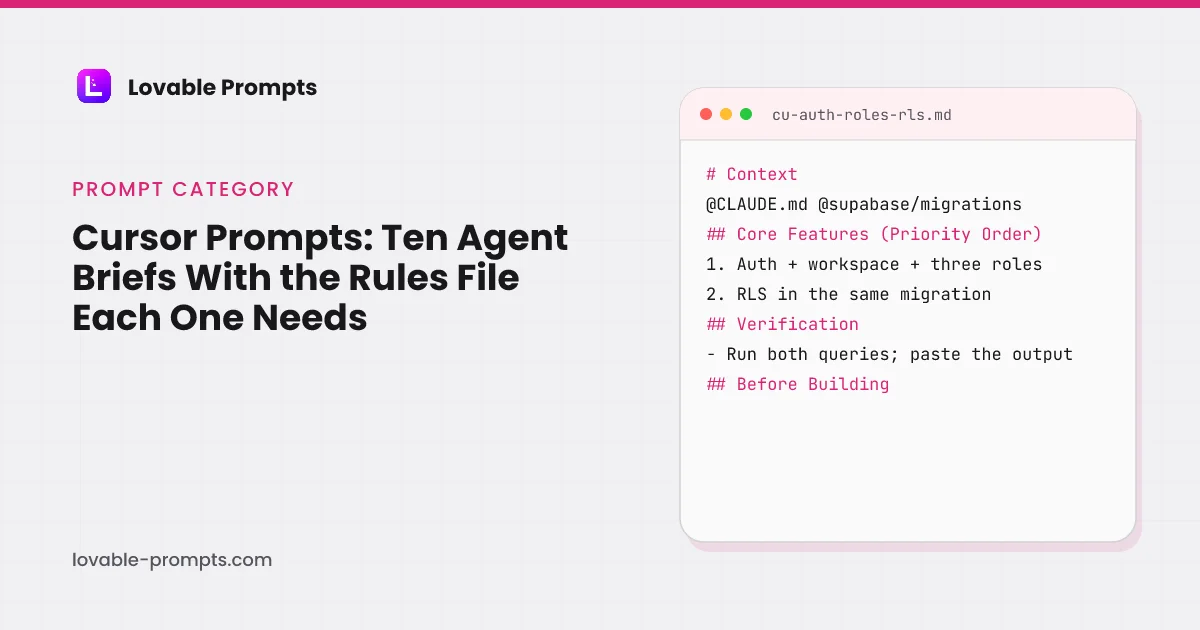
A Cursor prompt is a brief for Agent, which Cursor's documentation defines as "Cursor's assistant that can complete complex coding tasks independently, run terminal commands, and edit code" (read on 26 September 2026). It has the repository open, so it does not need the stack described; it needs the rules that hold in every chat attached from .cursor/rules, the files that matter referenced with @, a checkpoint before anything hard to undo, and a check it runs in the terminal before it says done.
These ten briefs are the jobs a builder does after the first version exists, written for that loop and for the editor. Each names the rule file it depends on, which the first brief creates: an always-on project rule, a database rule attached by glob, a marketing rule attached by description. Each ends with a Verification section that names a command, a query or a curl. And each carries the growth surface its channel needs, which is what this library is for. The same ten jobs exist as Claude Code prompts; the difference is where the rules live and who runs the check, and the table below is honest about both.
The “Try in Lovable” links on this page are affiliate links: we may earn a commission if you create an account through one. It costs you nothing and does not change which prompts are here.
Cursor Rules Bootstrap
What this prompt is for
Three .cursor/rules files (always-on project rule, glob-scoped database rule, description-attached marketing rule), an AGENTS.md both tools read, and a verify script Agent runs before it says done.
When to use it
The first Agent session in any repository, including a fresh Lovable export. Run it before any feature brief, because every later brief assumes the rules and the verify script exist.
# Context
Set up this repository for repeated Cursor Agent sessions. Read the repository first: package manifests, config, existing rules or AGENTS.md. The goal is that any later chat starts with the same conventions attached and ends by running the same checks.

## Core Features (Priority Order)
1. .cursor/rules/project.mdc with alwaysApply: true, under 60 lines: stack with versions, build and te
Channel-Optimized Pro Version
This prompt has a Pro version optimized for Organic SEO / AI Search. Unlock to get product-channel fit guidance and distribution-ready features.
Lovable Export Handover to Cursor
What this prompt is for
Make a Lovable export safe to edit with Cursor's Agent: generated files named as never-edit in a rule, the synced branch protected, secrets moved out of the client, and the prompt to send Lovable after each merge.
When to use it
The day a Lovable project is cloned locally and opened in Cursor. Run it once before feature work, so the two-way sync survives the agent.
# Context
This repository is a Lovable export synced two ways with GitHub. Lovable keeps its own copy of the synced branch and can lose edits if that branch's history is rewritten. Make the repository safe for Agent edits without breaking the sync. Read @vite.config.ts, @src/integrations and @supabase first.

## Core Features (Priority Order)
1. A rule file naming the generated files as never-edit
Channel-Optimized Pro Version
This prompt has a Pro version optimized for Organic SEO / AI Search. Unlock to get product-channel fit guidance and distribution-ready features.
Auth, Roles and RLS in Cursor with Proof Queries
What this prompt is for
Sign-up, workspace, three roles and invites, with row-level security written in the same migration and proven by two queries Agent runs as different users before reporting done.
When to use it
The first feature in any app where users belong to a workspace. Run before screens and before any data is public; the database rule from the bootstrap brief must exist.
# Context
Build the foundation of a multi-tenant app in this repository: users sign up, get a workspace, invite teammates who arrive with the right role. Read @.cursor/rules/database.mdc and the existing schema under @supabase/migrations first. Create a checkpoint before the first migration.

## Core Features (Priority Order)
1. Email and password auth with session persistence across refresh
2. Wo
Channel-Optimized Pro Version
This prompt has a Pro version optimized for Product-led Growth. Unlock to get product-channel fit guidance and distribution-ready features.
Programmatic Public Pages in Cursor
What this prompt is for
Server-rendered pages from one data source with a generated sitemap, robots, canonicals and JSON-LD, plus a Related block of eight links per page, gated by scripts Agent runs before it reports done.
When to use it
When the app has content people search for. Run after the bootstrap brief, because the SSR and link gates it creates are what make this safe.
# Context
Add public pages a search engine can index without JavaScript: one data source, one URL per record, each with enough unique text to be worth indexing. Read @.cursor/rules/marketing.mdc, the routing conventions and @app/sitemap (or its equivalent) first.

## Core Features (Priority Order)
1. A data source with one record per page: slug, title, description, body sections, related slugs
2.
Channel-Optimized Pro Version
This prompt has a Pro version optimized for Organic SEO / AI Search. Unlock to get product-channel fit guidance and distribution-ready features.
Landing Page with Insert-Only Capture in Cursor
What this prompt is for
One offer, one action, server-rendered, with a leads table the client can insert into but never read, UTM parameters stored, and a success state that does not redirect.
When to use it
Before any traffic is sent to an app without a public page. Run after the bootstrap brief so the marketing rule and the SSR gate attach.
# Context
Build the public landing page: one offer, one primary action, email capture. It renders fully on the server and stores leads in a table the client can write but never read. Read @.cursor/rules/marketing.mdc and the existing routes first.

## Core Features (Priority Order)
1. A hero stating what the product does in plain words, with the email form above the fold
2. An insert-only leads ta
Channel-Optimized Pro Version
This prompt has a Pro version optimized for Email Marketing. Unlock to get product-channel fit guidance and distribution-ready features.
Invite Loop with Attribution in Cursor
What this prompt is for
Shareable invite links with inviter attribution, an accepted-invite notification, a share moment after the first success, and a funnel page, built on the auth foundation.
When to use it
After cu-auth-roles-rls, for products used by teams. Skip it for single-player tools.
# Context
The app has auth, workspaces and roles. Add the loop that turns one user into a team: a shareable invite link, attribution of who brought whom, and the confirmation that closes the loop. Read @.cursor/rules/database.mdc and the invite code first; create a checkpoint before the schema change.

## Core Features (Priority Order)
1. A shareable invite link per workspace, copyable from the me
Channel-Optimized Pro Version
This prompt has a Pro version optimized for Product-led Growth. Unlock to get product-channel fit guidance and distribution-ready features.
Lifecycle Emails from Stored Events in Cursor
What this prompt is for
A three-email sequence from stored events, sent by server code from versioned templates, with suppression, a provider webhook and a delivery log Agent can query in the terminal.
When to use it
Once leads or users exist with a status column. Run after cu-landing-capture or cu-auth-roles-rls, never before.
# Context
Add lifecycle email: a short sequence starting from a stored event, sent through the provider named in the project rule, with every send logged. Read the leads or users table and any existing email code first; reference them with @.

## Core Features (Priority Order)
1. Three versioned template files with a plain-text part: welcome, the one thing to do next, a nudge if it was not done
2.
Channel-Optimized Pro Version
This prompt has a Pro version optimized for Email Marketing. Unlock to get product-channel fit guidance and distribution-ready features.
Event Taxonomy and Funnel Page in Cursor
What this prompt is for
A typed event list, a server-side sink and an internal funnel page with a daily rollup, so every later brief logs to names the compiler enforces.
When to use it
Right after the first public page or the auth foundation, before any paid traffic. Every later brief logs to what this one defines.
# Context
Add analytics this repository owns: a fixed list of named events, a server-side sink writing to a table, and a page turning them into a funnel. Third-party tools come later; the table is the source of truth. Read the routes and @.cursor/rules/database.mdc first.

## Core Features (Priority Order)
1. An events data file: name, required properties, and the funnel step it belongs to (visit,
Channel-Optimized Pro Version
This prompt has a Pro version optimized for Paid Search. Unlock to get product-channel fit guidance and distribution-ready features.
Changelog and Feedback Board in Cursor
What this prompt is for
A changelog drafted from merged pull requests and a feedback board with one vote per user enforced in the database, both server-rendered, in the sitemap, and linked to each other.
When to use it
Once the app ships weekly and users ask for things. Run after the public pages brief so the routes share its gates.
# Context
Add two public pages: a changelog written from merged pull requests and a feedback board where signed-in users post and vote. Both render on the server and both are in the sitemap. Read the public routes and @.cursor/rules/marketing.mdc first.

## Core Features (Priority Order)
1. A changelog data file, appended by a manually applied rule that reads merged PRs since the last entry and dr
Channel-Optimized Pro Version
This prompt has a Pro version optimized for Community-led Growth. Unlock to get product-channel fit guidance and distribution-ready features.
Usage Signals for B2B Sales in Cursor
What this prompt is for
A nightly score per workspace from the analytics rollup, an accounts page sorted by it with the inputs visible, a per-account summary, a CSV export and a weekly digest.
When to use it
When companies use the product and someone sells it by hand. Run after cu-analytics-funnel, because the score reads the rollup.
# Context
Add sales signals: a score per workspace from activity and growth, a summary page per account a maintainer reads before a call, and a weekly digest. Read the analytics rollup, the workspace schema and @.cursor/rules/database.mdc first.

## Core Features (Priority Order)
1. A nightly score per workspace: active members in 7 and 30 days, seats added in 30 days, key actions per member, days
Channel-Optimized Pro Version
This prompt has a Pro version optimized for B2B Sales. Unlock to get product-channel fit guidance and distribution-ready features.
Every Prompt, Every Kit, One Payment
All 10 prompts plus every Pro variant and build kit in one bundle, plus unlimited prompt generation, $199 once. Or sign up free to copy prompts one at a time.
Browse More Categories
Related Resources
The Complete Lovable Bundle
$199 once. Unlimited generation, every prompt, every kit, every future dropEvery prompt, every Pro variant, all four build kits and every future drop, in one Notion workspace. One payment, never a subscription.
Get the 121-Prompt BundleWhich growth channels do these prompts serve?
Every prompt in this category carries a distribution section naming the channel it is built for, so the generated app has a way of being found rather than only a feature set. The chart counts primary and secondary coverage together, computed from the prompt bodies when the site is built.
| Category | prompts |
|---|---|
| Email Marketing | 4 |
| Organic SEO / AI Search | 3 |
| Product-led Growth | 3 |
| Community-led Growth | 3 |
| Paid Search | 2 |
| B2B Sales / LinkedIn | 2 |
| Organic Socials | 1 |
| Paid Socials | 1 |
| X (Twitter) | 1 |
Computed from the channel mapping in each prompt at build time; a prompt can serve more than one channel.
What is a Cursor prompt, and how is it different from a Lovable or Claude Code prompt?
All three describe a feature; they differ in where the standing context lives and how the result is checked. In Lovable, the context is project knowledge and you test in the preview. In Claude Code, it is CLAUDE.md and the agent runs the check you name. In Cursor, the context is a rules folder with three attachment modes, the docs' names being Always Apply, Apply Intelligently, Apply to Specific Files and Apply Manually (rules documentation, read the same day), and the check runs in the integrated terminal while you watch the diff. Cursor adds one safety rail the others express differently: "Checkpoints save snapshots of your codebase during an Agent session. Agent automatically creates them before making significant changes."
| Lovable | Claude Code | Cursor | |
|---|---|---|---|
| Standing context | Project knowledge | CLAUDE.md and .claude/rules/ | .cursor/rules/*.mdc, attached always, by glob, by description or by @mention |
| Files in the prompt | Described | Named; the agent reads them | Referenced with @, attached to the chat |
| Undo | Version history | /rewind | Checkpoints, created before significant changes |
| Who runs the check | You, in the preview | The agent, from the Verification section | The agent in the terminal, you watching the diff |
| Review | Lovable's security scan | A subagent or /code-review | Bugbot on paid plans |
| Unattended runs | Goal runs | Routines, /loop, claude -p | Cloud Agents; CLI "print mode for non-interactive scenarios" |
So a Cursor brief in this library keeps the skeleton and changes three things. Context references files with @ rather than describing them, because that is how Cursor attaches them. Repository Rules point at the .mdc file that already holds the constraint, so the brief repeats only what is specific to its job. And Safe-Guard asks for a checkpoint before the first migration or the first rewrite of an existing file, because a checkpoint is the cheapest undo the editor has and Agent will not always judge a change significant the way you would.
How is a Cursor brief in this library built?
The auth brief is the one to read, because it is the foundation the others assume and because it shows all three changes at once. Its Context line references the database rule and the migrations folder with @, so the constraint attaches before the agent reads anything else. Its Safe-Guard opens with a checkpoint. Its Verification is the same two queries as the Claude Code version, one as the owner expecting rows and one as a second user expecting none, plus four tests, and it asks for the output pasted rather than summarised.
- Context: The job, @database.mdc and @supabase/migrations, checkpoint first.
- Core Features (Priority Order): Auth, workspace, three roles, invites, role-gated UI.
- Repository Rules: RLS in the same migration; keys server-side; no client ids.
- Build Order: Migration and policies before any route.
- Verification: Two queries as two users; four tests; output pasted.
- Safe-Guard Instructions: Never weaken a policy; never edit a test to pass it.
- Before Building: Ask, then write the answers into the project rule.
Headings read from the prompt body of cu-auth-roles-rls in this library.
The rule the brief depends on is the second file the bootstrap brief writes: a database rule with globs for migrations and server functions, which the Cursor rules guide on this site prints in full alongside the other two. That guide also measured 498 public rule files and found 82% of the community-written ones attached to every file with a wildcard glob; the three-file split here is the alternative, and each brief names which of the three it needs.
What do the rules these briefs depend on look like, and what do public ones get wrong?
The bootstrap brief writes three files because Cursor's docs offer three ways to attach one, and most public rules use only the first. On 26 September 2026 we measured the two most-starred public collections: 257 community-written rules with a median of 69 lines, 212 of them (82%) set to attach to every file; and 241 LLM-generated rules with a median of 307 lines, 6 over the docs' 500-line guidance. Only one file in 498 used alwaysApply honestly, and four referenced another file with @ instead of pasting it. The Cursor rules guide has the charts and the measurement script.
- Rule attaches: always, by glob or by description
- Brief pasted: with @ files
- Checkpoint: before the first hard change
- Agent builds: one change at a time
- Check runs: output pasted in chat
Assembled from Cursor's rules page (attachment modes), Agent page (checkpoints, terminal) and the briefs' own Verification sections, read on 26 September 2026.
The briefs here are written against that finding. The project rule is short and always on; the database rule attaches only when a migration or server function is open; the marketing rule attaches when the agent decides a public page is in play. A brief for a landing page therefore carries the no-invented-proof rule without repeating it, and a brief for analytics does not carry the marketing rule at all. Cursor's docs put the principle in one line, "Keep rules focused on patterns you use frequently", and the one everyone breaks in another: "Reference files instead of copying their contents."
What happens after the brief: review, cloud and the other editor?
Two things Cursor's paid plans add, per its pricing docs on 26 September 2026, which say Pro, Pro Plus and Ultra include "access to Bugbot, and access to Cloud Agents": a review of the pull request that did not write it, and a run that does not need your laptop open. The briefs are written so both fit: every one ends with a checkable Verification, which is what a reviewer reads, and none depends on watching the editor, which is what a cloud run lacks. The Cursor CLI adds the third path, "print mode for non-interactive scenarios like scripts, CI pipelines, or automation".
If the repository is also opened in Claude Code, the bootstrap brief's AGENTS.md is the file both read; the Cursor vs Claude Code page covers what each does that the other does not, and the Claude Code prompts category has the same ten jobs written for that side, with CLAUDE.md where these have rules.
Which Cursor brief to use
If the repository has no .cursor/rules folder, start with the Rules Bootstrap, and if it is a Lovable export, run the Handover brief right after. Every other brief names one of the three rule files the bootstrap writes.
If the app has teams, Auth, Roles and RLS, then the Invite Loop. If it has content people search for, the Programmatic Public Pages brief, then the Changelog. If traffic is about to be sent, the Landing Page and the Event Taxonomy, in that order.
Lifecycle Email and B2B Signals come last; both read tables the earlier briefs create.
Suggested build order
Rules first, then the foundation with its proof queries, then the events, then the surfaces, then the loops that read them. Running a growth brief before the taxonomy exists means events get invented per chat, which the typed helper in the analytics brief exists to prevent.
Write the three rules and the verify script
Every later brief names one of them.
Prompt: Cursor Rules Bootstrap
Build the foundation with proof
Checkpoint, migration, policies, two queries.
Prompt: Auth, Roles and RLS in Cursor with Proof Queries
Define the events once
A typed list the typecheck enforces.
Prompt: Event Taxonomy and Funnel Page in Cursor
Then the surfaces
Public pages with the SSR and link gates; the landing page follows the same rules.
Prompt: Programmatic Public Pages in Cursor
Then the loops
Invites, email and signals read the tables the earlier briefs created.
Prompt: Invite Loop with Attribution in Cursor
Where Cursor briefs usually go wrong
- One always-on rule that carries everything. It rides on every chat, the agent stops reading it, and the constraint that mattered is lost in it. The bootstrap brief splits by attachment mode for that reason.
- Pasting a file into the brief. Cursor attaches files with @ and the docs say to reference rather than copy; a pasted schema drifts the moment the migration runs.
- No checkpoint before the hard change. Agent creates them before changes it judges significant; a migration it judges routine is the one you wanted the snapshot for. The briefs ask for one by name.
- Reporting done without the check. A brief that ends at Build Order gets a diff that looks complete. The Verification section asks for the terminal output pasted, so the reviewer, Bugbot or a person, reads a result instead of a claim.
Frequently asked
Do these prompts work in Cursor's Agent only, or in Chat and Inline Edit too?↓
They are written for Agent, because they run commands and edit several files. Cursor's rules docs note that User Rules are not applied to Inline Edit, and the briefs depend on project rules attaching, so Inline Edit is the wrong surface for them. For a one-line change inside a file, use Inline Edit without a brief.
Which rule files do the briefs assume?↓
Three, all written by the bootstrap brief: project.mdc always on, database.mdc attached by glob to migrations and server functions, marketing.mdc attached by description to public pages. The Cursor rules guide on this site prints a version of each written for a Lovable export, and the briefs reference them with @ where they matter.
Why ask for a checkpoint if Agent creates them automatically?↓
Because the docs say Agent creates them before changes it considers significant, and a migration or a rewrite of an existing rule file may not meet its threshold. Asking costs one line and makes the undo certain. Checkpoints are stored locally and are not version control, so the briefs also keep the synced branch untouched.
Can I run these as Cloud Agents or from the CLI?↓
Yes, and that is why every brief ends with a Verification the agent runs itself. Cursor's pricing docs list Cloud Agents on the paid plans, and the CLI docs describe a print mode for scripts and CI. A brief that needs you watching the diff would not survive either; these ask for the check's output instead.
What do the Pro variants add?↓
A Growth Features block per channel, the instrumentation to measure it, and two refinement briefs to run next, the same structure as every Pro variant in the library. For the Cursor briefs the growth features are the surfaces an agent with the repository open can build directly: conversion exports, share cards, digests, the weekly Search Console pull.
Were these briefs run in Cursor?↓
Not as a timed, tokened set on a fresh repository, and the page does not claim it. The rule files and the gates they name are the ones this site's own repository uses; the corpus measurement in the rules guide is ours; the jobs are the ones this site did. A same-brief comparison between Cursor and Claude Code needs the same repository and both tools' token readouts, and until it exists the two categories claim structure, not scores.
Related reading
- Cursor rules
The three .mdc files these briefs name, printed in full.
- Cursor vs Claude Code
Editor or agent, priced and measured.
- Claude Code prompts
The same ten jobs for the other agent.
- Lovable vs Cursor
What exporting to an editor changes.
- coding prompts for ChatGPT, Claude and Copilot
The short form of these briefs.
- Lovable SaaS prompts
The same foundation, for the builder.
- backend prompts for roles, jobs and RLS
The policies these briefs prove.
- the SaaS starter kit
Executed schema and verification queries.
- Replit alternatives
Cursor as the IDE route, priced.
- the CLAUDE.md file
The other editor's standing context, counted.
- cursorrules examples
The rule files these briefs attach, by framework.
Sources
All checked on 26 September 2026.
Updated .
Written by

Marco Kohns
Founder of ProtoBites - Venture Growth Studio
Growth PM at a Silicon Valley scale-up (a16z and General Catalyst backed), ex-Techstars where he consulted 13 early-stage startups, Reforge-trained. Every prompt on this site comes out of shipping ProtoBites' own portfolio products.
Help shape this product
We're building this in public and your input genuinely matters.
If something felt confusing, missing, or especially useful, I'd love to hear about it. It takes ~30 seconds and helps me improve the parts that matter most.
Share quick feedbackGoes straight to the builder. No marketing questions. No auto-replies.