
Cursorrules Examples: Six Rule Files by Framework, Written Against What 498 Public Ones Do
Most cursorrules examples are one long always-on file, submitted to a directory, with no frontmatter and no reason given for any line. This page gives you six rule files in the current .mdc format, one per framework a builder is likely to be on, each with the attachment mode it needs and the reason for every line, and it counts what the two largest public collections target and how their files attach, so you can see what you are copying before you copy it.
Updated
What do public cursorrules examples target, and how do they attach?
We counted file names in the most-starred collection, awesome-cursorrules, on 26 September 2026: 257 rule files, all converted from the legacy root file to .mdc. A file can match more than one keyword, so the bars overlap.
| Category | files |
|---|---|
| TypeScript | 45 |
| Next.js | 34 |
| React | 34 |
| Python (Django, FastAPI, Flask) | 21 |
| Tailwind | 19 |
| Node / Express / Nest | 11 |
| Vue / Nuxt | 7 |
| Supabase | 7 |
| Svelte | 6 |
| Go | 5 |
Keyword match on file names in PatrickJS/awesome-cursorrules, counted 26 September 2026; a file can match several. Data in src/data/cursorrulesByFramework.ts.
| Files | Median lines | Attached to every file (globs **/*) | |
|---|---|---|---|
| Next.js | 34 | 72 | 32 of 34 |
| React | 34 | 53 | 30 of 34 |
| Python | 21 | 45 | 18 of 21 |
| Supabase | 7 | 82 | 7 of 7 |
The pattern is the same in every framework: the file is a few dozen lines and it attaches to everything, which turns Cursor's four attachment modes (rules documentation: Always Apply, Apply Intelligently, Apply to Specific Files, Apply Manually) into one. A Supabase rule that rides on every chat about a button is context spent for nothing, and the ETH Zurich study of context files puts the cost at over 20% more inference on average with no gain in success. The six files below are the other design: one always-on file for stack facts, five scoped by glob.
Six rule files, one per framework
Copy the ones that match your stack into .cursor/rules/. Each carries the docs' three frontmatter fields, and each line names a command, a path or a value, which is the test the docs give: “Avoid vague guidance. Write rules like clear internal docs.” The Cursor rules guide explains the format and the modes; this page is the library.
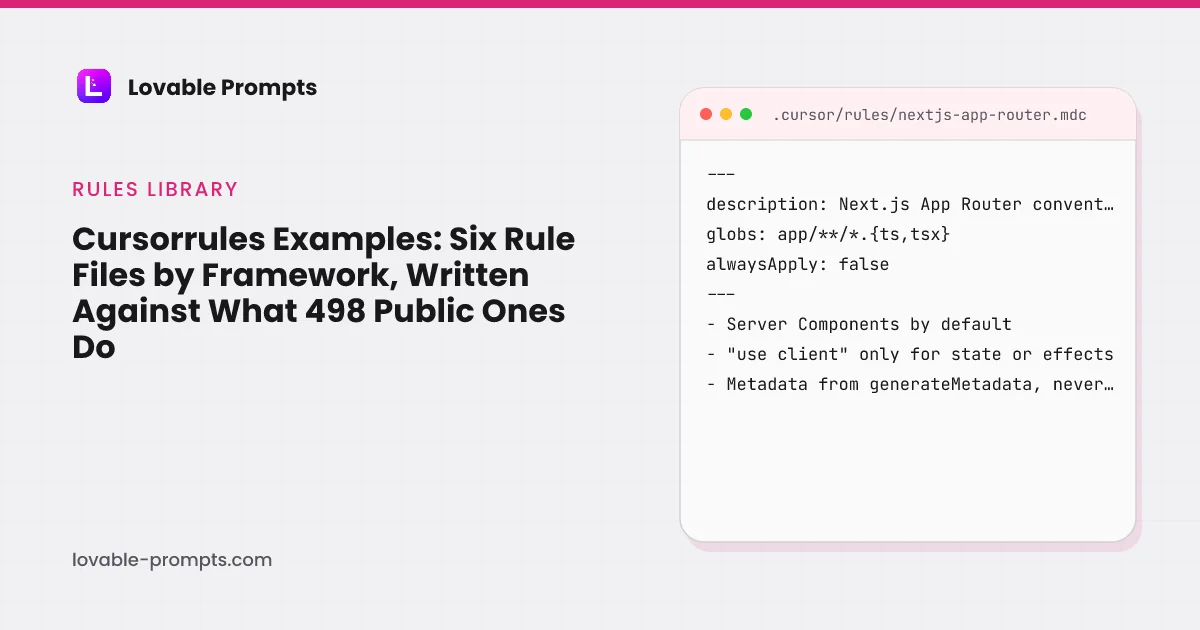
.cursor/rules/nextjs-app-router.mdc
Apply to Specific Files (globs)
Attaches only when a file under app/ is open. It states the App Router decisions Agent gets wrong by default: client components where a server one would do, metadata in the wrong place, fetches in effects.
---
description: Next.js App Router conventions for this project.
globs: app/**/*.{ts,tsx}, src/app/**/*.{ts,tsx}
alwaysApply: false
---
# Next.js App Router

- Components are Server Components unless they hold state, use effects or browser APIs; add "use client" at the top of only those files, never on a layout or a page.
- Data is fetched in Server Components or route handlers, never in useEffect. Pass the result down as props.
- Page metadata comes from generateMetadata or the exported metadata object; never edit <head> by hand.
- Every public route sets a self-canonical and a unique title; the SSR gate in scripts/ fails a page under its text floor.
- Route handlers validate input with the project's schema library and return typed JSON; no untyped request.json().
- Use the Link component for internal links with paths from data, never typed strings.
- Images go through next/image with width and height set; never wider than the source file.
- Do not create a new route without adding it to the sitemap source and the URL contract in scripts/verify-urls.
.cursor/rules/react-vite-lovable.mdc
Always Apply
The one always-on file, for a Lovable export. Short because it rides on every chat: the stack facts Agent cannot infer and the two Git rules from Lovable's sync docs.
---
description: Conventions of a Vite + React project exported from Lovable, synced two ways with GitHub.
globs:
alwaysApply: true
---
# Lovable export (Vite + React)

- Stack: Vite 5, React 18, TypeScript 5, Tailwind 3, shadcn/ui, Supabase JS 2. "@/" maps to "src/".
- Never edit src/integrations/supabase/client.ts or types.ts; both are generated. Regenerate types after a migration.
- src/components/ui/ is shadcn output. Compose in src/components/; do not hand-edit primitives.
- Keep lovable-tagger in vite.config.ts and the dev server on port 8080; Lovable's preview expects both.
- Work on a feature branch. Never force-push, rebase or squash commits already on the synced branch.
- After a merge, the first prompt back in Lovable reads: "I changed [files] outside Lovable to [describe the change]."
- Run npm run verify (typecheck, lint, tests) before reporting any task done, and paste the output.
.cursor/rules/supabase-rls.mdc
Apply to Specific Files (globs)
Attaches to migrations and edge functions. Every line is a policy shape or a proof, because the generated-app failure on record, CVE-2025-48757, is a policy that looked right and denied nothing.
---
description: Row-level security and edge-function rules for every table and function.
globs: supabase/migrations/**/*.sql, supabase/functions/**/*.ts
alwaysApply: false
---
# Supabase

- Every "create table" is followed by "alter table ... enable row level security" and at least one policy, in the same migration file.
- Policies compare auth.uid() with an owner column or a membership table. Never "using (true)" on a table that holds user data.
- Writes never trust a role, workspace id or user id sent by the client; derive them server-side.
- The service-role key is read only inside edge functions with Deno.env.get(); nothing under src/ holds it.
- Edge functions verify the caller's JWT before reading or writing and return 401 otherwise.
- Applied migrations are never edited; a change is a new file.
- After any migration, add two verification queries to the PR: one as the owner (expects rows) and one as a different user (expects zero rows), and paste both results.
.cursor/rules/tailwind-shadcn-ui.mdc
Apply to Specific Files (globs)
Attaches to component files. It exists to stop the two habits that make generated UI drift: inline styles and one-off spacing values, and screens without their empty, loading and error states.
---
description: Tailwind and shadcn/ui conventions for components and screens.
globs: src/components/**/*.tsx, app/**/*.tsx, src/pages/**/*.tsx
alwaysApply: false
---
# Tailwind + shadcn/ui

- Use shadcn/ui components from src/components/ui by name; do not reimplement a button, dialog or table.
- Spacing and colour come from the Tailwind scale and the CSS variables in globals.css; no arbitrary values, no inline style props.
- Every list, table and detail screen ships four states: empty (first-use and cleared are different), loading (skeletons shaped like the content), error (retryable and non-retryable are different), and partial data.
- Dialogs use the shared Dialog component; confirmations never use window.confirm or alert.
- Interactive elements are keyboard reachable and carry aria labels; focus order follows reading order.
- Mobile first: the base classes are the phone layout, breakpoints add columns.
- Dark mode uses the theme tokens; never a hard-coded hex.
.cursor/rules/node-api.mdc
Apply to Specific Files (globs)
Attaches to server routes and handlers. The rule is about failure before feature: validation, errors, secrets and logs, which are what a generated integration usually lacks.
---
description: Rules for API routes, handlers and third-party integrations in the Node server.
globs: src/server/**/*.ts, src/api/**/*.ts, app/api/**/*.ts
alwaysApply: false
---
# Node API

- Validate every request body and query with the project's schema library at the boundary; the handler receives a typed value or returns 400.
- Secrets come from process.env and are read in one config module; never inline a key, never log one.
- Handle, in this order, before any happy path: missing config, timeout, 4xx from the provider, 5xx from the provider, rate limit with retry-after.
- Every failure logs the provider's request id and the route; every response has a stable JSON error shape.
- Writes are idempotent where a client might retry: accept an idempotency key or check for the existing row.
- Webhooks verify the signature before parsing the body and return 2xx only after the write commits.
- Add or update the route's test with each change; do not edit a failing test to make it pass.
.cursor/rules/python-fastapi.mdc
Apply to Specific Files (globs)
Attaches to Python files. Typed models at the boundary and tests that are not mocks are the two rules the public Python files most often leave out; 18 of 21 attach to every file instead.
---
description: FastAPI and Python conventions: typed boundaries, explicit errors, tests without mocks.
globs: **/*.py
alwaysApply: false
---
# Python / FastAPI

- Every request and response is a Pydantic model; no dict payloads at the boundary.
- Type hints on every function signature; mypy (or pyright) runs in the verify script and must pass.
- Raise HTTPException with a stable error code and message; never return 200 with an error inside the body.
- Database access goes through the repository module; handlers do not build queries.
- Settings come from one pydantic-settings object read from the environment; no os.environ calls elsewhere.
- Tests run against an actual database in a transaction that rolls back; do not mock what you can run.
- Do not edit or delete a failing test to make it pass; report it.
How do these differ from a typical public cursorrules file?
| Typical public file (measured) | Files on this page | |
|---|---|---|
| Attachment | globs: **/*, so always on in effect | One always-on file; five by glob |
| Length | Median 72 lines for Next.js-tagged files, 82 for Supabase-tagged | 8 to 10 rule lines per file |
| Content | Principles: "write concise, maintainable, strongly typed code" | Commands, paths and values: which file never to edit, which query to run |
| Verification | None | A verify script or two queries, output pasted |
| Reason per line | Not given | Given above each file |
| Source of the rules | Author's preference | The gates this site's own repository runs, and Lovable's and Cursor's docs |
None of this makes the public files wrong; a 120-line file with five bullets of principles is a fine starting point for a taste. It does make them expensive to run on every chat, and it leaves the rules that matter, never edit the generated client, never a policy with using true, buried among the ones that do not. The Cursor prompts on this site each name which of these files they depend on.
What we did not do
- A controlled test of Agent output with and without each file. Three of the six encode conventions this site enforces by build gates; the other three are written to the same standard and not benchmarked.
- Rules for frameworks we do not run: Vue, Svelte, Angular, Flutter, Laravel, Go, Rust, Swift. The public collection has files for each; the chart above says how many.
- Counting cursor.directory, which refused our fetch on 26 September 2026, so the corpus here is the two GitHub collections only.
Sources
All checked on 26 September 2026. Corpus counts in src/data/cursorrulesByFramework.ts; the full-corpus measurement is scripts/measure-cursor-rules.mjs.
Frequently asked
What is a cursorrules file?↓
Which framework do most cursorrules examples target?↓
Should a rule attach to every file?↓
Can I use these with a Lovable export?↓
How long should a cursorrules file be?↓
Were these rule files tested?↓
Related reading
- Cursor rules: the .mdc format
The docs, the four modes, 498 files measured.
- Cursor prompts
Ten briefs that name which of these files they need.
- Cursor vs Claude Code
Editor or agent, priced and measured.
- the CLAUDE.md file
The same rules on the Claude Code side.
- Lovable vs Cursor
When the always-on file is for an export.
- backend prompts for roles, jobs and RLS
The policies the Supabase rule requires.
- free build kits with tested RLS
Schemas whose verification queries the rule asks for.
- UI prompts for screens and states
The four states the Tailwind rule names.
- coding prompts
Where a rule ends and a prompt begins.
Written by

Marco Kohns
Founder of ProtoBites - Venture Growth Studio
Growth PM at a Silicon Valley scale-up (a16z and General Catalyst backed), ex-Techstars where he consulted 13 early-stage startups, Reforge-trained. Every prompt on this site comes out of shipping ProtoBites' own portfolio products.