
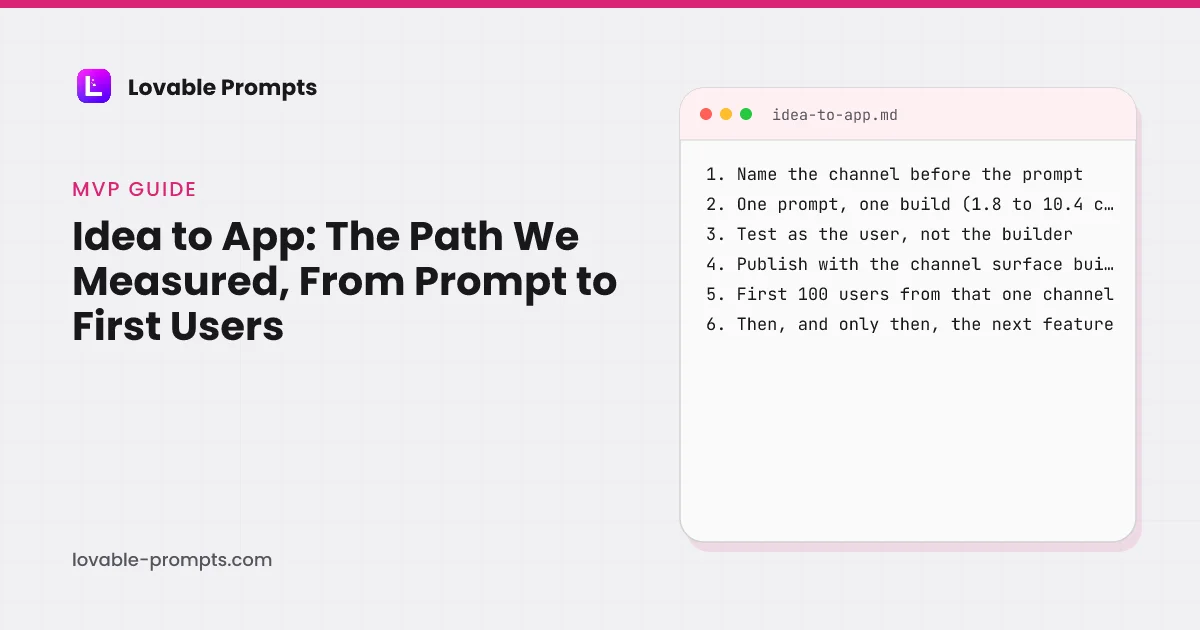
Idea to App: The Path We Measured, From Prompt to First Users
The pages that rank for this question are agency blueprints: eight steps, a developer salary range, and a button to book a consultation. In 2026 the build is a prompt and an afternoon. This guide is the path we have run three times on this site's own prompts, with the credits each run cost, the questions the builder asked before it started, what it tested on its own, and the step every blueprint skips: choosing the channel your first users will come from before you write the prompt.
Updated
What does idea to app take in 2026?
Less than the guides say and more than the demos show. The three pages ranking for this query on 26 September 2026 run 2,400 to 6,500 words, name no AI builder, and end in an agency or low-code CTA; the longest quotes a developer salary of $94,000 to $136,000 as the cost of the build. None of them has built the app they describe. We have, three times, from prompts in this site's library, in a personal Lovable workspace, reading the credits page before and after each run:
| Date | Questions asked first | Credits | What came back | |
|---|---|---|---|---|
| Landing page + email opt-in | 2026-07-31 | 0 | 1.8 | One round, all five priority features, inline success state, Cloud enabled |
| Empty states and skeletons | 2026-09-26 | 2 | 9.5 | Asked 2 questions, built a /states gallery and a task list, verified slow load, failure and retry |
| SaaS MVP with user auth | 2026-09-26 | 4 | 10.4 | Asked 4 questions, enabled Cloud, self-tested sign-up and invites, roles checked in the database |
Total: 21.7 credits for a capture page, a states pass and a SaaS foundation with auth, roles and invites. Each came back in one round. The path they followed is the rest of this page, and it has six steps, not eight, because two of the agency steps (fund it, hire for it) no longer exist.
- Channel: before the prompt
- Brief: one page, not a wiki
- Prompt and build: one change per prompt
- Test as the user: the builder does too
- Publish: scan, then ship
- First users: from that one channel
The six steps, in the order the three runs above followed them, with Lovable's prompting docs read on 26 September 2026.
Which step do the blueprints skip?
The channel. Every ranking guide has a “market your app” step at the end. Brian Balfour's Four Fits puts it at the start: “Products are built to fit with channels. Channels do not mold to products.” A search-first app needs public pages with their own URLs; a product-led app needs an invite that puts a teammate in the right workspace; a social-first app needs a share moment. Those are features, and features go in the first prompt or they cost a rebuild later. It is the reason every prompt in this library is tied to a channel:
| Category | prompts |
|---|---|
| Product-led Growth | 73 |
| Email Marketing | 47 |
| Organic SEO / AI Search | 39 |
| B2B Sales / LinkedIn | 38 |
| Community-led Growth | 25 |
| Organic Socials | 22 |
| Paid Search | 7 |
| Paid Socials | 2 |
| Short-Form Video | 2 |
| X (Twitter) | 2 |
Counted from the library on 26 September 2026; one prompt can serve more than one channel. Data from src/lib/channelIndex.ts.
Pick one. The product-channel fit guide explains why one channel beats three at this stage, and the prompt library is filtered by channel so the prompt you start from already carries the surface that channel needs.
How do you turn the idea into a brief the builder can use?
One page. Lovable's guide to building a product says the knowledge file “reads like a one-page brief, not a wiki”, and its prompting guide's first phase is “Lay the foundation”. The brief answers four questions, and we know they are the right four because when we ran the SaaS prompt with a closing line inviting questions, Lovable asked exactly these before writing a line of code: what the product is for and who uses it, how the first workspace gets its name, how invites reach teammates, and which visual direction fits.
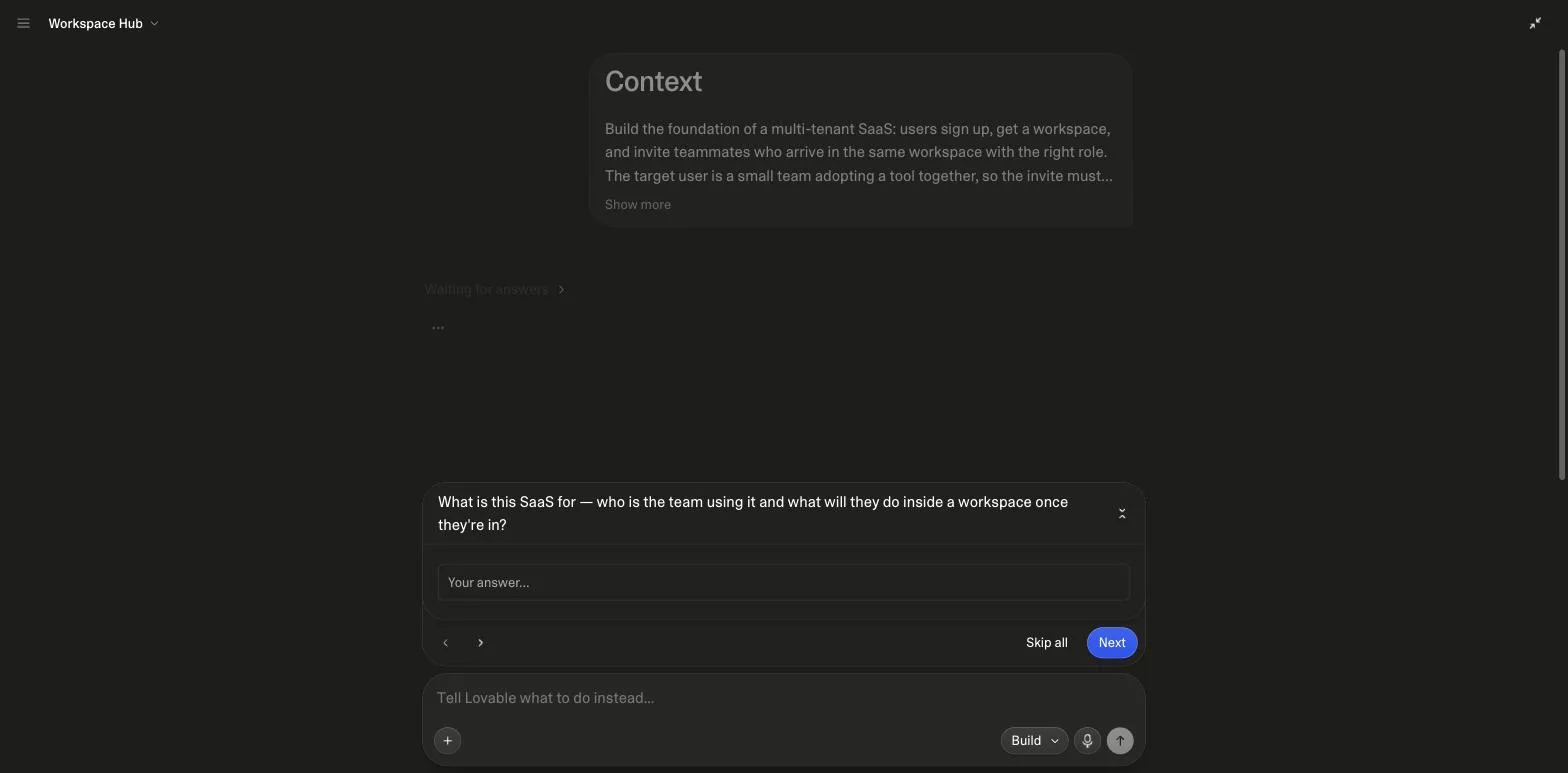
Write the answers down before the prompt and the questions do not come; write the prompt without them and a good builder asks. Either way the brief exists. What it must not contain is the feature list of the finished product: the common mistakes page has the rebuild cost of a first prompt that asks for everything.
How do you prompt the build?
One prompt for the foundation, then one change per prompt. Lovable's docs call the second part “the single most important habit: one change per prompt, verify in the preview, then move on”, with a test you can apply while typing: “If you catch yourself writing ‘and’ more than twice, split it into separate prompts.” The prompting best practices add the two rules for every change after the first: “Lovable works best when you build your UI in modular parts, not full pages at once”, and “say what to change and what to leave alone”.
| What it contains | What it prevents | |
|---|---|---|
| Context | Who it is for, the one job, the channel | A generic app for nobody |
| Core features, in priority order | Three to five, numbered | The builder choosing what matters |
| Screens and states | Empty, loading, error, success per screen | Blank screens on first load |
| Build order | Auth and guards before UI that depends on roles | Rework when the data model changes |
| Safeguards | RLS in the database, no client-trusted ids | The permission check that only hides a button |
| Before building | Ask me any questions you need, then save the decisions | Assumptions baked in silently |
The prompting guide explains each section with before-and-after pairs; the prompt examples page shows the three prompts above next to what they built, screenshot by screenshot.
Who tests it, and what does the build cost?
You do, as the user, and increasingly so does the builder. In the SaaS run Lovable reported that it had tested “the whole path end to end”: sign-up, the sign-in redirect back to a protected page, creating an invite, joining through it as a second person, and reusing an expired link. In the states run it verified the slow-load, failure and retry paths it had just built. Lovable's docs are equally clear about what to do when a fix does not take: “If Try to fix has not solved an error after a couple of attempts, switch tactics instead”, which means Plan mode and a description of what happened.
| Category | credits |
|---|---|
| Landing page + email opt-in | 1.8 (one round) |
| Empty states and skeletons | 9.5 (2 questions first) |
| SaaS MVP with user auth | 10.4 (4 questions first) |
Read from the workspace credits page before and after each run; the two September runs asked clarifying questions first. Data in src/data/runs.ts.
The spread is the lesson: a capture page was 1.8 credits, a foundation with auth, roles and self-testing 10.4. The prompt sets the bill. Lovable's docs separate the two meters that follow: building “uses build credits from your workspace”, while “hosting and running consume run credits as the app is used”. The credits guide has both.
How do you publish, and then what?
Lovable's publish step is one sentence long: “Run a security scan before your first publish, and fix anything it flags as critical. Then click Publish.” We add the SEO review, which on our SaaS test project cost 1.1 credits and passed 5 of 6 checks, and which told us, unprompted, that visibility for a one-page sign-in product “will mostly depend on publishing and getting mentioned elsewhere, not on technical tweaks”. The Lovable SEO guide has that run and our own before-and-after.
Then the channel, run in earnest, for weeks. That is the part no builder shortens and the part this site exists for: the first 100 users guide compares the three playbooks with a documented case, and the build kits ship the schemas a channel-first app needs already tested. The next feature waits until the first users have said what it is.
What did we not measure?
- Wall-clock time per run. The credits page records credits, not minutes, and we did not stopwatch the sessions, so no “app in 12 minutes” claim appears here.
- Retention or revenue of the test apps. They are test projects; nothing on this page is a case study of a launched product. The first-100-users guide carries the documented case, with sources.
- The same prompts on other builders. The runs are Lovable only; the Lovable alternatives page explains why a fair cross-builder harness needs paid accounts on each.
Sources
All checked on 26 September 2026. Run data in src/data/runs.ts; channel counts computed from the library at build time.
Frequently asked
How do I turn an app idea into an app without coding?↓
How long does it take to go from idea to app?↓
What does it cost to build an app from an idea?↓
Should I validate the idea before building?↓
What should the first prompt contain?↓
What comes after the app works?↓
Related reading
- product-channel fit
Why one channel beats three at the start.
- getting the first 100 users
Three playbooks and a documented case.
- how to write prompts for Lovable
The skeleton, section by section.
- three prompts and what they built
The runs on this page, screenshot by screenshot.
- how Lovable credits work
Build credits, run credits, measured burn.
- common Lovable mistakes
The first prompt that asks for everything.
- whole-app prompts with a build order
Thirty apps, each with its channel.
- Lovable SaaS prompts
The foundation prompt from the SaaS run.
- free build kits with tested RLS
Schemas a channel-first app needs, tested.
- Lovable SEO
What publishing to search actually needs.
- coding prompts
Ten for the loop after the first build.
- AI coding tools by job
Which tool for which step.
- vibe coding prompts
Ten first prompts with the channel built in.
- Lovable pricing
Which plan the measured runs fit.
Written by

Marco Kohns
Founder of ProtoBites - Venture Growth Studio
Growth PM at a Silicon Valley scale-up (a16z and General Catalyst backed), ex-Techstars where he consulted 13 early-stage startups, Reforge-trained. Every prompt on this site comes out of shipping ProtoBites' own portfolio products.