
Base44 Prompts: 10 Briefs Written to Its Entities, Functions and Roles
A Base44 prompt is a plain-language brief that Base44 turns into a working app with a backend it hosts. Its prompt guide (read on 26 September 2026) gives the habits: "Describe what you want to see on the page. The more concrete you are, the less it has to invent", "When you explain the reason behind a request, Base44 can make smarter choices about the details you did not spell out", and "Start with the core, get it working, then layer features on one by one." Its own library holds fifty-plus prompts in that voice, most of them one paragraph.
These ten are written to the parts of Base44 that a one-paragraph prompt leaves to chance. Every one names its entities as JSON schemas with fields, because that is what Base44's docs say an entity is; every one states the access rule per entity, because Base44 enforces row-level and field-level rules where the data lives; every one that needs a secret or a schedule names a backend function; and every one carries the growth surface its channel needs, which is what this library is for. The same ten jobs exist for Lovable, Claude Code and Cursor; the differences are the building blocks, and the table below lays them side by side.
The “Try in Lovable” links on this page are affiliate links: we may earn a commission if you create an account through one. It costs you nothing and does not change which prompts are here.
Public Landing Page with a Waitlist Entity
What this prompt is for
A public one-page site with an email waitlist stored as an entity nobody but admins can read, UTM fields captured, and a success state that stays on the page.
When to use it
Before any traffic is sent to a Base44 app that has no public page yet. The app stays Public in visibility; only the entity is locked down.
# Context
Build the public landing page for [product], for [who it is for]. One offer in plain words, one primary action: join the waitlist. The app's visibility is Public; the waitlist data is not.

## Entities
- Lead: email (required, email format), created_at, source, utm_source, utm_medium, utm_campaign, consent (boolean, default false)
- Rules: anyone may create a Lead; only admins may read,
Channel-Optimized Pro Version
This prompt has a Pro version optimized for Email Marketing. Unlock to get product-channel fit guidance and distribution-ready features.
SaaS with Workspaces, Roles and Invites
What this prompt is for
A private multi-user app where each user belongs to a workspace, membership is an entity with a role, invites are tokenized, and every entity carries row-level rules that reference the membership.
When to use it
The first feature in any team product on Base44. Run before screens, because retrofitting workspace rules touches every entity.
# Context
Build the foundation of a team product: a user signs up, gets a workspace, and invites teammates who arrive in the same workspace with a role. Visibility: Private, sign-in required. Use Base44's built-in auth; do not build a second login.

## Entities
- Workspace: name, owner_user_id, created_at
- Membership: workspace_id, user_id, role (owner | admin | member), joined_at
- Invite: works
Channel-Optimized Pro Version
This prompt has a Pro version optimized for Product-led Growth. Unlock to get product-channel fit guidance and distribution-ready features.
Public Directory with One Page per Record
What this prompt is for
A directory app where each record is a public page with its own URL, title and description, a related list of eight siblings, and an admin-only editor, so the content is findable by search.
When to use it
When the app has entities people search for: places, tools, templates, people. Run after the landing page brief so the domain and metadata pattern exist.
# Context
Build a public directory of [entities] for [audience]. Every record is a page with its own URL and enough unique text to be worth indexing. Visibility: Public for the directory; editing is admin-only.

## Entities
- Item: slug (unique), name, summary (one sentence), body (sections), category, related_slugs (list), updated_at, published (boolean)
- Rules: anyone reads published Items; onl
Channel-Optimized Pro Version
This prompt has a Pro version optimized for Organic SEO / AI Search. Unlock to get product-channel fit guidance and distribution-ready features.
Result Tool with a Share Card
What this prompt is for
A small public tool that produces a result worth sharing, a saved Result entity with an unguessable id, a read-only share page, and a share action with a preview card.
When to use it
For a tool whose output people show others: a score, a plan, a calculator result. Run it as its own app or inside a bigger one after the landing page brief.
# Context
Build [a tool that produces a result the user is proud of], for [audience]. Visibility: Public. The result is saved so it can be shared, and the share page must not expose anything personal.

## Entities
- Result: public_id (random, unguessable), inputs (object), output (object), created_at, user_id (optional)
- Rules: anyone creates a Result; anyone reads a Result by public_id; only the
Channel-Optimized Pro Version
This prompt has a Pro version optimized for X (Twitter). Unlock to get product-channel fit guidance and distribution-ready features.
Newsletter with a Public Archive and Sends from a Function
What this prompt is for
A subscribe form with double opt-in, an Issue entity that renders as a public page, and a backend function that sends each issue through the email integration with a per-recipient log.
When to use it
When email is the channel. Run after the landing page brief; the Lead entity becomes the subscriber list.
# Context
Build a newsletter app: subscribe with double opt-in, an archive where each issue is a public page, and sending from a backend function through the connected email integration, with every send logged. Visibility: Public for the archive; sending is admin-only.

## Entities
- Subscriber: email (unique), confirmed (boolean), confirm_token, unsubscribed_at, created_at
- Issue: slug, title, b
Channel-Optimized Pro Version
This prompt has a Pro version optimized for Email Marketing. Unlock to get product-channel fit guidance and distribution-ready features.
Landing Page Variants for Paid Search
What this prompt is for
One page per ad group from a Variant entity, message match enforced by a field, UTM and click ids stored on the lead, and an admin table of leads by campaign.
When to use it
Before spending on search or social ads to a Base44 app. Run after the landing page brief; the Lead entity is reused.
# Context
Build landing page variants for paid traffic: one page per ad group, sharing every component, differing only in copy stored on an entity. Visibility: Public.

## Entities
- Variant: slug, ad_group, headline (must contain core_phrase), core_phrase, subline, cta_label, published
- Lead: add campaign, ad_group, click_id (gclid or fbclid), variant_slug to the existing Lead entity
- Rules: an
Channel-Optimized Pro Version
This prompt has a Pro version optimized for Paid Search. Unlock to get product-channel fit guidance and distribution-ready features.
Feedback Board and Changelog
What this prompt is for
A public feedback board with one vote per user enforced by an entity rule, status changes by admins with notifications, and a changelog entity rendered as a public page with a feed.
When to use it
Once the app has users who ask for things and ships weekly. Run after the workspaces brief so sign-in and roles exist.
# Context
Add two public pages to this app: a feedback board where signed-in users post and vote, and a changelog with one entry per release. Visibility stays as it is; the two pages are readable by anyone allowed into the app.

## Entities
- Feedback: title, body, author_user_id, status (open | planned | shipped), vote_count, created_at, changelog_id (optional)
- Vote: feedback_id, user_id (uniqu
Channel-Optimized Pro Version
This prompt has a Pro version optimized for Community-led Growth. Unlock to get product-channel fit guidance and distribution-ready features.
Event Entity and Funnel Page
What this prompt is for
A single Event entity with a fixed list of names, a backend function that writes them with server-side ids, a nightly rollup entity, and an admin funnel page that reads the rollup.
When to use it
Right after the first public page or the workspaces brief, before any paid traffic. Every later brief logs to the names this one defines.
# Context
Add analytics this app owns: one Event entity, a fixed list of event names, a backend function that records them, and an admin funnel page. Third-party tools can come later; the entity is the source of truth.

## Entities
- Event: name (enum: page_view, signup, activate, invite_sent, invite_accepted, purchase), user_id, session_id, source, properties (object), created_at
- Rollup: date,
Channel-Optimized Pro Version
This prompt has a Pro version optimized for Paid Search. Unlock to get product-channel fit guidance and distribution-ready features.
Companion Page for Short-Form Video
What this prompt is for
A page per video that delivers the artifact the video promised, at a URL short enough to say out loud, with an optional email gate stored as a Lead and a next-step strip.
When to use it
When short-form video is the channel and each video needs somewhere to send people. Run after the landing page brief.
# Context
Build companion pages for videos: each video promises an artifact (a checklist, a template, a calculator) and this app delivers it at a short URL. Visibility: Public.

## Entities
- Companion: slug (short, lowercase, no dashes), video_title, platform, artifact_type, artifact (object or file), gated (boolean), next_step_label, next_step_url, published
- Lead: add companion_slug to the exi
Channel-Optimized Pro Version
This prompt has a Pro version optimized for Short-Form Video. Unlock to get product-channel fit guidance and distribution-ready features.
Account Signals for Founder-Led Sales
What this prompt is for
A nightly score per workspace from the Event rollup, an admin accounts page with the inputs visible, a per-account summary, a CSV export and a weekly digest function.
When to use it
When companies use the app and a founder sells it by hand. Run after the workspaces and events briefs, because the score reads both.
# Context
Add sales signals: a score per Workspace from activity and growth, an admin page sorted by it, a summary per account, and a weekly digest. Everything here is admin-only.

## Entities
- AccountScore: workspace_id, date, active_7d, active_30d, seats_added_30d, actions_per_member, days_since_activity, score
- Rules: only admins read AccountScores; only the scoring function creates them

##
Channel-Optimized Pro Version
This prompt has a Pro version optimized for B2B Sales. Unlock to get product-channel fit guidance and distribution-ready features.
Every Prompt, Every Kit, One Payment
All 10 prompts plus every Pro variant and build kit in one bundle, plus unlimited prompt generation, $199 once. Or sign up free to copy prompts one at a time.
Browse More Categories
Related Resources
The Complete Lovable Bundle
$199 once. Unlimited generation, every prompt, every kit, every future dropEvery prompt, every Pro variant, all four build kits and every future drop, in one Notion workspace. One payment, never a subscription.
Get the 131-Prompt BundleWhich growth channels do these prompts serve?
Every prompt in this category carries a distribution section naming the channel it is built for, so the generated app has a way of being found rather than only a feature set. The chart counts primary and secondary coverage together, computed from the prompt bodies when the site is built.
| Category | prompts |
|---|---|
| Email Marketing | 4 |
| Organic SEO / AI Search | 3 |
| Paid Search | 2 |
| Organic Socials | 2 |
| Paid Socials | 2 |
| Community-led Growth | 2 |
| B2B Sales / LinkedIn | 2 |
| Short-Form Video | 1 |
| Product-led Growth | 1 |
| X (Twitter) | 1 |
Computed from the channel mapping in each prompt at build time; a prompt can serve more than one channel.
What is a Base44 prompt, and how is it different from a Lovable prompt?
Both take prose and return a running app with a database. The difference is what the docs let you name. Lovable builds on Supabase, so its prompts talk in tables, policies and edge functions. Base44's entities documentation says "Entities are the data models for your Base44 app. Each entity is a schema that defines the structure for documents in a collection, stored in Base44's NoSQL database", with "row-level and field-level security rules" that "control who can access which records and fields". Its backend functions "run on Deno", read secrets with secrets.get(), can run on a schedule, and are capped at five minutes. Its access settings give an app three visibilities, Public, Private and Workspace, and two live-app roles, Admin and User, with row-level rules for anything finer.
| Lovable prompt | Base44 prompt | |
|---|---|---|
| Data | Supabase tables, migrations, RLS policies | Entities as JSON schemas with row-level and field-level rules |
| Server code | Edge functions with Deno.env | Backend functions on Deno with secrets.get(), five-minute cap, schedulable |
| Access | Auth providers, RLS per table | Public, Private or Workspace visibility; Admin and User roles; rules per entity |
| Standing context | Project knowledge, up to 10,000 characters | The first two or three prompts of the project; save prompts as templates |
| Planning before building | Plan mode, one credit plus research | Discuss mode, 0.3 credits a message |
| Leaving | Two-way GitHub sync on every plan; no import | GitHub sync on Builder or higher, main only, pre-connection history not revertible |
So a Base44 prompt in this library keeps the Lovable skeleton and swaps two sections. Entities replaces the schema paragraph: each entity is named with its fields and its rule, in the docs' own terms. And the closing line loses Lovable's save-to-knowledge instruction, because Base44's context lives in the session and the first two or three prompts; the Before Building line still asks for questions first, and Base44's chat modes give the cheap place to have that conversation: Discuss mode "lets you ask questions or plan your next change, with no code changes until you approve them", at 0.3 credits a message.
How is a Base44 prompt in this library built?
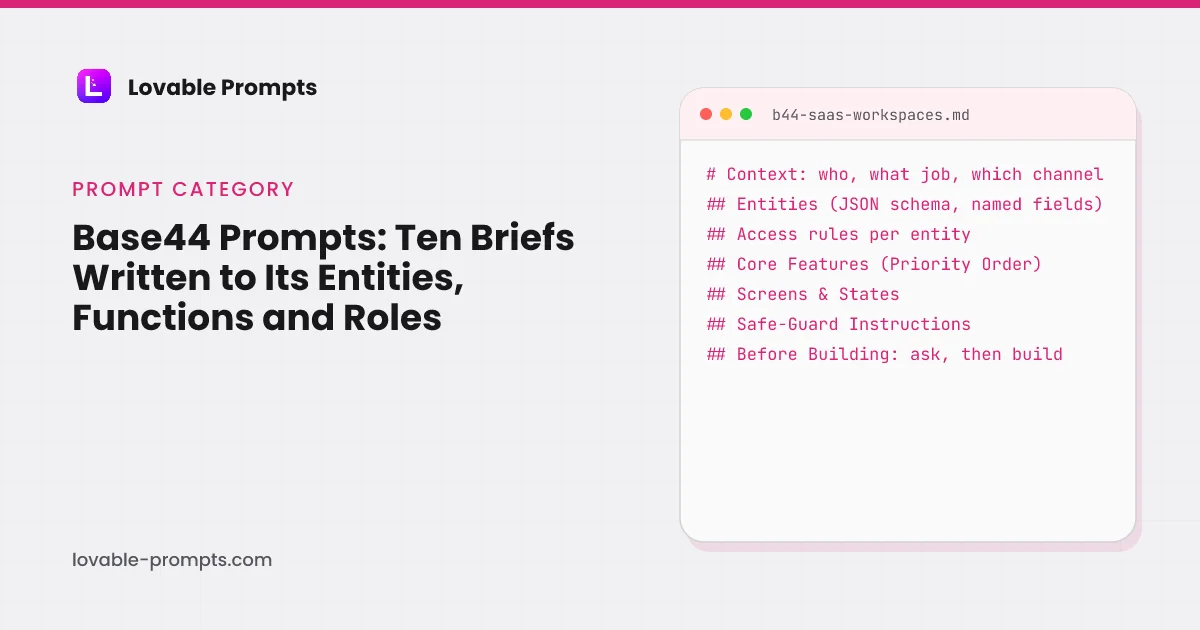
The one to read is the workspaces brief, because it is the foundation the team-product briefs assume and because its Entities section shows the pattern. Three entities, each with a rule that references the membership: a user reads a Workspace only where a Membership row links them; only owner and admin roles create Invites; an Invite is readable by token lookup only from the accept flow. Those three rules are the security model, written where Base44 enforces it. The Safe-Guard section then repeats the one rule Base44's docs and Lovable's agree on: hiding a button is not access control.
- Context: The job, the visibility (Private), built-in auth only.
- Entities: Workspace, Membership, Invite, each with fields and a rule.
- Core Features (Priority Order): Sign-up, member list, invite dialog, accept flow, role-gated UI.
- Safe-Guard Instructions: Rules on the entity, never only in the UI; no ids from the client.
- Before Building: Ask, then build.
Headings read from the prompt body of b44-saas-workspaces in this library.
The Before Building line is shorter than the Lovable version on purpose. Base44's prompt guide asks for concreteness and reasons; it does not have a knowledge file to write to. The questions still come first, and the Discuss mode is where they cost least.
How do these briefs use Base44's own prompt library and chat modes?
Base44's prompt library is organised by what you are starting (a business app, a client-facing app, a personal app) and by what every app needs afterwards, with a section called "Getting your app in front of people". Its prompts read like this one, quoted in full: "Build an app for [people who run small book clubs]. They can [add the current book, set a meeting date, and mark how far they have read]. The goal is [everyone showing up having read the same chapters]. Keep it warm and simple: one page, soft colors, no sign-up needed to look around." That is a good first message. Use it, then use one of the ten here for the second, when the entities, the rules and the channel have to be right.
- Discuss: questions first, 0.3 credits each
- Build: the brief, entities and rules
- Check rules: read each entity's access rule
- Edit: visuals by clicking, free
- Refine: one Pro refinement per message
Modes and costs from Base44's AI chat modes page, read on 26 September 2026; the brief's own section order.
The three chat modes decide what a message costs. Build mode acts on the prompt; Discuss mode plans at 0.3 credits a message; Edit mode changes visuals by clicking, free unless you ask the AI for help. The briefs here are Build mode messages; their Before Building line is the hand-off to Discuss mode, and the refinement prompts in each Pro variant are meant for one Build message each.
Which Base44 brief to use
If the app has no public page yet, the Landing Page with a Waitlist Entity, then the Event Entity so the first visitor is counted. If the app is for teams, SaaS with Workspaces, Roles and Invites, then Feedback and Changelog once it ships weekly.
If the app is content people search for, the Public Directory. If the app produces something people show off, the Result Tool with a Share Card. If the channel is email or video, the Newsletter or the Companion Page. If money is going into ads, the Landing Page Variants.
Account Signals comes last, because it reads the Event rollup and the Membership entity that earlier briefs create.
Suggested build order
Public page first, events second, then the foundation, then the surfaces, then the loops that read them. Each brief names the entities it adds, so the order is the order the entities depend on each other.
A public page and a locked Lead entity
Visibility Public; the data admin-only.
Prompt: Public Landing Page with a Waitlist Entity
Define the events once
An enum on the Event entity, a function that writes it.
Prompt: Event Entity and Funnel Page
Build the foundation with rules
Three entities, three rules, one invite flow.
Prompt: SaaS with Workspaces, Roles and Invites
Then the surfaces
One page per record, or variants per ad group.
Prompt: Public Directory with One Page per Record
Then the loops
Board, changelog, newsletter and signals read the earlier entities.
Prompt: Feedback Board and Changelog
Where Base44 prompts usually go wrong
- Naming screens and not entities. Base44 will invent a data model from a screen description and it will be a plausible one; the rule that keeps other people's records out of a page is then missing. Name the entity, its fields and its rule.
- Leaving the rule to the UI. Base44's own access docs say to use row-level rules for anything finer than Admin and User; a button that admins see and users do not is not a rule.
- Building first, asking later. Discuss mode costs 0.3 credits a message; a wrong data model costs the rebuild. The Before Building line exists for that reason.
- Expecting a clean exit. Base44's GitHub docs require the Builder plan or higher, a branch named main, and say pre-connection version history cannot be reverted to. Decide that before the app is big, not after.
Frequently asked
Do these prompts work in Base44's free plan?↓
Yes, within its limits: 25 message credits and 100 integration credits a month across up to 5 apps, as printed on 26 September 2026. Private visibility, which the workspaces brief asks for, is a paid-plan feature per Base44's access docs, so on Free run it as Public with sign-in required for the app's pages. GitHub sync needs Builder or higher.
Why does every brief have an Entities section?↓
Because that is what Base44 is built from. Its docs define an entity as a schema for documents in a collection with row-level and field-level rules, and give you full CRUD on it once defined. A brief that names the fields and the rule gets a data model you decided; a brief that names screens gets one the model guessed.
What do backend functions do in these briefs?↓
Anything that needs a secret, a schedule, or a write the client must not do: sending email, counting views, computing scores nightly, sending conversion events. Base44's docs say functions run on Deno, read secrets with secrets.get(), can be triggered by automations on schedules or database events, and have a five-minute limit. The briefs name the function and the rule that only it may write a given field.
Are these Base44 prompts tested?↓
Not on Base44. This site's measured runs are on Lovable; the Base44 briefs are the same jobs rewritten to Base44's documented building blocks, with every mechanism quoted from the docs on the date printed. The Base44 alternatives page explains how the two builders differ and what we did not test.
How long should a Base44 prompt be?↓
Base44's own library prompts are one paragraph and its guide says to build one piece at a time. The briefs here are longer because the first message carries the entities and rules; after that, follow the guide: one feature per message, ask for the fix not the flaw, and use Discuss mode before any change you are not sure of.
Can I take the app somewhere else later?↓
By GitHub sync on the Builder plan or higher, to a repository whose default branch is main, with the docs' warning that version history from before the connection cannot be reverted to, or by the export API's zip of the current saved code. Whether the data and auth come with either is not stated in the docs we read; the Base44 alternatives page sorts the destinations by what you keep.
Related reading
- Base44 alternatives by what you keep
Its plans and GitHub rules quoted, six builders priced.
- Lovable SaaS prompts
The same foundation in Supabase terms.
- landing page prompts by traffic source
The capture pattern, on Lovable.
- Claude Code prompts
The same ten jobs for an agent with the repo open.
- Cursor prompts
The same ten jobs for the editor.
- vibe coding prompts
Ten short first prompts with the channel built in.
- Lovable alternatives compared
Base44 and five others, prices checked.
- product-channel fit
Why every brief names one channel.
- getting the first 100 users
The playbook for the channel you picked.
- free build kits with tested RLS
The rule pattern, executed on Supabase.
- Lovable security
How the same anon-key-plus-RLS model is checked on Lovable.
Sources
All checked on 26 September 2026.
Updated .
Written by

Marco Kohns
Founder of ProtoBites - Venture Growth Studio
Growth PM at a Silicon Valley scale-up (a16z and General Catalyst backed), ex-Techstars where he consulted 13 early-stage startups, Reforge-trained. Every prompt on this site comes out of shipping ProtoBites' own portfolio products.
Help shape this product
We're building this in public and your input genuinely matters.
If something felt confusing, missing, or especially useful, I'd love to hear about it. It takes ~30 seconds and helps me improve the parts that matter most.
Share quick feedbackGoes straight to the builder. No marketing questions. No auto-replies.